
Last updated: 2026-10-06
GPT4All is a free, MIT-licensed desktop app from Nomic that runs open-weight language models on Windows, macOS and Ubuntu with no cloud account. Its GitHub repository had about 77,400 stars on 2026-10-06. LocalDocs lets you chat with your own folders, and an optional OpenAI-compatible server listens on port 4891 when enabled.
About GPT4All
GPT4All is Nomic's free chat app for running open-weight models entirely on your own computer. The code is published under the MIT licence at github.com/nomic-ai/gpt4all, and on 2026-10-06 the repository showed about 77,400 stars and 8,300 forks, which makes it one of the most widely starred local chat apps. Its tagline is a private, local chatbot: no API calls and no GPU are required, and the vendor states that no data leaves your machine.
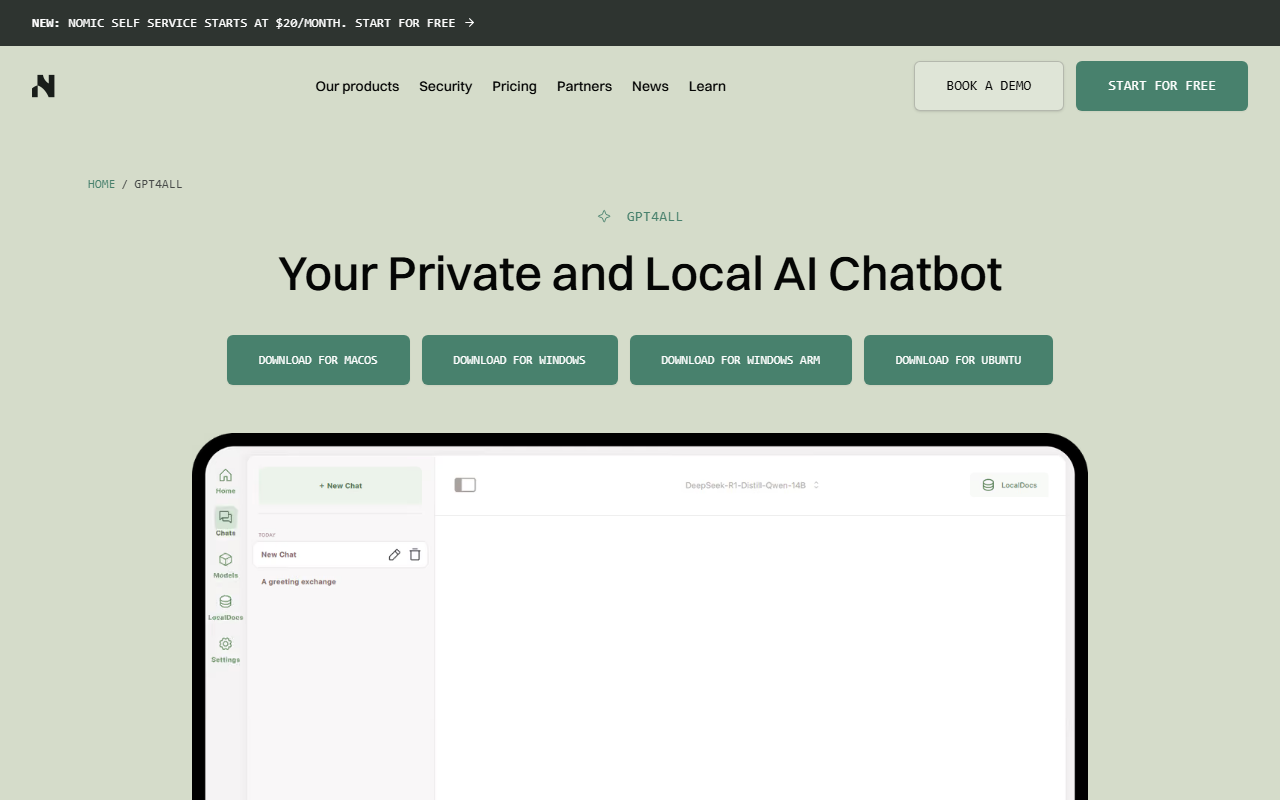
The app installs on Windows, Windows on ARM, macOS and Ubuntu, and a chat window lets you download models from a built-in Explore Models page. Under the hood it uses a llama.cpp backend and loads GGUF files from Hugging Face, so it can run families such as Llama from Meta and the R1 distillations from DeepSeek named in its README. The docs describe the sweet spot as models in the 3B to 13B parameter range on consumer hardware. If you want to compare it with other local runners, Ollama is built around a command line and a local API, LM Studio is another graphical runner with model search, and Jan adds cloud providers beside local models.
The feature people mention most is LocalDocs. You link a folder, the app indexes it with Nomic's on-device embedding models, and each answer can show which files it drew from under a Sources button. The default pulls up to 3 snippets per prompt. It is a private cousin of document tools such as NotebookLM, with the difference that files and chats stay on disk. An optional local server speaks an OpenAI-compatible API on port 4891, and it is switched off until you enable it. A Python client installs with pip install gpt4all.
The app is free, and neither the repository nor the GPT4All page lists a paid plan. The cost is hardware: the system requirements list 16 GB of RAM as the minimum for most models (8 GB for 3B models) and an 8 GB VRAM graphics card as the recommended spec. Expect a slower pace of change than the newer runners, because the latest GitHub release is v3.10.0 from 2025-02-25 and the last commit on the main branch was 2025-05-27. Nomic itself now markets a separate platform for architecture and engineering firms, which is a different product from this app. If you need frontier quality without the hardware, hosted assistants such as ChatGPT and Claude remain the alternative, and the models themselves are catalogued on Hugging Face.
Screenshots
Pricing
The desktop app is free and no paid plan is listed on the GPT4All page or the GitHub repository as of 2026-10-06. Real costs are local, mainly disk space for model files and a machine with enough memory. Nomic's separate platform for architecture and engineering firms is a different product.
Key Features
- Offline local models: Downloads GGUF models from Hugging Face through an Explore Models page and runs them on a llama.cpp backend with no internet connection.
- LocalDocs: Indexes a folder with on-device embedding models, retrieves up to 3 snippets per prompt by default and lists the source files under each answer.
- OpenAI-compatible local server: Exposes an OpenAI-style API on port 4891 for other apps on your machine, switched off until you enable it in settings.
- Python client: Installs with pip install gpt4all and loads a model such as Meta-Llama-3-8B-Instruct in a few lines of code.
- Device and GPU control: Lets you pick Auto, Metal, CPU or GPU for inference and set how many model layers go to VRAM, 32 by default.
- Opt-in data sharing: The Datalake option for sharing anonymous interactions with the community is off by default.
Pros
- The full source is on GitHub under the MIT licence, so you can audit, fork or embed it without a licence fee.
- No account or API key is needed to chat, and Nomic describes the app as private by design.
- LocalDocs shows the source files behind each answer, which makes it easy to check what the model read.
- One download covers Windows laptops, ARM Windows devices, Macs and Ubuntu desktops.
Cons
- Machines with 8 GB of memory are limited to 3B-class models, and bigger ones want double that.
- Updates are slower than newer runners, with the newest tagged build dating from early 2025.
- The default context length is 2,048 tokens, which is short for long documents until you raise it in settings.
- There is no iOS, Android or hosted web version, and the Linux build is x86-64 only.
Data Handling
- Training-data policy
- Chats stay on the device. Sharing interactions with the community through Datalake is opt-in and off by default.
Frequently Asked Questions
What does GPT4All cost?
Nothing is charged for the app itself as of 2026-10-06. What you spend is disk space for downloaded model files and a computer with enough memory to run them. Nomic also sells an unrelated business product, which you never need for GPT4All.
What are the limits of running GPT4All for free?
The limit is your hardware, not an account cap. Most models want 16 GB of memory (8 GB is enough for 3B ones), and Nomic suggests a graphics card with 8 GB of VRAM for comfortable speed. Out of the box the context length is 2,048 tokens and LocalDocs pulls 3 snippets per prompt, both adjustable.
What should you use instead of GPT4All?
Ollama suits developers who live in a terminal and call models from scripts. LM Studio and Jan are graphical runners with their own model search, and Jan can also connect to cloud providers. If you prefer not to run anything locally, a hosted assistant such as ChatGPT or Claude avoids the hardware requirement.
Is GPT4All still actively developed?
Development has slowed. The newest tagged build on GitHub is v3.10.0 (2025-02-25) and its latest push was 2025-05-27. The app still downloads and runs models, but newer runners ship updates more often, so check the repository before relying on it for a brand-new model family.
How do you get started with GPT4All?
Download the installer for Windows, Windows on ARM, macOS or Ubuntu from the GPT4All page, then open Models and choose Add Model to download one. Start with a model in the 3B to 8B range if you have 16 GB of RAM or less. To chat with your own files, add a LocalDocs collection that points to a folder.
Top Alternatives
- Ollama: Pick GPT4All for a ready chat window with LocalDocs; pick Ollama when you want a command line and a local API for scripts.
- LM Studio: Choose GPT4All for an MIT-licensed app you can audit; choose LM Studio for faster model updates and its own local server.
- Jan: Pick GPT4All for folder chat that stays fully local; pick Jan when you also want cloud providers and MCP connectors in one window.