
Last updated: 2026-10-06
AnythingLLM is an open-source desktop and server app from Mintplex Labs that chats with your own documents using local or hosted models. Its MIT-licensed GitHub repository holds about 66,700 stars, and desktop version 1.17.0 runs on Windows, macOS and Linux with no account, adding agents, scheduled jobs and an on-device meeting assistant.
About AnythingLLM
AnythingLLM is an open-source AI app from Mintplex Labs that runs on your own computer and chats with your documents, searches the web and carries out agent tasks without an account or API key. The code is MIT licensed and the GitHub repository holds about 66,700 stars as of 6 October 2026. The desktop build is at version 1.17.0 and is free.
The core idea is a workspace. You drop PDFs, text files, web pages or whole folders into a workspace, the app splits and embeds them locally, and every chat in that workspace answers from those files with citations back to the source passage. You pick the model behind it: a small model that the app downloads and runs on your device, a model served by Ollama or LM Studio, or a hosted API if you prefer. If you cannot decide, the app recommends a model that fits your hardware.
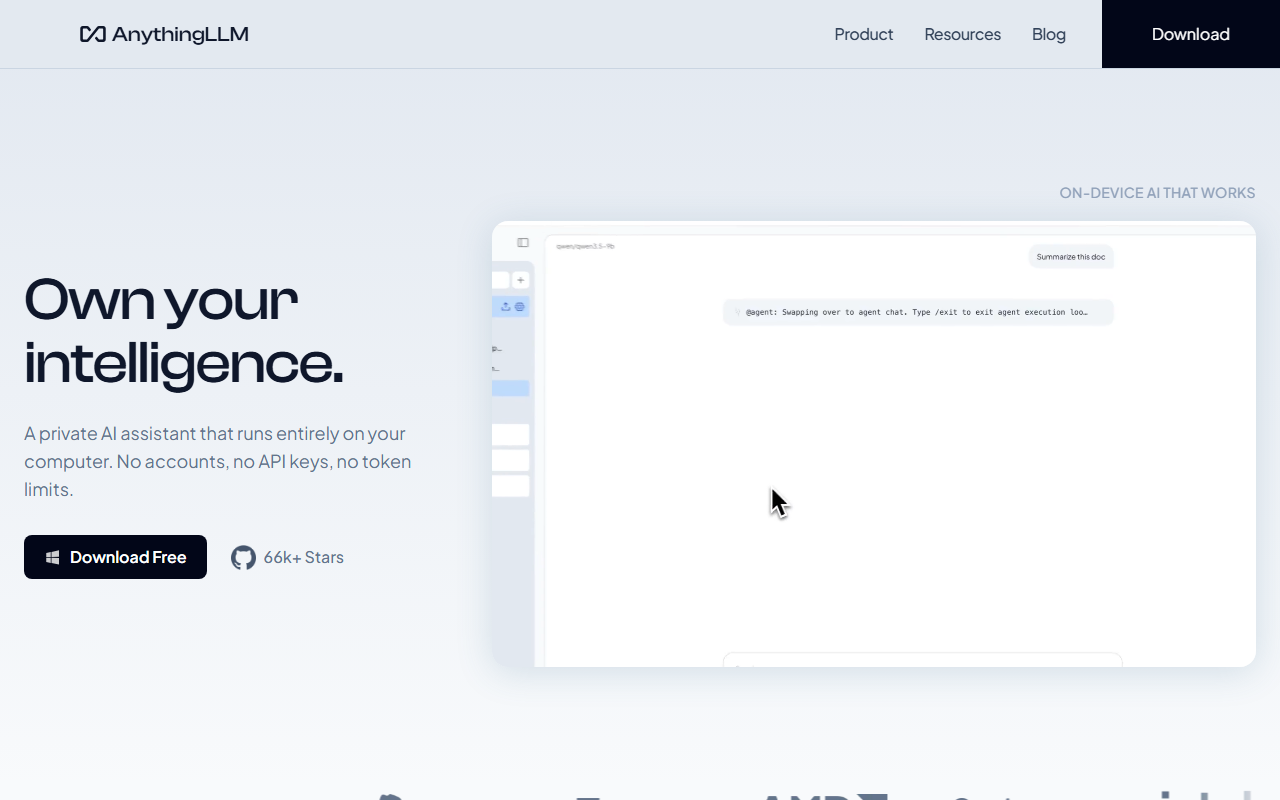
On top of document chat sits an agent layer. Agents can scrape a page, search the web, read and write files on your machine, run scheduled background jobs and call custom skills you build with the tool builder or the developer API. Newer additions include a meeting assistant that transcribes and summarises calls on the device without a bot joining the meeting, and a dictation feature that refines speech as you talk.
Who it suits: people who want a private research assistant on one laptop, teams that want a shared multi-user workspace on their own server, and developers who want an embeddable RAG backend. It overlaps with Jan and GPT4All on the single-user desktop and with Open WebUI on the self-hosted team side. For a wider look at running models on your own hardware, see the guide on local coding models.
Pricing splits by where it runs. The desktop app and the Docker self-host are free. The hosted cloud version starts at $50 a month for a private instance with a custom subdomain, and a $99 a month Pro plan adds priority resources and a 72-hour support response. Enterprise is quoted by sales and adds on-premises deployment, SSO and role-based access. Desktop builds exist for Windows (x64 and ARM), macOS (Apple Silicon and Intel) and Linux, and a local-first Android app is available.
Screenshots
Pricing
Free on desktop and Docker. Hosted Cloud Basic $50/mo, Cloud Pro $99/mo, Enterprise by quote. Cloud plans need an API key from your model provider.
Checked on the vendor cloud page 2026-10-06.
| Tier | Monthly price | What it includes |
|---|---|---|
| Desktop and self-hosted | Free | Desktop app for Windows, macOS and Linux or a Docker self-host under the MIT licence, document chat, agents, local models, no account |
| Cloud Basic | $50/mo | Private hosted instance, custom subdomain, RAG and agents out of the box, bring your own LLM API key |
| Cloud Pro | $99/mo | Private hosted instance with priority resources for larger teams and a 72-hour support SLA |
| Enterprise | Custom | Sales-led plan with on-premises deployment, custom SLA, custom integrations, SSO and RBAC; no public price |
Key Features
- Workspace document chat: Embeds PDFs, text files and web pages locally and answers each chat from that workspace with source citations.
- Bring any model: Runs a downloaded on-device model, connects to Ollama or LM Studio, or calls a hosted API, and auto-recommends a model for your hardware.
- Agents and custom skills: Agents scrape pages, search the web, read and write local files and run scheduled background jobs, extended through a custom tool builder.
- On-device meeting assistant: Transcribes and summarises calls on your computer with action items, and no bot joins the meeting.
- Multi-user cloud and Docker: The cloud and self-hosted server editions give each user isolated access with admin controls and white-labelling.
- Developer API: Exposes a developer API so other apps can use a workspace as a retrieval backend.
Pros
- The desktop app is free under the MIT licence and needs no account, so a first document chat takes one download and no sign-up.
- Works with an on-device model, Ollama, LM Studio or a hosted API, so you are not tied to one model vendor.
- Ships agents, scheduled jobs and a meeting assistant in the same app, where most local runners stop at plain chat.
- Hosted multi-user plans are a flat monthly price per instance rather than a per-seat charge.
Cons
- Local answer quality depends on your hardware and the model you pick, and small on-device models handle long documents worse than hosted frontier models.
- Cloud plans require your own LLM API key, so a hosted setup has a second bill on top of the subscription.
- No security attestation such as SOC 2 or ISO 27001 is published on the pages checked, which matters for regulated teams.
- The Enterprise tier has no public price and is sales-led, so budgeting a large rollout means a quote first.
Data Handling
- Training-data policy
- Desktop app keeps models, documents and chat history on the device by default; the vendor states nothing phones home.
Frequently Asked Questions
What does AnythingLLM cost to run?
Running it on your own machine costs nothing, through the desktop installer or the Docker image. Vendor hosting is $50 monthly for Cloud Basic or $99 monthly for Cloud Pro, each needing an LLM API key that you pay for separately. Enterprise pricing comes from a sales quote.
Can you use AnythingLLM without paying or signing up?
Yes. The desktop app asks for no account, email or card, and the vendor states that models, documents and chat history stay on your machine by default. The limit is your hardware: a laptop without a GPU runs only small models at modest speed.
What are the closest alternatives to AnythingLLM?
Jan suits a simple offline chat app, GPT4All offers LocalDocs in a minimal installer, and Open WebUI fits a browser-based team deployment. LM Studio is the pick if you mostly want a model browser and local server rather than document workspaces.
Is AnythingLLM better than Ollama for chatting with PDFs?
They do different jobs. Ollama runs the model and exposes it through a command line and API, while AnythingLLM adds the workspace, embedding and citation layer on top, and can use an Ollama model as its engine. Most people who want PDF chat without code start with AnythingLLM.
How do you get AnythingLLM running on a laptop?
Download the installer for Windows, macOS or Linux from the vendor site, open it and let the app suggest a model for your hardware. Create a workspace, drag in a few documents and ask a question. Developers can instead start the Docker image from the quickstart guide.
Top Alternatives
- Ollama: Pick AnythingLLM for document chat and agents in a ready interface; pick Ollama when you want the model engine and a command line, and pair them if you like.
- LM Studio: Choose AnythingLLM for workspaces, agents and a team server; choose LM Studio for a polished model browser and a single-user desktop.
- Open WebUI: Pick AnythingLLM for a desktop install with document workspaces; pick Open WebUI for a browser-first team deployment with plugins and roles.
- Jan: Choose AnythingLLM when you need retrieval over many files and agents; choose Jan for a simple offline chat app.
- GPT4All: Pick AnythingLLM for agents, scheduled jobs and a server edition; pick GPT4All for a minimal installer with LocalDocs.