Best AI Tools for Summarizing YouTube Videos and Podcasts in 2026
The best AI tools for summarizing YouTube videos in 2026 are AI Summarizer for one-off, pay-per-credit summaries, MurmurCast for automated daily digests of subscribed channels and podcasts, and Glasp for summaries that export into Notion or Obsidian as part of a highlighting workflow.
The short version
AI Summarizer, MurmurCast and Glasp take three different approaches to condensing YouTube videos and podcasts: pay-once credits, automated recurring digests, and highlight-based note export. Casual users of a video or two a month are usually better off pasting a transcript into a chatbot they already pay for.
Want this decided for your own case? Find your tools with Smart Match, starting from this guide's question.
MurmurCast's free tier caps a subscriber at 5 sources and 20 processed episodes a month. That number looks generous until a single weekly podcast and two YouTube channels burn through it by the third week. The ceiling is not a bug.
It is the whole business model of a new category of AI tool built to read, watch, and listen to the internet's backlog on a person's behalf. The output is a page. The input was two hours of video.
Three tools in HokAI's directory take a genuinely different approach to that job. AI Summarizer condenses a single document or video on demand and charges per job. MurmurCast watches a subscribed list of feeds and delivers a digest automatically. Glasp turns summarizing into a highlighting habit that feeds a personal knowledge base.
None of them do the same job as a meeting notetaker like Otter.ai or Fireflies.ai. Picking the wrong category wastes a subscription. This guide is about the video-and-reading backlog, not the Zoom transcript. Pricing, data handling, and where each tool genuinely wins come next, in that order.
How to Choose an AI Video Summarizer (Before You Look at Any Tool)
The three tools here solve different shapes of the same problem. The first decision is not which brand but which workflow fits. Four questions settle it before a single free trial gets signed up for.
- Is the content recurring or one-off? A person who checks the same six YouTube channels and four podcasts every week has a subscription problem, not a summarization problem. A person who occasionally needs one long conference talk or a two-hour interview condensed has the opposite need.
- Does the summary need to end up somewhere else? Someone who already keeps notes in Notion, Obsidian, or Roam Research cares about export format as much as summary quality. Someone who reads a summary once and moves on does not.
- How many minutes of video a month, realistically? Free tiers are sized in single digits of videos per day or per month. A rough personal count before signing up avoids paying for capacity that goes unused, or hitting a paywall in week two.
- Does the source ever include a research paper, a filing, or a newsletter, not just video? Some tools stop at video and audio. Others process PDFs and text the same way, through the AI writing assistant side of the market rather than the video side.
None of these four questions has a universally right answer. A student clearing a semester's backlog of recorded lectures wants something different from a founder tracking six competitors' product-update videos. Answer all four honestly before comparing prices.
The Shortlist: Three AI Summarizers Built for Different Habits
AI Summarizer, built by a company of the same name at aisummarizer.ai, is the tool for a single job done well. It runs in the browser with a Chrome extension for one-click page summarization. The same underlying engine handles plain text, Word documents, PDF files, PowerPoint decks, articles, and YouTube video, all through one credit balance.
A single summary costs 15 credits, confirmed on the vendor's own site on 17 September 2026. There is no subscription. Credits are bought once, in packs, and expire after three months if unused rather than rolling into a recurring charge.
The vendor states plainly that it does not use uploaded content to train models. Files are processed transiently rather than stored, with UK GDPR deletion rights available on request.
It sits in HokAI's AI writing assistant category alongside tools built for text rather than video. That placement says something about where the product started before video was bolted on as one input format among several.
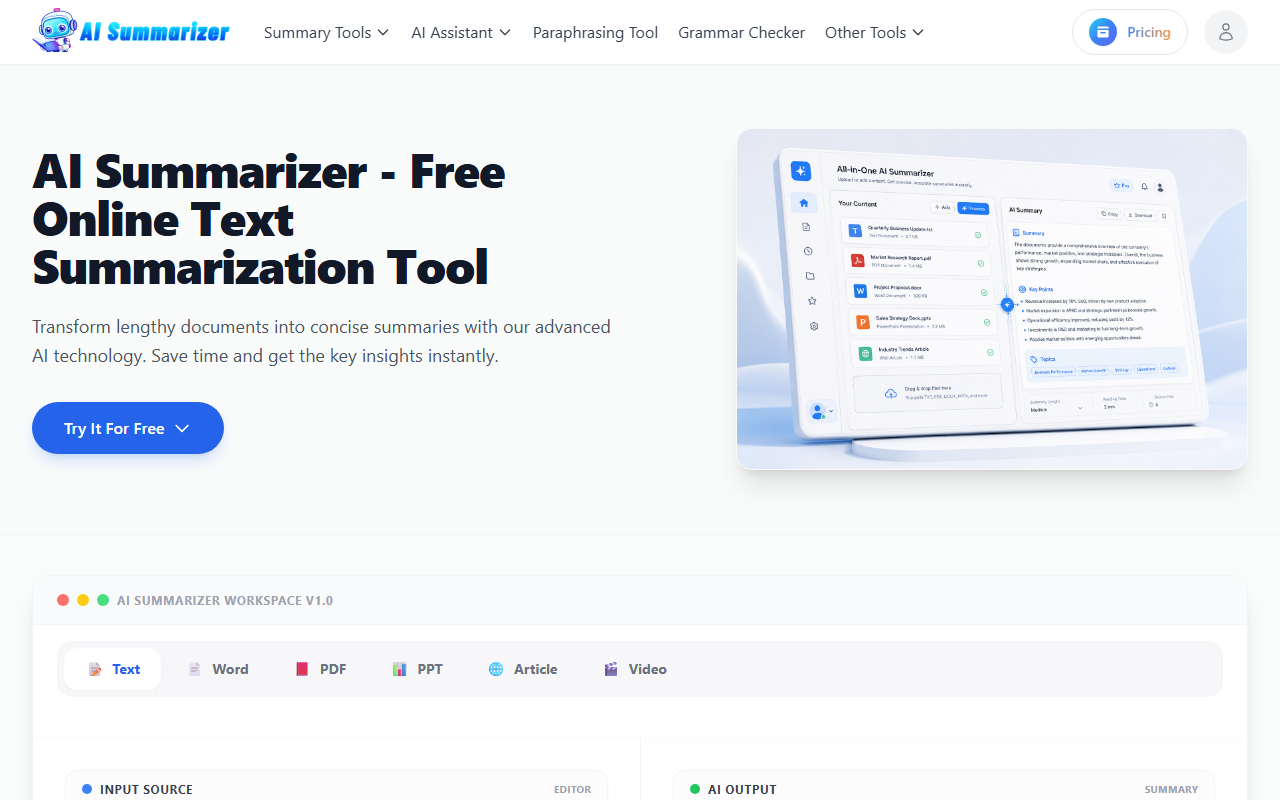 AI Summarizer's homepage, captured 17 September 2026, showing the same credit system spanning text, PDF, and video summaries.
MurmurCast flips the model from on-demand to automatic. A subscriber points it at YouTube channels, podcasts, research papers, SEC filings, and newsletters. The moment any of them publishes, a Whisper transcription pass runs, a large language model condenses the transcript, and the result lands in a single daily brief. Nobody has to remember to check a feed or paste a link.
The tradeoff is the one every subscription makes. Free tracks 5 sources and 20 episodes a month, and the paid tiers scale up in 3 steps from there, topping out at 100 sources and 500 episodes a month on the largest plan. The exact figures for each step are in the table below, confirmed on the vendor's live pricing page on 17 September 2026.
Glasp: Summarizing as a Highlighting Habit
Glasp is the odd one out, usefully. It started in 2021 as a social highlighter for articles and PDFs, and video summarization is one feature bolted onto a bigger habit of collecting and sharing highlights. The platform has grown to more than a million users worldwide since then, mostly researchers, students, and writers. It lives in HokAI's AI note-taking category rather than alongside the other two, which fits: the product is built around notes first, summaries second.
A free account gets 3 YouTube summaries a day and 30 PDF uploads a month, plenty for an occasional reader. The paid tiers, Pro and Unlimited, raise that cap sharply, and both are billed monthly or at a discount annually. Exact figures for every tier sit in the comparison table just below.
What makes Glasp different from the other two is the export path. Highlights and summaries sync to Notion, Obsidian, and Roam Research, in Markdown, HTML, CSV, or JSON. The AI engine behind each summary is also a user's own choice of ChatGPT, Claude, Mistral AI, or Gemini, rather than one fixed model baked in. A person already picky about which model writes their notes gets a say here that the other two tools do not offer.
What These Tools Cost
None of the three prices the way a typical SaaS subscription does, and the differences matter more than the headline numbers.
| Tool | Free tier | Entry paid tier | Top paid tier | Billing model |
|---|---|---|---|---|
| AI Summarizer | 30 one-time credits | $6.90 for 300 credits | $49.90 for 2,200 credits | One-time packs, no subscription, credits expire after 3 months |
| MurmurCast | 5 sources, 20 episodes/month | $4/mo, 10 sources, 60 episodes | $25/mo, 100 sources, 500 episodes | Monthly subscription, no annual discount shown |
| Glasp | 3 YouTube summaries/day, 30 PDFs | $12.50/mo, 1,000 YouTube summaries | $30/mo, 5,000 YouTube summaries/30 days | Monthly or annual subscription |
AI Summarizer's model rewards someone who summarizes in bursts and then stops for a while, since unused credits do not renew into a wasted monthly fee. MurmurCast and Glasp both reward steady, recurring use. Both also punish someone who forgets to cancel during a slow month.
Worth noting: MurmurCast's own pricing page has changed since HokAI last reviewed the tool in August, when every paid tier was listed at roughly double today's price. Prices in AI tools move often enough that the number on the page the day someone checks out is the only one that counts, not the number a review quoted last month.
Two Things to Test Before You Subscribe
Long-form video is the hardest case for any transcript-based summarizer, human or AI. A two-hour interview compressed into a paragraph will drop nuance by definition, no matter which of the three tools does the compressing. Before trusting any of them on something new, run one video already known well through it and check what got left out.
Language coverage is the second thing worth checking directly rather than assuming. Much of this category, including tools well beyond HokAI's three, runs on general-purpose speech recognition rather than a purpose-built model. AssemblyAI, filed in HokAI's AI voice assistants category, is one widely used example of the transcription layer sitting underneath consumer-facing summarizers rather than something a subscriber deals with directly.
Accuracy on a heavy accent, a technical vocabulary, or a language other than English can vary by tool even when the marketing page promises broad support. A five-minute test video in the actual language and subject matter a subscriber cares about is worth more than any spec sheet.
The Free-Tier Math, Worked Out
Numbers on a pricing page are easy to skim past, so it helps to convert them into an actual week. A person following 6 YouTube channels that post twice a week generates roughly 12 videos a week, or about 50 a month.
MurmurCast's free tier, at 20 episodes a month, covers less than half of that. Its $10 Pro plan, at 150 episodes, comfortably covers it with room for 3 podcasts added on top. Glasp's free tier, at 3 YouTube summaries a day, covers about 90 a month on paper, but only if every one of those videos happens to be from YouTube specifically rather than a podcast feed or a PDF.
AI Summarizer's 15-credits-per-summary rate means a 300-credit Starter pack, at $6.90, buys 20 summaries before it needs topping up. For the 50-video-a-month reader above, that pack runs out in under 2 weeks. For someone doing one deep-dive summary every couple of weeks, the same pack lasts more than half a year, since the credits carry a 3-month window rather than expiring at the end of a single billing cycle.
Glasp's own jump from free to paid is steeper than it first looks. The free tier's 3-a-day cap works out to about 90 YouTube summaries a month at the theoretical maximum, but Pro raises the real ceiling to 1,000 summaries a month for $12.50, an 11-fold increase for roughly the price of 2 coffees.
Unlimited, at $30 a month, is really aimed at someone processing 5,000 items every 30 days. That volume only makes sense for a small research team sharing one seat, in 2026 terms roughly 3 or 4 people, rather than a single individual reader working alone.
Where a Plain Chatbot Beats a Dedicated Summarizer
The honest counterargument to buying any of these three tools is that ChatGPT, Claude, and Gemini can already summarize a pasted transcript for free, using a subscription most people already pay for. Grabbing a YouTube transcript takes one extra click through the video's own transcript panel. Pasting it into a chatbot already open costs nothing beyond that minute of copying.
For someone who summarizes two or three videos a month, that manual workflow beats paying $4 to $30 a month for automation they barely use. Do the arithmetic before subscribing to anything.
What a dedicated tool buys back is the part of the job a chatbot will not do unprompted. MurmurCast's automation removes the need to check any feed by hand. Glasp's export pipeline means a highlight lands in Notion or Obsidian without a copy-paste step.
The chatbot route also breaks down once a video runs past the length a pasted transcript can comfortably cover in one prompt, or once someone wants a structured, searchable personal archive rather than a one-off answer that scrolls out of a chat window within a day.
Who Should Skip a Dedicated Summarizer and Stick with a Chatbot
- Anyone who processes fewer than four or five videos or documents a month. The manual paste-into-a-chatbot workflow is free and takes about the same time as opening a dedicated app.
- Anyone who already pays for ChatGPT or Gemini and has no interest in a second subscription for a task those tools already do reasonably well.
- Anyone whose real need is meeting transcription rather than published video or reading material. Otter.ai, Fireflies.ai, tl;dv, Fathom, Timeless, and Gistify are built specifically for Zoom, Meet, and Teams calls. HokAI covers that category separately in Best AI Meeting Assistants in 2026, and browsing the AI meeting assistants directory is the faster path for that use case than anything in this guide.
Data Handling: What Happens to the Video You Feed It
A summarizer only works by sending the full transcript, and often the audio itself, to a third-party server. That makes the privacy question sharper here than for most productivity software.
AI Summarizer's own privacy policy, already covered above, extends its transient-processing stance across every format it handles, not just text: video, PDF, and Word files all get the same UK GDPR deletion rights on request.
MurmurCast's own pages do not publish a similarly explicit no-training statement. That is worth asking about directly before feeding it anything sensitive, such as an unreleased research paper or an internal recording, rather than assuming a policy that has not been published.
Glasp's model is the most exposed by design. The entire point of the product is a shared, social layer where other users can discover someone's public highlights. A person who wants their reading list private has to actively keep highlights unshared. It is not the default.
None of the three publish SOC 2 or ISO 27001 certification on their public marketing pages as of this review. That is common for tools at this size, but still worth checking again before a business account, rather than a personal one, sends anything through them.
What Would Change This Verdict
The comparison above holds as long as a few things stay true. If OpenAI, Anthropic, or Google shipped a one-click "summarize this YouTube link" button directly inside ChatGPT, Claude, or Gemini with no transcript-copying step, the case for a dedicated tool would shrink to automation and export alone.
If MurmurCast or Glasp raised prices back toward where MurmurCast sat in August, the math for a light user would tip back toward the manual chatbot route. Watch the pricing pages, not a review written a month earlier.
And if either tool started training its own models on uploaded video without disclosing it, that would be a reason to leave regardless of price. That is exactly why the data-handling section above is worth rereading before a credit card gets entered.
A Quick Comparison, in Plain Terms
- Pick AI Summarizer if the job is one document or one video today, and never signing up for a subscription matters more than automation.
- Pick MurmurCast if the job is a recurring list of channels, podcasts, and filings that need watching without being watched.
- Pick Glasp if summaries need to land inside an existing Notion or Obsidian workflow, not just a browser tab.
- Pick neither, and paste transcripts into ChatGPT or Claude instead, if the real volume is under five items a month.
The Bottom Line
Someone tracking more than a handful of recurring channels, podcasts, or newsletters gets real value from MurmurCast's $4 to $10 a month automation. The alternative is either missing episodes or manually checking feeds that were supposed to be automated away.
Someone who wants summaries to flow straight into an existing Notion or Obsidian vault, and who already treats highlighting as part of how they read, gets more from Glasp's free tier or $12.50 Pro plan than from a tool with no export path.
Someone with a single long video or document to get through today, with no interest in a recurring charge, is better served by AI Summarizer's pay-once credits. Fifteen credits, one summary, done.
Someone below all three thresholds, summarizing a video or two a month, should save the money. Paste the transcript into whichever chatbot is already open. A tool built for a recurring habit only pays for itself once that habit exists.
If the actual bottleneck is choosing between several AI products rather than reading one review, Smart Match walks through the same tradeoffs interactively rather than as static prose. That helps when the right answer genuinely depends on how many sources a person tracks in a given month, which no single guide can know in advance.
Frequently asked questions
What is the best free AI tool for summarizing YouTube videos in 2026?
Glasp's free tier gives three YouTube summaries a day with no time limit on the account, which suits an occasional user. AI Summarizer's free tier gives 30 one-time credits at 15 credits per summary, good for about two summaries before a paid pack is needed. MurmurCast's free tier is built for recurring feeds rather than one-off summaries, capped at five sources and twenty episodes a month.
Is there a difference between an AI video summarizer and an AI meeting assistant?
Yes. A video summarizer like AI Summarizer, MurmurCast, or Glasp condenses published content such as YouTube videos, podcasts, and articles. A meeting assistant like Otter.ai, Fireflies.ai, or Fathom transcribes and summarizes live calls on Zoom, Google Meet, or Microsoft Teams. The two categories rarely overlap in practice, and HokAI covers meeting assistants in a separate guide.
Can ChatGPT or Claude summarize a YouTube video for free?
Both can summarize a transcript once it is pasted in, which costs nothing beyond a subscription most people already have and the minute it takes to copy the transcript from YouTube's own panel. What they do not do automatically is watch a list of channels and deliver a digest without being asked, which is the specific job MurmurCast and Glasp's recurring plans are built for.
How much does MurmurCast cost per month?
As of 17 September 2026, MurmurCast's free tier covers five sources and twenty episodes a month. Starter is $4 a month for ten sources and sixty episodes, Pro is $10 a month for thirty sources and 150 episodes, and Power is $25 a month for 100 sources and 500 episodes, confirmed on the vendor's live pricing page.
Do AI video summarizers store or train on the videos I upload?
It depends on the tool, and the policy should be checked directly before uploading anything sensitive. AI Summarizer states it does not use uploaded content to train models and processes files transiently. MurmurCast does not publish an equivalent statement on its public pages. Glasp's core design is social and highlight-sharing, so a user has to keep highlights private deliberately rather than assuming they are by default.
Covered in this guide
- AI Summarizer: Free AI tool that condenses text, PDFs, articles, and YouTube videos into summaries in under 5 seconds across 50+ languages.
- Glasp: Social web and PDF highlighter for researchers and learners
- MurmurCast: MurmurCast auto-transcribes YouTube channels, podcasts, and newsletters into one daily email digest. Free tier covers 5 sources and 20 episodes/month.
- AssemblyAI: The best way to build Voice AI apps with production-ready speech recognition and understanding models
- ChatGPT: ChatGPT is OpenAI's AI assistant, with 1.2 billion weekly users by OpenAI's count, the GPT-6 model family and plans that run from a free tier to a premium Pro tier.
- Fathom: AI notetaking for meetings - summarize conversations to focus on what matters
- Fireflies.ai: AI Notetaker for Meeting Transcription, Summarization & Conversation Intelligence
- Gemini: Google's multimodal AI assistant and model family, sold as a free app, tiered subscriptions and a pay-per-token API
- Gistify: AI tool that turns recorded meetings, lectures, and depositions into a searchable Rolling Abstract reviewable in under a minute, from $5/month.
- Otter.ai: AI Notetaker that builds your knowledge base with transcription, summaries, and AI Chat
- Timeless: Agentic meeting platform (formerly timeOS) that turns spoken commitments into automated tasks, capturing video calls, WhatsApp, phone and in-person conversations, with an MCP server for Claude and Cursor.
- tl;dv: AI meeting notetaker turning every meeting into insights across your entire company
Sources
Still deciding?
This guide covers a handful of options. Smart Match checks every listing in the directory against how you actually work and what you can spend, then hands you the shortlist and the reason behind each pick.
Find your toolsRelated guides
- The AI 80s Photo Trend: How to Make Yours (and Turn It Into a Video) in 2026AnalysisWhat changed and who it affects
- The AI Tools That Do One Microsoft Copilot Job, CheaperBuyer's guideHow to pick, across a category
- Attio vs HubSpot in 2026: Which CRM for a Startup?ComparisonHead-to-head, with a verdict
- Best AI Agent Builders in 2026: Automate, Build or Self-HostBuyer's guideHow to pick, across a category
- Best AI Assistant Apps for Android in 2026, Now That Google Assistant Is DeadBuyer's guideHow to pick, across a category
- Best AI Assistant for Office Work in 2026Buyer's guideHow to pick, across a category