
Last updated: 2026-08-19
Asana is a work management platform serving enterprise teams with AI Teammates scaled to 30+ prebuilt agents for marketing, ops, and IT (July 2026). Teams using AI Teammates complete work 2× faster, with AI-managed tasks 3.2× more likely to have clear owners and deadlines. Agents integrate with Google Drive, SharePoint, and Slack for cross-tool automation.
About Asana
Asana is a leading work management platform that helps teams organize, track, and manage their work from daily tasks to strategic initiatives. Built on a proprietary Work Graph data model, Asana provides teams with a unified system of clarity where they can see what needs to be done, who's responsible, and when it's due. The platform combines advanced project management capabilities with integrated AI features including AI Teammates (collaborative agents), AI Studio (no-code workflow builder), and Smart Features (task automation).
With 85% of Fortune 100 companies choosing Asana, the platform has become the standard for cross-functional collaboration across marketing, operations, IT, and leadership teams. Asana supports over 170,000 customers including Accenture, Amazon, Anthropic, and Suzuki, helping organizations bring clarity to complexity and accelerate organizational impact through human-AI collaboration.
Screenshots
Pricing
Free Personal plan (up to 2 users) with basic features. 49 monthly) with AI, Timeline/Gantt, automation. 49 monthly) with portfolios, goals, analytics.
Enterprise and Enterprise+ require custom pricing with minimum seat purchases.
| Tier | Monthly price | What it includes |
|---|---|---|
| Personal | Free | Per-user subscription, free tier supports up to 2 users |
| Enterprise | Free | Custom pricing per-user, minimum 4+ seats, requires sales consultation |
| Enterprise+ | Free | Custom pricing, requires sales consultation, includes advanced data residency and compliance |
| Starter | $10.99/mo | Per-user monthly subscription, minimum 2 seats required, annual billing with monthly option |
| Advanced | $24.99/mo | Per-user monthly subscription, minimum 3 seats required, annual billing with monthly option |
Feature Comparison by Tier
| Feature | Starter | Advanced | Personal | Enterprise | Enterprise+ |
|---|---|---|---|---|---|
| AI Agent Collaboration | AI Teammates | AI Teammates | — | AI Teammates | AI Teammates |
| Portfolio Management | — | ✓ | — | ✓ | ✓ |
| Timeline & Gantt Views | ✓ | ✓ | — | ✓ | ✓ |
| Workflow Automation | Unlimited | Unlimited | Basic | Unlimited | Unlimited |
| Team Size Limit | Unlimited | Unlimited | 2 users | Unlimited | Unlimited |
Key Features
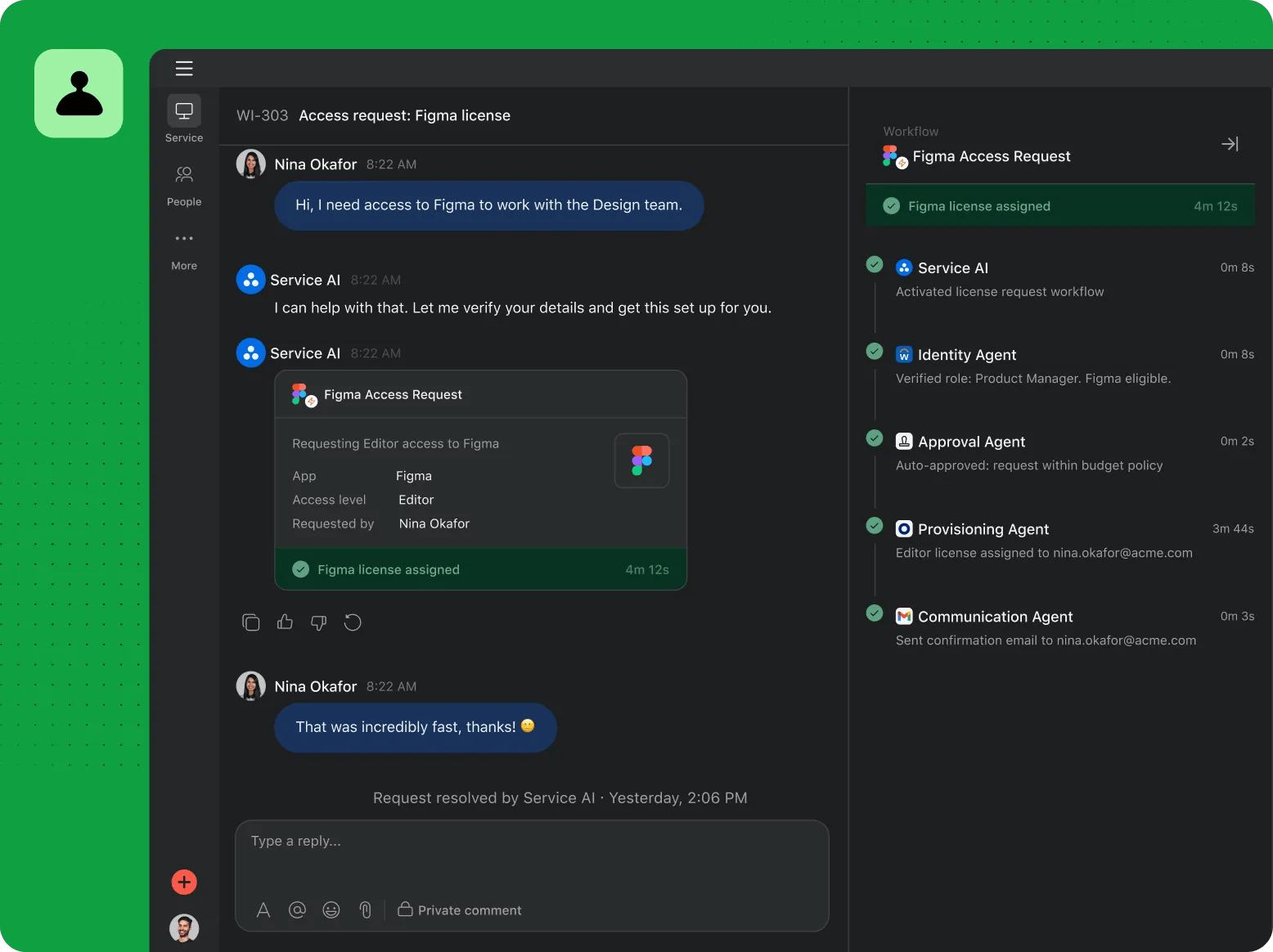
- AI Teammates (30+ Prebuilt Agents): Prebuilt agents are scoped to specific jobs such as IT ticket triage, marketing campaign execution, and creative asset review, and teams can also build custom agents in AI Studio. Each agent works inside an existing Asana project rather than a separate chat interface.
- AI Studio: No-code builder for creating AI-powered workflows and custom agents, allowing teams to automate repetitive work without coding expertise.
- Work Graph: Proprietary data model capturing the context of all work across an organization, providing AI systems with rich historical data and process information.
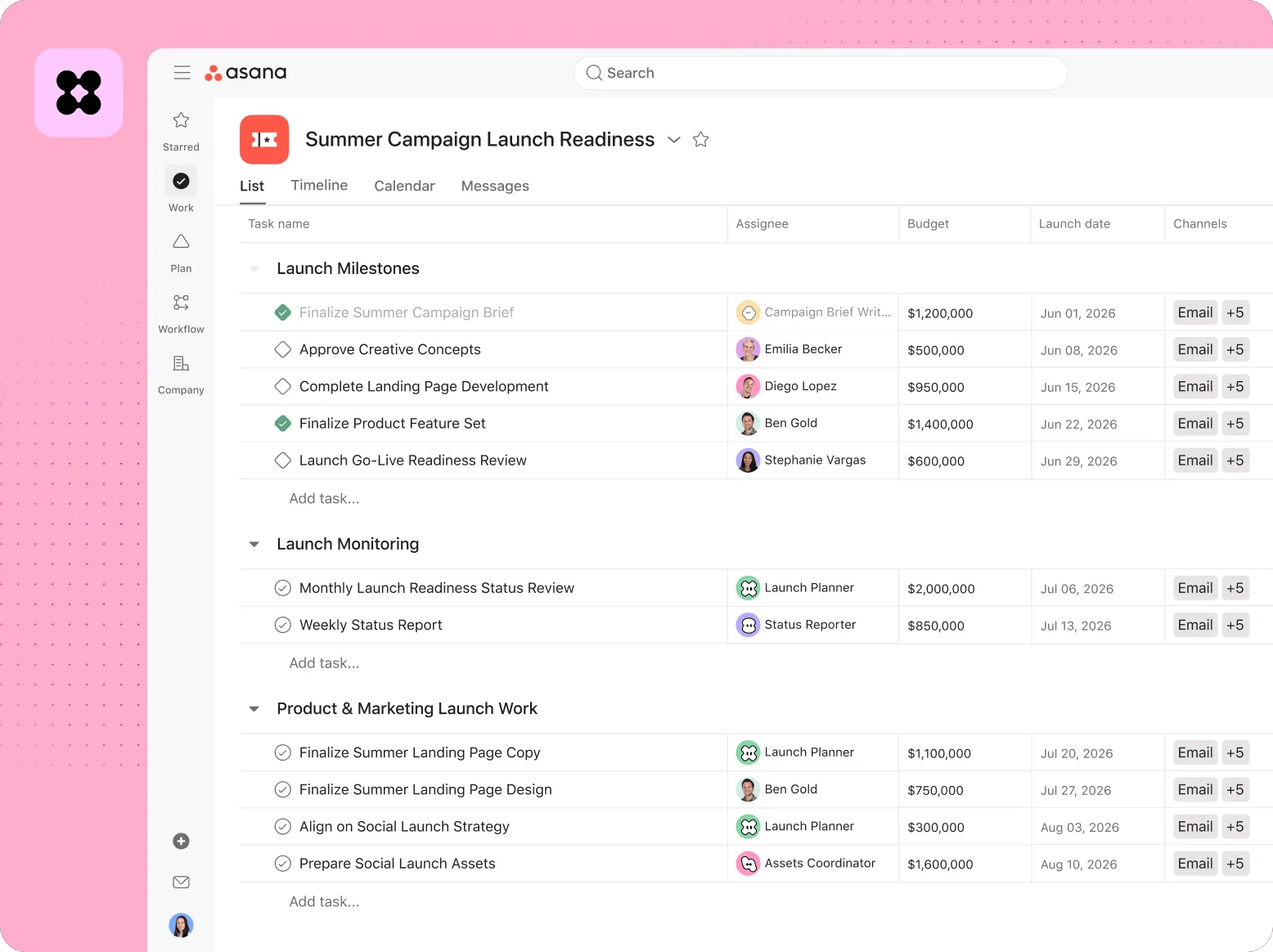
- Multiple Project Views: List, board, timeline, Gantt, and calendar views with customizable dashboards for visual project management and tracking.
- Portfolio Management: Manage multiple projects across teams and departments with portfolio views, workload balancing, and resource allocation tools.
- Workflow Automation: No-code automation builder for creating custom rules, triggering actions based on conditions, and standardizing repetitive processes.
Pros
- Context-aware AI agents handle routine task assignment and status updates automatically, cutting down manual coordination work for project leads
- Excellent integrations ecosystem with 270+ native apps including Slack, Google Drive, Salesforce, and Microsoft tools
- Highly customizable platform supporting diverse team workflows across marketing, operations, IT, and creative industries
- Strong enterprise-grade security with SOC 2 Type II, ISO 27001, HIPAA compliance, and data residency options
- Scalable from small teams to large enterprises with flexible permission controls and portfolio management
Cons
- Misleading pricing structure with mandatory minimum seat purchases (2+ seats for Starter) not prominently disclosed
- Steep learning curve for beginners, with complex interface requiring significant onboarding time and training
- Limited phone/live chat support outside Enterprise plans; slow email support reported by some users
- No offline capabilities; cloud-only platform requires internet connection for all operations
Product Information
- Cloud
- Yes
- Languages
- English, Spanish, French, German, Italian, Japanese, Portuguese, Chinese
- Training
- Documentation, Help Center, Community Forum, In-Product Chat, Webinars, Video Tutorials
Data Handling
- Compliance
- SOC 2 Type II · HIPAA-ready with BAA · ISO 27001:2022 · ISO 27018:2019 · ISO 27701:2019 · GDPR · GLBA · FERPA · Data Residency in EU/AU/JP/US
Frequently Asked Questions
What does Asana actually cost?
Asana's Personal plan is free for up to 2 users. Starter runs $10.99 monthly per seat when billed annually ($13.49 if billed month-to-month) and needs at least 2 seats, while Advanced costs $24.99 per seat annually ($30.49 monthly) with a 3-seat minimum. Enterprise and Enterprise+ are custom-quoted for larger, security-conscious teams.
Does Asana have a free plan?
Yes: Personal costs nothing and covers up to 2 users with basic task and project tracking plus basic automation. It excludes AI Teammates, portfolio views, and Timeline/Gantt charts, all of which start on the paid Starter plan. Team size on Personal is capped at 2 users, so larger teams need at least the Starter tier.
Which tools compete with Asana in 2026?
ClickUp is worth considering if you want a single all-in-one workspace that folds task management, docs, and chat into one subscription instead of paying for separate tools. Notion fits better if your team's core need is a flexible knowledge base or wiki rather than structured project tracking. Zapier is the right pick if you only need lightweight automation between apps and don't need a full project management layer on top.
Asana or ClickUp: which should you pick?
Asana and ClickUp both build AI into project management, but Asana centers on its Work Graph data model and deep native integrations with tools like Slack, Salesforce, and GitHub for teams embedded in existing enterprise toolchains. ClickUp instead positions itself as a single workspace meant to replace several separate apps like docs and chat tools at once. Choose Asana if deep integration with tools you already run matters more than consolidating into fewer subscriptions, and choose ClickUp if the opposite is true.
What does it take to start using Asana?
Sign up for the free Personal plan at asana.com with just an email address; no credit card is needed for up to 2 users. Teams moving to a paid tier typically go through an onboarding call, and rollouts tend to reach full value in about 14 days. To use AI Teammates, open the no-code AI Studio builder to configure a prebuilt agent before assigning it to a live project.
Top Alternatives
- ClickUp: Pick ClickUp if you want an all-in-one workspace consolidating 100+ tools into one platform.
- Notion: Pick Notion if you prefer a flexible database-first approach for knowledge management over structured workflows.
- Zapier: Pick Zapier if you need lightweight automation across disconnected tools without full project management.
HokAI guides covering Asana
- What Asana Is Actually For: Asana's June 2026 Agentic Work Management launch bundles 30 AI agents into pooled credits, not per-seat pricing. Here's who that helps, and who it hurts.
- Best AI Agents for Business Ops in 2026: Buy the Job, Not the Platform: AI agents for business ops actually span five separate jobs, not one: calendar, inbox, project tracking, invoicing and vertical automation for 2026 buyers.