Scribe vs Swimm in 2026: Why These Two Aren't Actually Rivals Anymore
Scribe is a screen-recording documentation tool priced from free to $35 monthly per seat, built for onboarding guides and SOPs. Swimm has exited that market: its current product analyzes legacy COBOL and mainframe codebases for large enterprises, billed by lines of code rather than by seat, with no public per-seat rate published as of August 2026.
The short version
Scribe and Swimm still show up together on documentation-tool roundups, but Swimm quietly rebuilt itself into an Application Understanding Platform for legacy-code modernization during 2025 and 2026, dropping public per-seat pricing entirely. For general team documentation and onboarding guides, Scribe is the clear pick. Swimm now fits only enterprise mainframe modernization work.
Scribe's own comparison page calls Swimm's editor clunky and its use case generic code documentation, and the page carries an August 16, 2026 timestamp, one day before this one.
That page positions Swimm as a rival documentation tool for developer teams, the same category Scribe competes in. It has not been accurate since Swimm rebuilt its product around a different job: analyzing legacy code for enterprises modernizing mainframes, not helping teams write onboarding guides. For a five-person startup or a fifty-person ops team choosing between Scribe and Swimm today, the honest answer is that only one of them is still selling what you came here to shop for.
Pick Scribe, unless you're modernizing a mainframe
Scribe is the right pick for nearly everyone who lands on this comparison. It records screen actions and turns them into annotated step-by-step guides, the job most people mean when they type "Scribe vs Swimm" into a search bar: onboarding checklists, support macros, internal SOPs, client-facing how-tos.
Swimm is the right pick for exactly one buyer: an enterprise engineering team staring down a COBOL or mainframe codebase it needs an AI system to explain before anyone can safely touch it. Outside that use case, Swimm no longer sells a product that competes with Scribe.
That is not a hedge. It is the finding this article exists to report, and it runs counter to what every other page ranking for this query currently says.
Scribe publishes prices. Swimm doesn't anymore
Scribe's pricing page lists four tiers. Basic is free but drops desktop capture and exports. Pro Personal runs $35 a month, or $25 a month billed annually. Pro Team costs $17 a month per seat, or $13 annually, with a five-seat minimum. Enterprise is a custom quote layered with SSO, auto-redaction and unlimited version history.
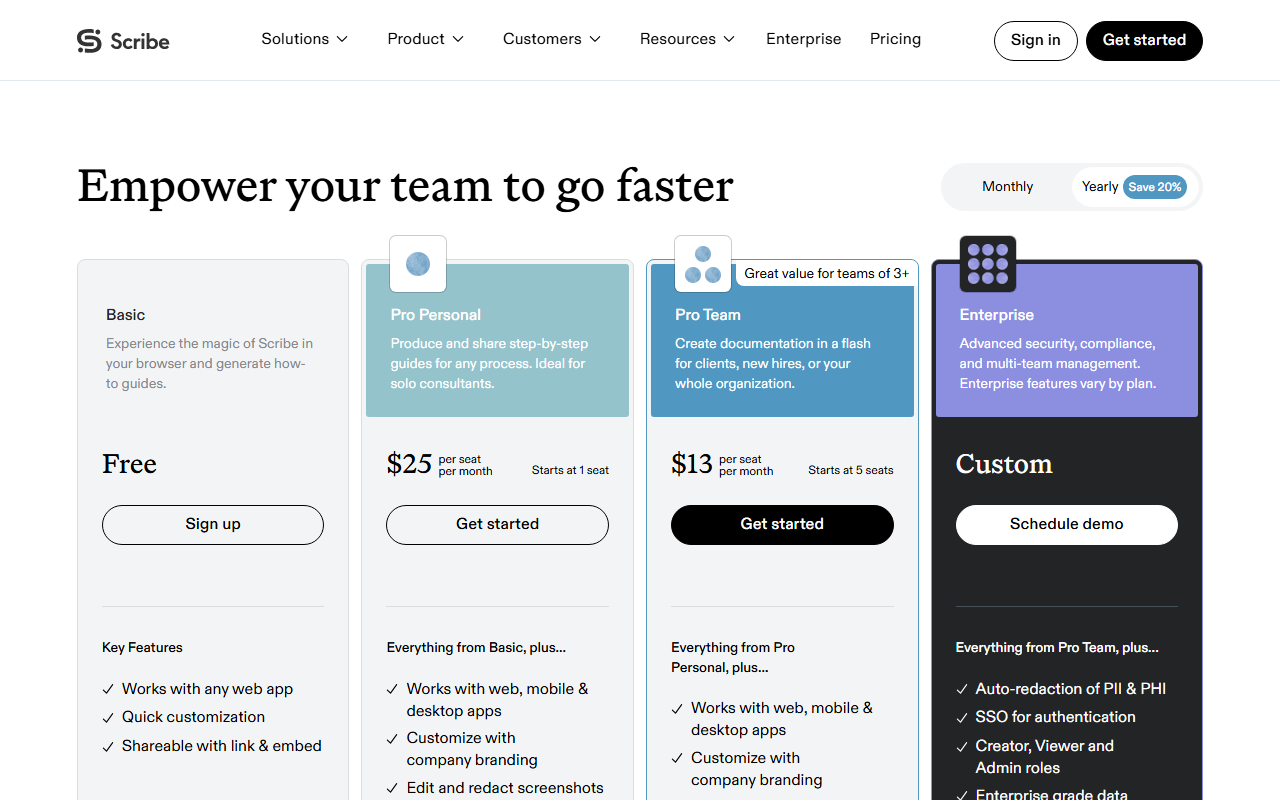 Scribe's pricing page, captured 17 Aug 2026. Every tier shows a real dollar figure, no "contact us" gate until Enterprise.
Swimm's pricing page has no tiers at all. It says cost is "based on the number of lines of code you want to understand," offers a proof-of-concept option for evaluation, and routes anything past that to a sales conversation. No per-seat number appears anywhere on the site, current as of August 17, 2026.
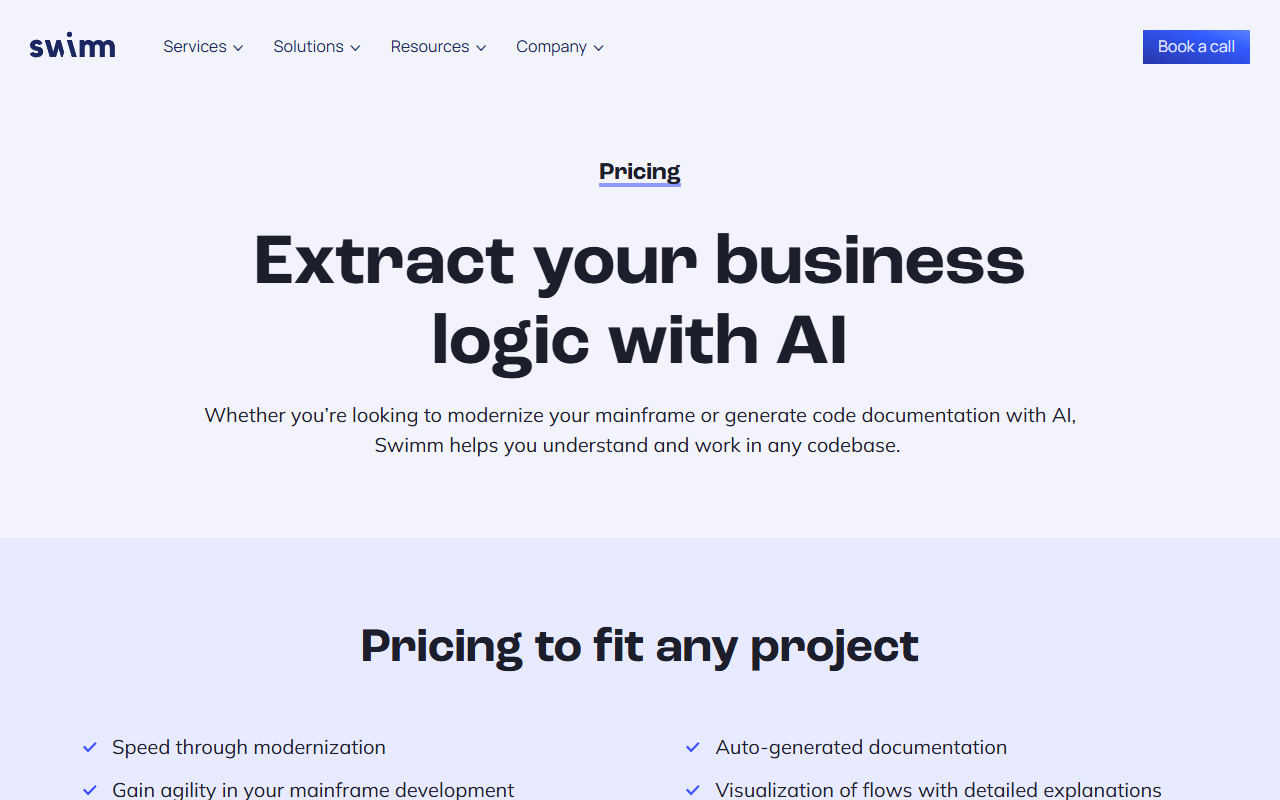 Swimm's pricing page, captured 17 Aug 2026. The headline and copy are about mainframe modernization, not team documentation, and no per-seat number appears anywhere on the page.
Some review aggregators still quote Swimm figures like $17.78 or $28 per seat. Neither number shows up on Swimm's own pricing page today. They read like leftovers from an earlier version of the product, repeated by sites that have not gone back to check the source.
What actually happened to Swimm
Swimm launched in 2019 in Tel Aviv, closed a $5.7 million seed round in April 2020, and raised $27.6 million in a Series A led by Insight Partners in November 2021 to build a tool that kept documentation synced with code as engineers shipped changes. Pieces of that product still exist: Swimm maintains IDE plugins for VS Code and JetBrains, both actively listed as of May 2026.
The company built around that plugin has moved on. Swimm now describes itself as an Application Understanding Platform. Its product page details mapping dependencies, control flows and business rules out of legacy applications.
The platform claims analysis speed of roughly 15 minutes per million lines of code, and states more than 100 million lines analyzed to date. The named targets are COBOL, CICS and PL/I: the languages running mainframe banking and insurance systems, not the repos a five-person startup ships on a Tuesday. Gartner named Swimm a Cool Vendor for AI-Augmented Development and Testing for Software Engineering in 2024, a category built around exactly this kind of enterprise code-comprehension tooling rather than everyday team documentation.
This is a company selling to enterprises solving one specific, expensive problem: understanding decades-old code that nobody who originally wrote it still works there to explain. Revenue and headcount for the current business are not published.
A 2024 third-party estimate put the earlier, general-purpose product at roughly $8.8 million in annual revenue with a 57-person team, but Swimm has not confirmed that figure, and it predates the platform's current positioning. It is noted here as unverified rather than current fact. What the company will confirm, on its own site, is the product itself: it stopped being a Scribe alternative for a team that needs onboarding docs finished by Friday.
Where Scribe wins
Three use cases settle the choice fast.
A support team documenting a recurring troubleshooting flow can build a shareable guide with Scribe in roughly the time it takes to perform the steps once, then export it as a PDF or drop it into a help center article. Swimm has no equivalent workflow. It does not record screen actions or generate visual step guides at all.
An operations lead onboarding a new hire needs something a non-engineer can follow without opening a terminal. Scribe's guides are screenshots with arrows and captions. Swimm's output is written for an engineer reading alongside source code inside an IDE.
A team standardizing its internal wiki on Confluence gets a native integration starting at Scribe's Pro Personal tier. Swimm's integration surface is IDEs and git, not general knowledge bases.
A manager who needs to redact a customer name or an account number out of a captured guide before sharing it externally gets manual redaction on Scribe's free tier and assisted redaction from Pro Personal up. That single feature, small as it sounds, is often the deciding factor for support and success teams that record real customer sessions rather than staged demos.
Where Swimm wins
One use case, and it does not overlap with anything Scribe does.
An enterprise team assigned to modernize a mainframe system written in COBOL or PL/I, code nobody currently on staff originally wrote, needs to understand what that code actually does before any migration plan is safe to draft. Swimm's static analysis and AI layer exist to answer that question at a scale measured in tens of millions of lines, not the size a normal five-person engineering team works with day to day.
Sourcegraph sits in that same market now. It retired the free and Pro tiers of its Cody assistant in July 2025 and moved to an enterprise-only plan priced at $59 a seat per month on an annual contract, according to its own pricing announcement. That is the company Swimm is actually competing against for budget in 2026. It is not Scribe.
The case that this comparison still matters
Here is the obvious objection. Category pages group tools by keyword, not by go-to-market, so a buyer who searches "documentation tool" and lands on both names side by side still has a real question, whether or not the two vendors consider each other rivals anymore.
That is fair, and it is exactly the service this article is built to provide. The point is not a head-to-head buying decision, because there mostly isn't one left to make. The point is telling a reader who already has both tabs open which product actually solves their problem, instead of repeating a rivalry that stopped being current once Swimm's roadmap changed direction.
What switching actually costs
Neither tool locks a team in hard. Scribe exports guides as PDF, HTML, Markdown or Word from the Pro Personal tier up, so a team that outgrows it keeps its content. Swimm's documentation lives as files alongside code inside a git repository, which means it survives a vendor change by design, even when migrating the AI layer that generated it does not come along for free.
The more common cost is organizational, not technical. Teams that started shopping for "documentation software" and picked Swimm years ago, back when it was a general-purpose tool, are the ones most likely to discover this year that the product they are paying for has quietly moved upmarket without telling them directly. A Notion page or a shared drive is often where that documentation ends up living regardless of which vendor originally got the purchase order.
That gap is worth budgeting for before a renewal date, not after. A team that finds itself on a Swimm contract without a mainframe modernization project underway is very likely paying enterprise, lines-of-code pricing for a job a $13-a-seat Scribe plan already covers. Checking which product a vendor actually ships this year, rather than which one it shipped when the contract was signed, is the cheapest audit most software budgets never run.
Watch Swimm's pricing page for one signal: the day a per-seat number reappears on it is the day the company is chasing Scribe's market again, not walking away from it.
Frequently asked questions
Is Swimm still a Scribe alternative in 2026?
No. Swimm repositioned as an Application Understanding Platform for legacy-code modernization sometime in 2025, according to its own product and pricing pages. It now targets enterprises modernizing COBOL and mainframe systems, not teams shopping for general documentation software. Scribe remains built for that original job.
What does Scribe cost in 2026?
Scribe's Basic tier is free but excludes desktop capture and exports. Pro Personal costs $35 a month, or $25 billed annually, and Pro Team costs $17 a month per seat, or $13 annually with a five-seat minimum. Enterprise pricing is a custom quote.
How much does Swimm cost?
Swimm no longer publishes per-seat pricing. Its pricing page states cost is based on the number of lines of code a customer wants analyzed, with a proof-of-concept option before a custom quote. Figures like $17.78 or $28 per seat that circulate on some review sites do not appear on Swimm's own pricing page.
Who should actually consider Swimm today?
Only an enterprise engineering team modernizing a legacy system written in COBOL, CICS or PL/I, the kind of codebase that runs decades-old mainframe banking or insurance infrastructure. Swimm's static analysis and AI layer are built to explain code at that scale, not to generate general team documentation.
What would prove this comparison wrong?
If Swimm relaunches public per-seat pricing for a general documentation product, that would be the clearest signal this has changed. The same is true if verified customers show ordinary engineering teams still buying Swimm's IDE plugin for everyday documentation rather than legacy-code analysis.
Covered in this guide
- Scribe: Records your screen actions and auto-generates annotated step-by-step process guides.
- Swimm: AI-powered code documentation tool increases developer productivity 50% and reduces onboarding time by 2x with real-time, auto-synced docs.
- Notion: Your AI everything app: All your tools and work in one unified workspace.
- Sourcegraph: Enterprise-only code intelligence platform for cross-repository semantic search and AI-assisted code understanding across large, multi-repo codebases, after free and Pro self-serve plans were discontinued.
Sources
Still deciding?
This guide covers a handful of options. Smart Match checks every listing in the directory against how you actually work and what you can spend, then hands you the shortlist and the reason behind each pick.
Start Smart MatchRelated guides
- Best AI Coding Assistants in 2026: Pick the Job, Not the BrandBuyer's guideHow to pick, across a category
- Best AI for Writing a Business Plan in 2026: Tested Picks and a VerdictBuyer's guideHow to pick, across a category
- Best AI Note-Taking Tools in 2026: Brain2, Glasp, Mem, and Gemini Notebook ComparedBuyer's guideHow to pick, across a category
- Is Budy Worth It If You Already Pay for Notion?ComparisonHead-to-head, with a verdict
- Devin Split Into Three Products in June. One Stayed Vulnerable Until August.AnalysisWhat changed and who it affects
- HokAI vs Insidr.ai: The Sponsorship Price Insidr Never PublishesInside HokAIHow the directory works, verified in the open