Best AI for Coding Unreal Engine in 2026
The best AI for coding Unreal Engine is an assistant wired into an Unreal-aware environment. Rider 2026.2 bundles Unreal skills for C++ authoring, debugging and tests, and hosts agents such as GitHub Copilot and Claude Code. Cursor with Visual Studio 2022 is the common hybrid.
The short version
For Unreal C++, the setup beats the model. Rider 2026.2 ships Unreal agent skills and runs Copilot, Claude Code or Codex. Cursor plus Visual Studio is the documented alternative, and Epic's Unreal MCP plugin handles editor tasks while it matures.
Want this decided for your own case? Find your tools with Smart Match, starting from this guide's question.
Most advice on AI for Unreal Engine C++ ranks models. The sources read for this guide point somewhere else: NVIDIA's engineering blog says failures "rarely come from weak code generation" and instead from missing constraints, such as code patterns, branch differences and internal conventions. If that holds, the question is less which assistant writes the cleverest function and more which setup knows what an Unreal project is.
That reframes the shortlist. Among the vendors checked on 24 October 2026, JetBrains is the only one shipping Unreal-specific agent skills inside an IDE, and Epic is the only one documenting an official MCP server inside the editor. Everything else is a general-purpose coding assistant that you wire into Unreal yourself.
The verdict, for a programmer on a small studio team working in Unreal 5 C++: run GitHub Copilot or Claude Code inside Rider 2026.2 for code, and add Epic's Unreal MCP plugin only for editor-side chores. Cursor is the stronger pick if you already live in a VS Code-style editor.
How to choose: four criteria that matter in Unreal
Four things separate the options below, and raw model quality is not one of them.
- Does the tool understand reflection?
UCLASS,UPROPERTY,UFUNCTIONand.generated.hfiles break ordinary C++ assumptions. Code that compiles in isolation can fail the Unreal Header Tool or silently do nothing in the editor. - Can it build and read errors? An agent that runs your editor target and reads the compiler output fixes its own mistakes. One that only pastes code hands you the cleanup.
- Can it see Blueprints? Gameplay logic often lives in assets, not in
.cppfiles. A tool that cannot reach them answers half the question. - What does it cost under heavy agent use? Chat and agent sessions are now metered on most plans, while plain completions mostly are not.
If you are still deciding what an assistant is for in the first place, the broader roundup of AI coding assistants covers the general case, and the full coding assistant category lists every tool HokAI tracks.
The shortlist, compared
| Setup | Unreal-specific support | Best fit |
|---|---|---|
| Rider 2026.2 + Copilot | Three bundled Unreal agent skills | JetBrains-minded C++ teams |
| Rider 2026.2 + Claude Code | Same skills, plus edit-validation hooks | Heavy refactors |
| Cursor + Visual Studio | Documented hybrid workflow from NVIDIA | VS Code habits |
| Visual Studio + Copilot | C++ call and class hierarchy tools | Debug-first teams |
| Epic's Unreal MCP | Official editor server, marked immature | Editor automation |
Prices sit in the cost section below. Rider's own licence cost is not covered in this guide, because it was not verified, so budget for it separately.
Rider 2026.2: the only IDE that teaches the agent Unreal
JetBrains describes Rider 2026.2 as opening "the IDE's own intelligence" to your AI coding agents, so they work from real project knowledge rather than files and terminal output alone. For Unreal, that means three bundled skills in the agent skills manager.
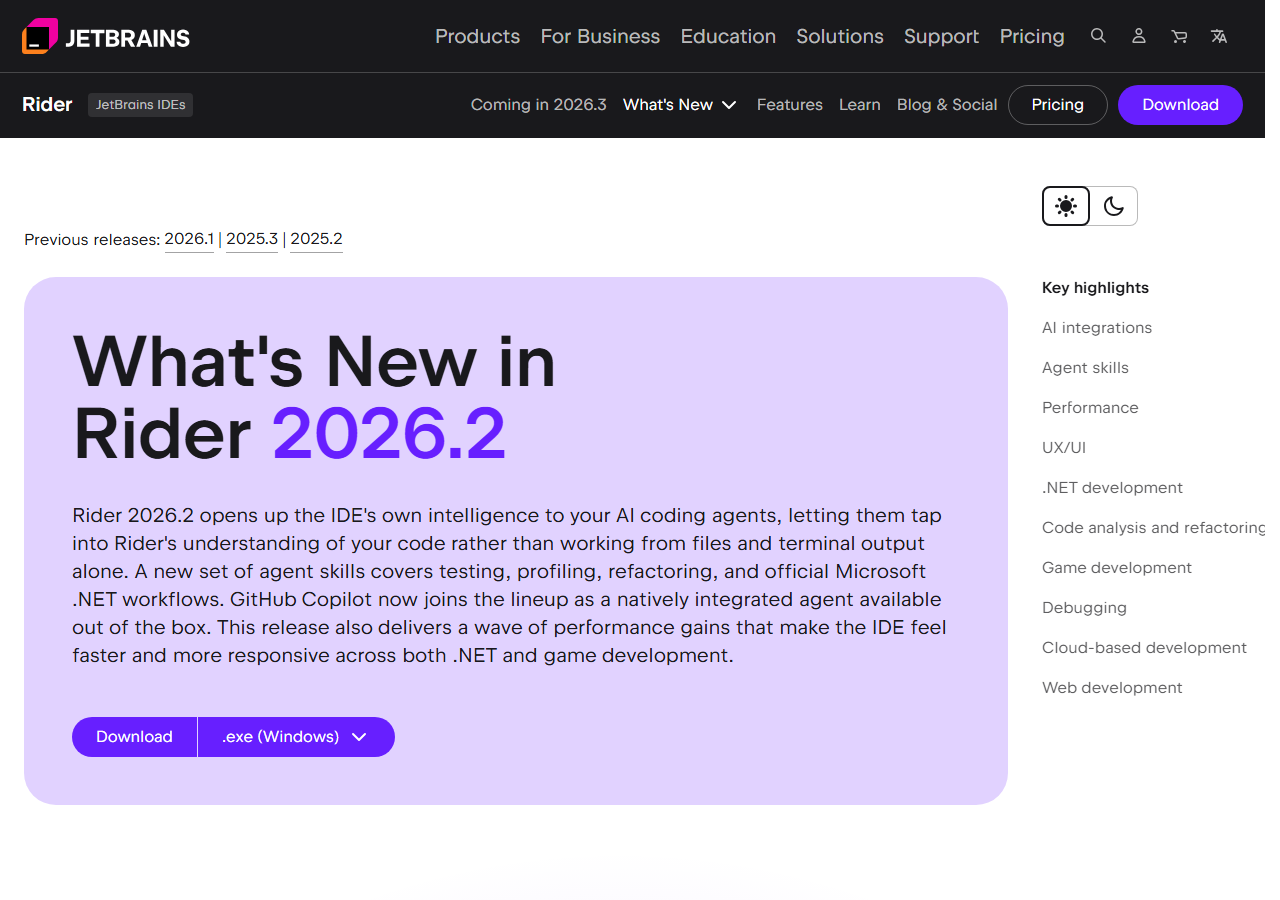 The release summary on JetBrains' own page, captured 24 Oct 2026.
ue-code-authoringhandles UE C++ changes. It inspects existing project patterns, edits your headers and sources, and uses Rider's diagnostics, build checks and formatting to catch traps around reflection macros, generated headers, module dependencies, includes and API macros.ue-live-debugginginvestigates crashes using symbol search, call hierarchy, breakpoints, stack inspection and expression evaluation.ue-test-authoringpicks between Automation, CQTest, Functional, Gauntlet and LowLevel tests and follows your project's conventions.
A separate debugging-code skill, added in 2026.2.1, lets an agent set breakpoints and step through running C++, Unity or Unreal code. Rider also ships quality-check hooks for Claude Code and Codex: errors block the task from being marked complete, and warnings come back to the agent as feedback. That loop is the closest thing in this guide to a built-in reviewer.
Copilot is now a natively integrated agent in JetBrains IDEs, the result of a direct partnership between JetBrains and Microsoft. Authentication runs through your GitHub account and an active subscription is required. Rider 2026.1 had already added Junie, Claude Agent and Codex to the chat, so the choice of agent is yours.
Two caveats apply. These are JetBrains' own descriptions, and the company reports no accuracy figures for the Unreal skills. And the skills help the agent work inside the tool; they do not make an unfamiliar model smarter.
The speed claim is the one measured number: initial C++ indexing is twice as fast in 2026.2 when opening the generated .sln from the Lyra sample, according to JetBrains' own benchmark.
Cursor with Visual Studio: the documented hybrid
NVIDIA's engineering blog lays out a workflow many indie teams already half use. One editor handles planning, multi-file edits and refactors, while Visual Studio 2022 with the Desktop development with C++ workload stays in the loop for debugging. NVIDIA states that Cursor is best used for code generation, refactoring and multi-file editing, and that Visual Studio remains its recommended place for game and engine-level debugging.
Setup takes a few steps:
- Install Cursor, then Visual Studio 2022 with the C++ workload.
- In Unreal Editor Preferences, set Source Code Editor to Visual Studio Code, since Cursor may not appear in the list.
- Generate the project files with Refresh Visual Studio Code Project, or right-click the
.uproject. - Open the generated
.code-workspacein Cursor and install Microsoft's C/C++ extension. - Add clangd if you want better navigation through macro-heavy engine code; NVIDIA marks it optional but strongly recommended.
- Build once with Run Build Task against your editor target.
Cursor's pricing page changed shape recently. Plans now come bundled with xAI's Grok, and the cheapest paid tier is limited to Grok models. Third-party models, including Claude, are billed separately at API list price, which matters for anyone assuming the sticker price covers a frontier model. The page also lists Bugbot for AI code review on the higher tiers; for that job, see how AI code review tools compare, or look at standalone options such as CodeRabbit.
For a plain-language profile of the product, what Cursor is for explains who it suits.
Claude Code and the Unreal MCP plugin
Epic's UE 5.8 documentation describes an Unreal MCP plugin that embeds an MCP server inside the editor process, so an agent can drive the editor over a local HTTP connection. It exposes tools for spawning actors, configuring lighting, creating material instances, inspecting Slate widgets and running automation tests. The documentation names Claude Code, Cursor, VS Code, Gemini and Codex as supported client configurations.
Setup in practice:
- Enable the Unreal MCP and All Toolsets plugins under Edit > Plugins, then restart the editor.
- Turn on Auto Start Server in Editor Preferences, or run
ModelContextProtocol.StartServerfrom the console. It binds tohttp://127.0.0.1:8000/mcpby default. - Run
ModelContextProtocol.GenerateClientConfigwith a client name such asClaudeCodeto write the.mcp.jsonfile in the project root. - Start the agent from that project root.
Epic is blunt about the maturity: the page warns that many features are incomplete or missing, and that APIs and data formats may change at any time. Tool calls run one at a time on the game thread, so agents should not issue overlapping requests. The server accepts same-machine connections only and has no authentication layer.
The design is worth understanding because it shapes cost. By default the plugin runs in tool-search mode, where the agent sees three meta-tools (list_toolsets, describe_toolset and call_tool) instead of every tool schema. Epic says this keeps responses small even when the registry exposes hundreds of tools, and it means the agent discovers capabilities on demand rather than burning context on all of them up front.
Extending the server for your own pipeline
Teams can extend the server. A toolset is a class derived from UToolsetDefinition in C++ or unreal.ToolsetDefinition in Python, and functions marked as tool calls become MCP tools. Epic recommends Python for most cases and points to a create-toolset skill in the unreal-mcp Claude Code plugin to scaffold one. For a studio with custom pipelines, that is a practical way to let an agent run your own validation or asset checks.
Epic's index of AI features lists two more pages beyond the server: guidance for PCG workflows driven by an LLM through Unreal MCP, and a Semantic Search editor plugin that adds an AI search mode to the Content Browser. Neither was tested here.
Models change often; the Claude Opus 5.5 and Claude Sonnet 5.5 pages hold the current specifics, and Anthropic publishes the plan terms.
For readers who want a head-to-head, the comparison of Cursor and Claude Code covers the trade-offs outside Unreal.
Visual Studio with Copilot: the debug-first route
Teams that cannot leave Visual Studio get a real upgrade from Copilot's agent mode. GitHub's April 2026 changelog made C++ Code Editing Tools generally available by default in agent mode, including get_symbol_call_hierarchy and get_symbol_class_hierarchy, which give Copilot language-aware navigation of C++ code. The same update added a Debugger agent that validates fixes against live runtime behavior, and let Visual Studio discover agent skills from .claude/skills/ and .agents/skills/ folders.
Nothing in that changelog mentions Unreal. These are general C++ features, and how well they handle UObject conventions is untested here. Treat them as promising rather than proven.
What it costs
Prices below come from each vendor's own page on 24 October 2026. Agent use is where bills differ, so the notes column matters more than the headline figure.
| Plan | Monthly price | Note |
|---|---|---|
| Copilot Free | $0 | Limited chat and agent use |
| Copilot Pro | $10 | $15 of monthly credits |
| Copilot Pro+ | $39 | $70 of monthly credits |
| Copilot Max | $100 | $200 of monthly credits |
| Claude Pro | $17 annual, $20 monthly | Claude Code included |
| Claude Max | From $100 | 5x or 20x Pro usage |
| Claude Team seat | $20 annual, $25 monthly | Claude Code included |
| Cursor Plus | $8 | Grok models only |
| Cursor Premium | $30 | Cloud agents, Bugbot |
| Cursor Super | $100 | 15x Plus usage |
| Cursor Ultra | $200 | 50x Plus usage |
Copilot's code completions and next-edit suggestions are unlimited on paid plans. Agent mode, code review and the CLI consume AI Credits worth one cent each, and the table shows each plan's monthly allowance. Cursor Teams starts at $30 per user.
The cheapest credible stack is Copilot Pro in Rider or Visual Studio at $10 a month. Agent-heavy days are where the credit meters bite, so a team that refactors large systems should price a week of real use before committing.
Where the AI still fails Unreal projects
NVIDIA's account of the context gap is the most useful framing. Narrow problems grounded in engine documentation, such as a gameplay component with a few reflected properties, are reliable. Once the task becomes repo-dependent, cross-module or branch-specific, the limiting factor is codebase context rather than code generation.
Three failure patterns follow from that.
- Plausible but inert code. A reflected class can compile, appear in the editor and still do nothing because an event is never bound. Review behavior, not syntax.
- Version drift. Epic's documentation now covers Unreal Engine 5.8, and a model's memory of an API may predate your engine branch. Always compile against your own branch.
- Blueprint blind spots. Logic held in assets cannot be reviewed from the
.cppdiff alone. Rider 2026.2 now includes Blueprint usages for interfaces and Gameplay Tags in Find Usages, which narrows the gap for people who use it.
Review habits help more than prompts do. Ask the agent to explain each reflected property it adds and why it needs that specifier.
Compile after every change instead of after the whole task, because a bad include early in the work compounds into a wall of errors later. Read the diff for what was deleted as well as what was added, since agents sometimes remove code they judge unused. Run the feature in the editor and play it, because a green build proves very little about gameplay behavior. These habits cost minutes and catch most of the plausible-but-wrong output.
None of these are solved by switching models. They are solved by giving the agent your project's patterns, a build loop and a reviewer. That is the case for the Rider route, and for treating a good context file in the repository root as part of the project.
A one-week trial that settles the question
Vendor pages cannot tell you how an agent copes with your engine branch. A short, honest test can.
- Pick one real backlog item that touches at least three classes and one Blueprint-exposed function.
- Run it once in Rider with an agent and once in your current editor, starting both from the same commit.
- Record the time to a green build, the number of review comments on each diff, and whether the feature works in a packaged build.
- Check what each tool spent: the credit meter for Copilot, the usage pool for Cursor, the session limit for Claude.
- Repeat with a debugging task, such as a crash from a recent playtest, because that is where Rider's live-debugging skill and Visual Studio's debugger agent make different promises.
Keep the log. A team that measures its own review burden will make a better decision than one that follows any ranking, including this one.
What to put in a project context file
The cheapest fix for the context gap is a plain text file in the repository root that every agent reads before it starts. Keep it short and factual, and review it whenever the engine branch changes.
- Engine version and branch. State exactly which build the project compiles against, so the agent stops guessing at APIs.
- Module layout. List the game modules and what each one may depend on, since module dependency mistakes are a named trap in Rider's own skill.
- Naming and macro conventions. Spell out your prefixes, your preferred specifiers on reflected properties and any house wrappers around engine types.
- The build and test commands. Give the exact editor target to build and the automation test filter to run, so the agent can verify its work.
- Things never to touch. Generated files, vendored plugins and anything owned by another team.
This costs an hour and pays back on every task, whichever assistant you pick. Treat the file like code: keep it in version control, change it through review, and delete lines that no longer match how the team works. A stale instruction is worse than none, because the agent follows it with full confidence. When a generated change surprises you, ask whether a missing line in this file caused it before blaming the tool.
Who should skip this
Skip heavy agent tooling if you are learning Unreal's basics. Agents hide the reflection system you need to understand, and an accepted suggestion you cannot explain is a debugging debt you inherit. Use chat for explanations and write the first few classes yourself.
Skip the Unreal MCP plugin on shared or networked machines. It has no authentication, so keep it on loopback and off any machine you do not control.
Skip these tools if your project is Blueprint-only. Everything above is about C++. If you have no native code, the relevant tools are different, and Smart Match can help you find them.
Data handling
Read the terms before pointing any assistant at proprietary engine code. Cursor's pricing FAQ promises that privacy mode, switched on by you or a team admin, keeps your code data out of model training at Cursor and at its model providers. The Unreal MCP plugin has telemetry on by default through a console variable named ModelContextProtocol.EnableAnalytics, so check it if your studio forbids outbound reporting. Data terms for Copilot and Claude were not reviewed for this guide, so read them directly before adopting either on a confidential codebase.
The other side
The strongest objection is that all this tooling is a distraction: a competent C++ programmer with Visual Studio and Epic's own documentation already moves fast, and every skill file is another thing to maintain. That is fair for solo developers on small projects. It weakens as the codebase grows, because the context gap NVIDIA describes widens with project size, and because teams change.
A second objection is evidence. None of the vendors above publishes an Unreal accuracy benchmark, so the case for Rider's skills rests on design logic, not measured results. NVIDIA's post is also a vendor document that promotes its own retrieval stack, so read its workflow advice as practical, not neutral.
For broader model comparisons, the local coding models guide and the free coding Q&A tools guide cover cases where cost or privacy rules out the cloud, and the live model leaderboard shows how current models compare on published benchmarks.
What would change the ranking
Three developments would move the order. A published accuracy benchmark for Unreal C++ would replace design logic with data. Epic moving its MCP plugin out of its current immature stage would make editor automation a first-class option, and it would favor whichever agent integrates best. And a rival IDE shipping engine-specific skills would end JetBrains' lead.
Also worth trying is OpenAI Codex, which appears both in Rider's agent chat and in Epic's list of supported MCP clients. Studios with huge repositories should follow NVIDIA's retrieval work, and Cline and OpenCode are alternatives in the directory, though neither was tested for Unreal here. Other assistants in the directory, such as Windsurf and Trae, were not tested either. The same goes for Aider, which some teams run in a terminal beside their editor.
The practical next step is small: run the trial above on one real task and let your own repository settle it.
Frequently asked questions
What is the best AI for coding Unreal Engine in 2026?
For Unreal C++ the setup matters more than the model. Rider 2026.2 is the only IDE among those checked that ships Unreal-specific agent skills, and it can run Copilot, Claude Code or Codex. Cursor with Visual Studio is the documented alternative for VS Code users.
Does Epic provide an official AI integration for Unreal?
Yes, in a limited form. The Unreal Engine 5.8 documentation describes an Unreal MCP plugin that runs an MCP server inside the editor. Epic warns that many features are incomplete and that APIs may change. It accepts same-machine connections only and has no authentication.
How much does GitHub Copilot cost for Unreal development?
Copilot lists Free at $0, Pro at $10, Pro+ at $39 and Max at $100 a month. Completions are unlimited on paid plans, while agent mode and chat use AI Credits worth $0.01 each, with monthly allowances worth $15, $70 and $200.
Can Cursor work with Unreal Engine C++ projects?
Yes. NVIDIA documents a hybrid setup where Cursor handles multi-file edits and Visual Studio 2022 handles debugging. You set Unreal to generate a VS Code-style workspace, open the .code-workspace in Cursor, and build from the editor target task.
Do AI coding assistants understand Unreal reflection macros?
Generic assistants often miss engine conventions. Rider 2026.2 adds a ue-code-authoring skill aimed at reflection macros, generated headers and module dependencies, but JetBrains publishes no accuracy figures, so review every generated header and property.
Covered in this guide
- Aider: Free, open-source terminal pair programmer that edits your git repo and commits each change; bring your own LLM key. 49,000+ GitHub stars.
- Anthropic: Anthropic is a Public Benefit Corporation started by 7 ex-OpenAI researchers. It builds the Claude model family and counts Amazon and Google among its largest backers.
- Claude Code: Claude Code is Anthropic’s coding agent: newest Opus by default, auto mode since August 2026, in terminal, IDE, web and Slack. There is no free tier.
- Claude Opus 5.5: Anthropic's September 2026 flagship LLM with a 1 million token context window, built for long-running agentic coding and computer use.
- Claude Sonnet 5.5: Anthropic's fastest Sonnet-class model, launched in September 2026, with a 1M context and output more than 30% faster than Sonnet 5.
- Cline: Free, open source AI coding agent for VS Code, JetBrains, and the terminal with 11M+ installs; bring your own Claude, GPT, or Gemini key.
- CodeRabbit: AI reviewer for pull requests on four Git hosts and in three IDEs, free for public repositories and billed per developer for private ones.
- Cursor: Cursor is an AI code editor built on VS Code, widely adopted across large enterprise engineering teams, with Agent Mode, Tab completion, and Cloud Agents.
- GitHub Copilot: GitHub's AI coding assistant with agent mode and MCP support across 6 IDEs, plus a free plan with no credit card required.
- Grok: Chatbot from xAI that searches the web and X live, now sold with Grok Bot and Cursor inside The X Subscription.
- JetBrains: JetBrains is a Prague-founded developer tools company (2000) with 2,600+ staff, 10 IDEs, the Junie coding agent and the open Mellum models.
- Microsoft: Microsoft, founded 1975, is a $2.77T public company (NASDAQ: MSFT) with 228,000 employees and $245.3B FY2025 revenue. Copilot AI business run rate exceeded $37B in Q3 FY2026.
- NVIDIA: Santa Clara chipmaker that supplies the GPUs, networking, CUDA software and open Nemotron models behind most large AI training and inference clusters.
- OpenAI Codex: Clones a GitHub repo into a sandbox, writes and tests code, then opens a pull request; OpenAI reported 20 million active users in August 2026.
- OpenCode: MIT-licensed coding agent for terminal, desktop and IDE that works with any model provider, from 208K GitHub stars.
- Trae: Free AI IDE by ByteDance with SOLO autonomous agent and 4 plans from $3/month; supports Claude 3.7 Sonnet, GPT-4.1, Gemini 2.5 Pro, and DeepSeek on macOS, Windows, Web, and iOS.
- Windsurf: Windsurf, now Devin Desktop from Cognition, is a VS Code-based editor with local and cloud agents, free with unlimited Tab and Pro at $20 a month.
- xAI: Elon Musk's AI company (roughly 4,000 to 4,900 employees) builds the Grok models and merged into SpaceX, taking the combined business public on Nasdaq as the largest IPO on record.
Sources
Still deciding?
This guide covers a handful of options. Smart Match checks every listing in the directory against how you actually work and what you can spend, then hands you the shortlist and the reason behind each pick.
Find your toolsRelated guides
- AI Development Services in 2026: Which Layer You Actually NeedBuyer's guideHow to pick, across a category
- AMD Buys World Labs for $8.2B: What It Means for Marble UsersAnalysisWhat changed and who it affects
- Attio vs HubSpot in 2026: Which CRM for a Startup?ComparisonHead-to-head, with a verdict
- Best Agentic AI in 2026: Pick the Job, Not the GeneralistBuyer's guideHow to pick, across a category
- Best AI Agent Builders in 2026: Automate, Build or Self-HostBuyer's guideHow to pick, across a category
- Best AI Agents in 2026: Autonomy Level Matters More Than BenchmarksBuyer's guideHow to pick, across a category