Last updated: 2026-09-23
UnmarkAI is a browser-based AI video cleanup and localization platform that uses AI inpainting to erase hardcoded captions, watermarks, and scene objects from video while rebuilding the background. It then translates and dubs the cleaned footage into 69 languages through a self-serve REST API with async jobs and webhooks.
About UnmarkAI
UnmarkAI is a browser-based video cleanup and localization platform run by a small independent studio based in Hangzhou, China. It targets one recurring problem for creators and localization teams: source footage carrying hardcoded captions, platform watermarks, timestamps, or on-screen objects that need to come out cleanly before the clip can be re-subtitled, dubbed, or republished.
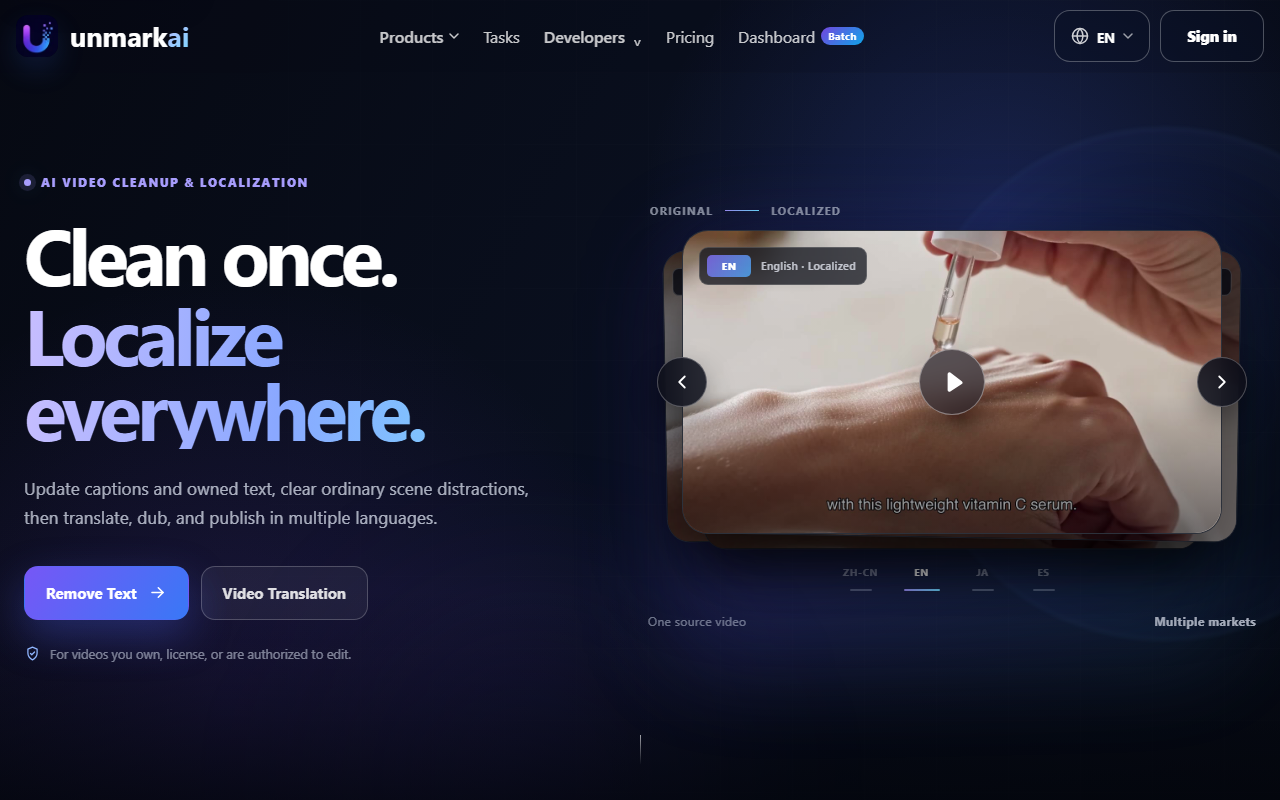
The core mechanism is AI inpainting: the video text remover and object remover analyze each frame, erase the flagged region, a caption, a lower third, a passerby, a prop, and rebuild the background behind it instead of blurring or cropping over it, so the source resolution and frame rate stay intact. That cleaned frame then feeds a localization pipeline (clean, transcreate, voice, QA) that produces subtitle translations and AI dubbing across 69 target languages from 116 detectable source languages, including Spanish, Portuguese, Arabic, Japanese, Korean, and Hindi.
Its clearest use cases are short-form video repurposing for creators clearing burned-in captions before a re-edit, a job OpusClip approaches from the auto-captioning side rather than AI inpainting, overseas short-drama localization for studios releasing vertical dramas in new markets, and e-commerce teams turning one product demo into several dubbed market versions. A self-serve REST API, bearer-token authentication, async jobs, webhooks, and idempotency keys, lets teams fold cleanup and dubbing into an existing content pipeline instead of uploading through the browser one file at a time.
UnmarkAI is web-only, with no desktop or mobile app; teams that need an installed editor should look at CapCut or Filmora 15 instead. Access is priced on a points system with a free starter plan, a monthly subscription, one-time point packs, and custom Enterprise terms; points are charged by processing time and cleanup type rather than a flat per-video fee, and the exact breakdown is on the pricing page.
Its terms of service and acceptable use policy require that uploaded content be owned, licensed, or explicitly authorized for editing, and separately prohibit removing watermarks or attribution in a way that breaches copyright, trademark, or platform rules, with a zero-tolerance, mandatory-reporting policy for child-exploitation material. The vendor has not published an independent third-party security certification, worth flagging for teams with a formal vendor-risk review process.
UnmarkAI is not the right fit for every video job, though. Teams that only need voice dubbing and have no burned-in text or watermarks to remove first get more from a voice-first tool like Murf AI or Fliki, and anyone comparing the wider field should start with HokAI's AI video generator directory, the translation tool buyer's guide, or the video editing and content creation guide; the OpusClip vs CapCut EditPilot comparison and the best AI video generators roundup cover the captioning and general-purpose alternatives in more depth. E-commerce teams weighing the point system against a flat-fee generator should also compare it with Creatify or a template-driven tool like Lumen5. Teams that need to generate new footage rather than clean up existing footage want a text-to-video model like Runway; HokAI's guide to AI image and video creation covers that category split in more detail.
Screenshots
Pricing
UnmarkAI runs on a point system with three purchase paths, all confirmed on its pricing page. Free gives 10 points on signup, capped to the first 30 seconds of output and watermarked, no card required. 90, 100 points) to a 5,600 Credits Pack ($99).
90, 300 points) and rise through Creator, Pro 3,000, Pro 10,000, and Pro 30,000 to Pro 50,000 ($759, 50,000 points); each tier also has a yearly option priced near two months cheaper than paying monthly. Team plans add shared seats and concurrent jobs: Team Starter, Team Growth, and Team Scale each include 3 seats (extra seats $12/month) and 4, 6, or 8 concurrent jobs respectively. Enterprise is custom-quoted with higher upload and export limits.
Points spend by task: 5 or 10 points per 30 seconds for selected-area versus full-frame text removal, 10 to 15 points per 30 seconds for translation plus 8 per extra language, and 5 to 30 points per 5 seconds for upscaling from 720p to 2K. Every plan uploads files up to 2GB in MP4, MOV, AVI, MKV, or WebM. Points spend at a steadily better effective rate the more you commit to: the lowest per-100-point cost is on the Pro 50,000 yearly plan, so a team paying by the one-time Freebeat-style pack should check the yearly subscription math before assuming pay-as-you-go is cheaper.
| Tier | Monthly price | What it includes |
|---|---|---|
| Free | Free | 10 points on signup, one-time; output capped to the first 30 seconds and watermarked; no card required |
| Starter | $9.90/mo | 300 points per month; yearly option $99/year |
| Creator | $19.90/mo | 1,000 points per month; yearly option $179/year |
| Pro 3,000 | $49.90/mo | 3,000 points per month; yearly option $419/year |
| Pro 10,000 | $159/mo | 10,000 points per month; yearly option $1,339/year |
| Pro 30,000 | $499/mo | 30,000 points per month; yearly option $4,189/year |
| Pro 50,000 | $759/mo | 50,000 points per month; yearly option $6,369/year |
| Enterprise | Custom | Custom monthly points, team workflow support, higher upload and export limits; sales contact required |
Feature Comparison by Tier
| Feature | Free | Creator | Starter | Pro 3,000 | Enterprise |
|---|---|---|---|---|---|
| Points included | 10 (one-time) | 1,000/mo | 300/mo | 3,000/mo | Custom |
| Watermark-free export | — | ✓ | ✓ | ✓ | ✓ |
| Export resolution | Standard | 4K | 4K | 4K | 4K |
| Team seats | — | — | — | — | Custom |
| Yearly billing option | — | $179/yr | $99/yr | $419/yr | — |
Key Features
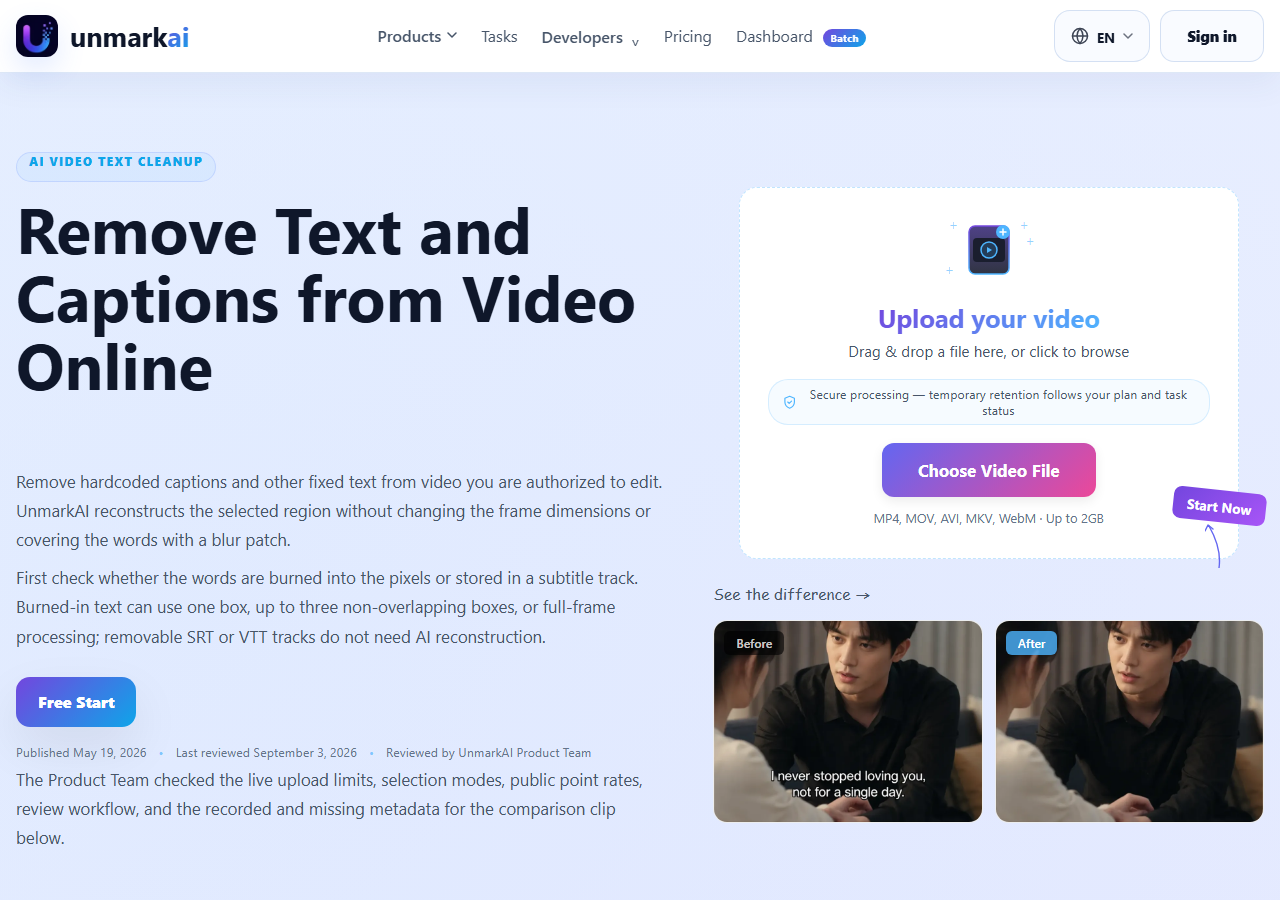
- Video Text & Watermark Remover: AI inpainting erases hardcoded captions, timestamps, lower thirds, and platform watermarks frame by frame and rebuilds the background instead of blurring or cropping over it, keeping the source resolution and frame rate.
- Video Object Remover: Clears scene distractions, a passerby, a prop, a cable, a review overlay, from footage without cropping the frame.
- AI Video Upscaler: Increases resolution on cleaned or source footage as a separate step in the same dashboard, priced by target resolution rather than a flat fee.
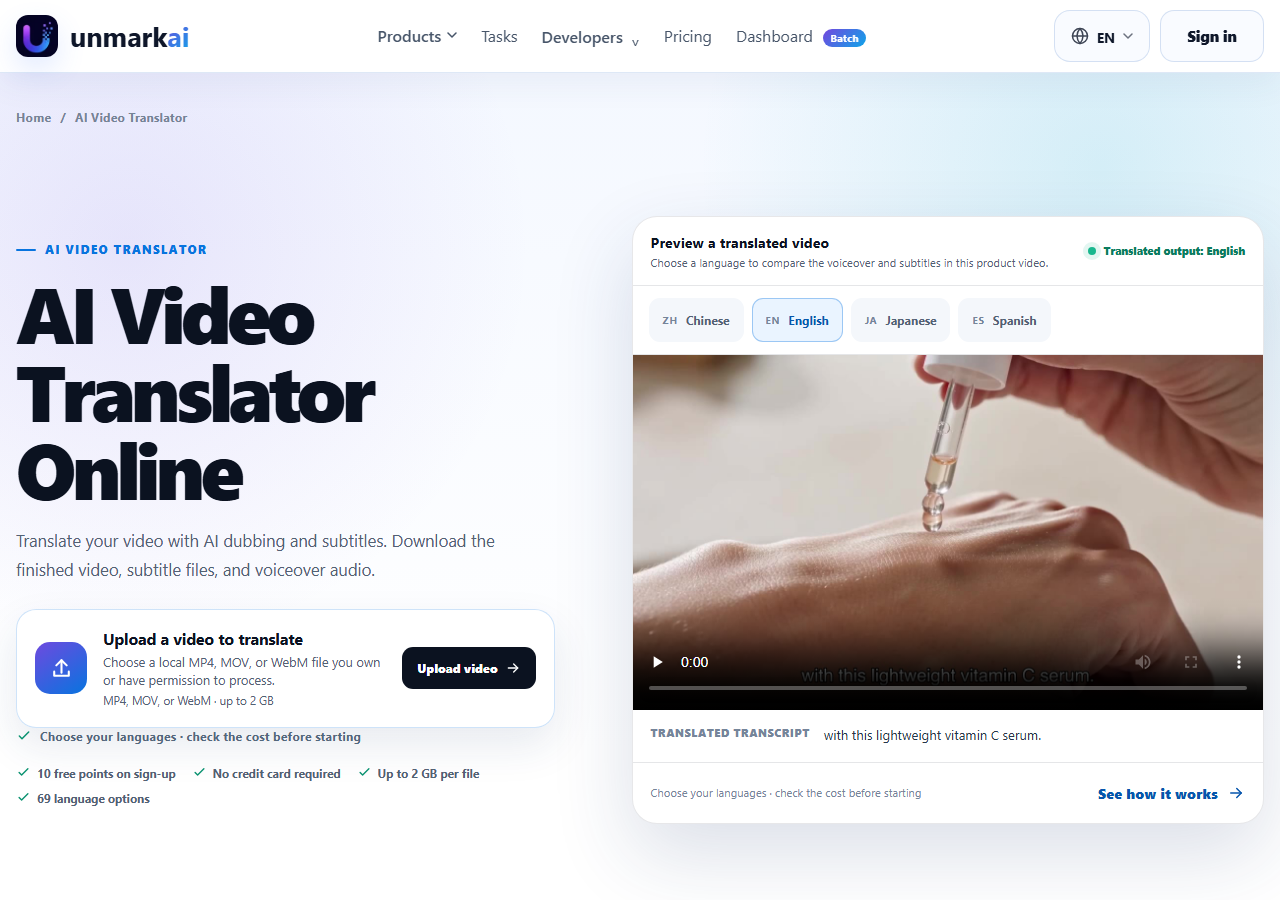
- Video Translation Studio: Runs subtitle translation and AI dubbing through a four-stage clean, transcreate, voice, and QA pipeline built for short-drama and product-video localization, with batch uploads of up to 200 episodes in one job.
- Points-Based Batch Dashboard: Processes videos in bulk with side-by-side before and after task previews before download, so teams can check a result before spending on a full export.
- Self-Serve REST API: Offers bearer-token authentication (uma_live_* keys), asynchronous jobs, webhooks, and idempotency keys for safe retries, aimed at teams automating cleanup or dubbing inside an existing content pipeline.
Pros
- Ships a working self-serve API, bearer-token auth, async jobs, webhooks, idempotency keys, with a default concurrency of 4 parallel jobs, so the automate-via-API claim is checkable against real endpoint documentation rather than being sales-only.
- Runs a named four-stage clean-transcreate-voice-QA localization workflow aimed specifically at short-drama and e-commerce dubbing, not just generic auto-subtitling bolted onto a text tool.
- States a specific, named zero-tolerance policy with mandatory NCMEC reporting for child-exploitation material in its Acceptable Use Policy, a more concrete governance disclosure than most small watermark-removal competitors publish.
Cons
- Free plan caps output to a short preview window and stamps a watermark on the export, so judging full-length results requires a paid plan.
- No published SOC 2, ISO 27001, GDPR, or HIPAA attestation, and the privacy policy does not state whether uploaded video is used to train models, worth checking before enterprise use.
- Web-only with no desktop or mobile app, and the vendor's own limitations notice says results vary with heavy motion, low source resolution, or complex backgrounds.
- Operated by UnMarkAI Team, an independent developer based in Hangzhou, Zhejiang, China, per its own Terms of Service, rather than an incorporated, independently audited company, relevant for procurement teams doing vendor-risk review.
Product Information
- Cloud
- Yes
- Self-Hosted
- No
- On-Premise
- No
- Languages
- English, Chinese, Japanese, Spanish, Portuguese
- Training
- Documentation, API docs
Data Handling
- Training-data policy
- Not publicly disclosed. The privacy policy sets a 30-day maximum retention window for uploaded video, previews, and outputs, and lists standard data-subject rights, but does not state whether uploaded content is used to train models.
- Data retention
- 30 days
Frequently Asked Questions
What does UnmarkAI pricing look like in 2026?
UnmarkAI prices on points across three paths. One-time Point Packs start at $4.90 for 100 points, and monthly subscriptions run from Starter at $9.90 for 300 points up to Pro 50,000 at $759 for 50,000 points, each with a cheaper yearly option. Team plans with shared seats and custom-quoted Enterprise pricing are also available. Translation and dubbing cost 10 to 15 points per 30 seconds of output, plus 8 points per extra language.
Does UnmarkAI have a free plan?
Yes, new accounts get a starter allotment of points with no credit card required, enough to test the workflow on a short clip. Exports on the free plan are limited to a brief preview window and carry a watermark, so a paid plan is needed for a full-length, unwatermarked download.
Which tools compete with UnmarkAI?
Descript is the stronger pick if you want a full text-based video and audio editor rather than a focused cleanup tool. ElevenLabs is worth considering when dubbing and voice quality matter more than removing hardcoded captions or watermarks first. VEED suits teams that want a general online video editor with subtitles built in rather than an AI-inpainting cleanup step.
How does UnmarkAI compare to HeyGen in 2026?
HeyGen focuses on synthetic AI avatars and enterprise-scale translated talking-head videos, with no watermark or hardcoded-caption removal step. UnmarkAI instead starts from real footage, removes captions, watermarks, or objects with AI inpainting, then translates and dubs the cleaned result. Teams needing avatar generation should look at HeyGen; teams cleaning up existing video before localization fit UnmarkAI's workflow.
What's the fastest way to start using UnmarkAI?
Sign up for the free plan to get starter points with no credit card required, then upload an MP4, MOV, AVI, MKV, or WebM file you own or are authorized to edit. Choose a task, text removal, object removal, upscaling, or the translation studio, preview the AI-processed result against the source, and export once you're satisfied.
Top Alternatives
- HeyGen: Pick HeyGen if you need synthetic AI avatars and enterprise-scale dubbing; pick UnmarkAI if you need to clean hardcoded captions or watermarks out of real footage before dubbing it.
- ElevenLabs: Pick ElevenLabs if voice quality and API-first dubbing are all you need; pick UnmarkAI if you also need the visual cleanup done in the same pipeline.
- Descript: Pick Descript for its full text-based video and podcast editing suite; pick UnmarkAI to strip hardcoded captions or watermarks out of footage before you localize it.
- VEED: Pick VEED if you want a general-purpose online video editor with subtitles built in; pick UnmarkAI if you're starting from footage that already has burned-in text or watermarks to remove first.
HokAI guides covering UnmarkAI
- Best AI for Translation in 2026: Four Jobs, Not One Tool: AI translation is four real jobs: documents, live/visual, software localization, and video dubbing. See which tool fits, and which free tiers really work.