
Last updated: 2026-09-16
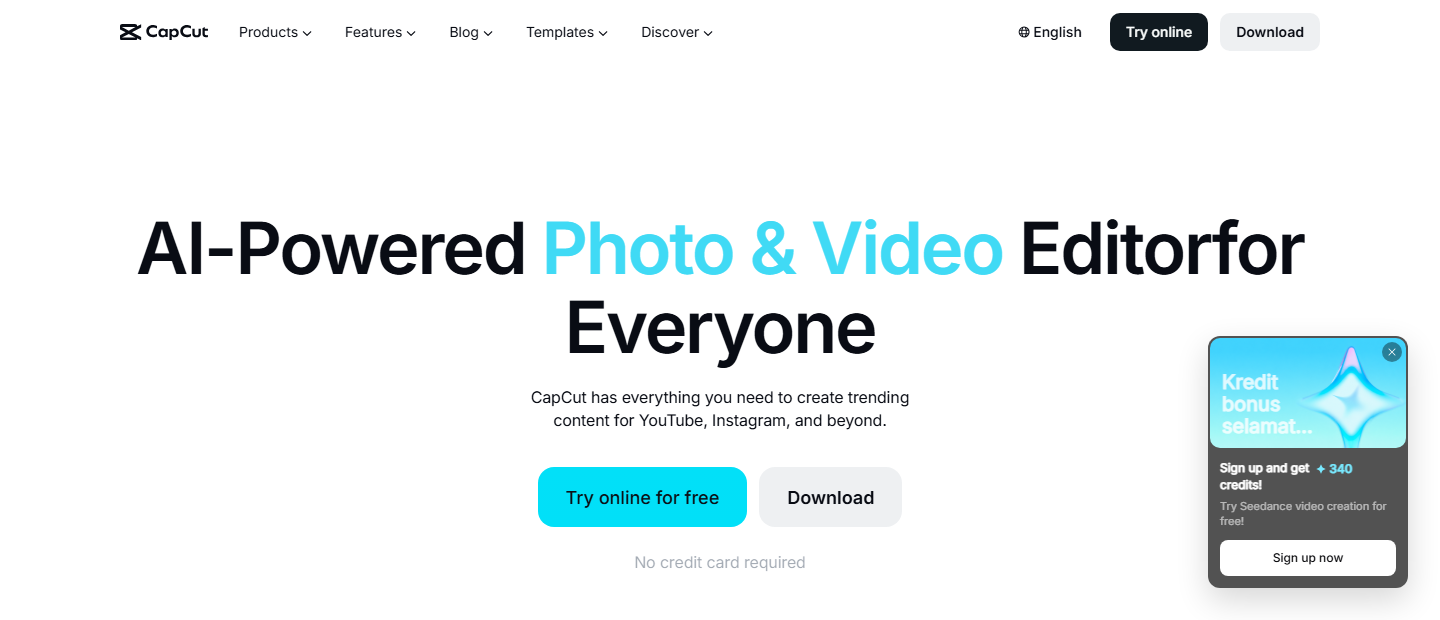
CapCut is ByteDance's free AI-powered video editor, with combined CapCut and CapCut (overseas) monthly active users exceeding 800 million as of ByteDance's most recent published disclosure. Its AI Edit Pilot lets users co-create a script with an AI agent that sources clips and completes the edit automatically. Available on iOS, Android, Windows, Mac, and web.
About CapCut
ByteDance launched CapCut in 2020 as a free video editing app built on the same short-form expertise the company applies to TikTok. It runs on mobile (iOS and Android), desktop (Windows and Mac) and the web, and pairs a conventional cut-and-trim timeline with AI features: auto-captioning, text-to-speech, background removal and script-to-video generation. CapCut has passed 1 billion downloads on the Google Play Store alone, and ByteDance's combined CapCut and CapCut China edition (Jianying) count exceeded 800 million monthly active users at ByteDance's last published disclosure, which has made it the default editor for TikTok creators, social media managers and anyone producing short-form video without a film-school budget for software like Adobe Premiere.
The app runs on a freemium model. Editing, templates and the basic AI toolkit stay free, and CapCut's paid tiers exist to remove limits rather than gate the software itself: watermark-free mobile export, 4K rendering, extra cloud storage and priority AI credits sit behind Standard and Pro. CapCut is a separate product from TikTok inside ByteDance's portfolio, with its own sign-in, subscription and app-store listing; the two apps briefly went offline together during the US regulatory action in early 2025 before both returned within days, a reminder that CapCut's availability is tied to its parent company's regulatory standing in whichever market a creator uses it from. Within AI video editing tools, CapCut is the volume play: broad reach and a low floor to start, rather than the deepest toolset.
The newest addition, AI Edit Pilot, moves CapCut from a manual timeline tool toward an agentic one: a creator states a concept, co-writes a structured script with the AI agent, and the agent assembles the edit end to end, aimed at drama series, short films and other long-form creators who would otherwise storyboard by hand. It sits alongside AI Auto-Edit, which takes raw footage and a one-line brief and returns a cut trimmed, scored and set to music for TikTok, Reels or Shorts without a manual pass. Image and background generation runs on ByteDance's Seedream 5.0 Pro model, upgraded in July 2026 for tighter prompt control and editable starting frames.
CapCut's text-to-speech and voice cloning tools compete with dedicated audio specialists such as ElevenLabs and Murf AI among AI text-to-speech tools, though CapCut bundles the feature into a full editor rather than selling it standalone. Creators comparing auto-edit workflows specifically should also weigh Descript, which is built around transcription-first editing for podcasts and screen recordings, Opus Clip, which focuses narrowly on turning long videos into short clips, and Synthesia, which generates avatar-led video from a script rather than editing footage a creator already shot.
CapCut is not the right pick for every video team it reaches through app-store rankings. The free tier's clip-length cap and single video and audio track are real ceilings for a YouTube long-form channel or a podcast video with multiple mic feeds; VEED and Canva both allow multi-track editing without that wall (the full breakdown against VEED is at CapCut vs VEED). Professional colorists and audio engineers will also find CapCut's grading and mixing tools shallow next to a desktop editor, and any team under a compliance obligation should weigh ByteDance's ownership and the absence of a published SOC 2 or HIPAA certification before standardizing on it for content touching regulated data.
Screenshots
Pricing
Free version includes essential video editing tools, templates, AI auto-captions, background removal, and basic text-to-speech with no watermark on free exports in 1080p. 99/month, primarily for mobile, watermark-free export. 99/year) adds 4K export, 1,200 AI points/month, 1TB cloud storage, camera tracking, and speaker-ID captions (restructured in early 2026; old Pro renamed Standard).
99/user/month includes collaboration tools, commercial asset library, and advanced AI features. Prices vary by region and platform (App Store purchases run higher). Every tier centers on editing footage already shot; a text-to-video generator such as Runway is priced and built for creating new clips from a prompt, not for cutting existing raw footage.
| Tier | Monthly price | What it includes |
|---|---|---|
| CapCut Free | Free | Free core editing in 1080p; AI feature usage limits per month |
| CapCut Standard | $9.99/mo | $9.99/month; watermark-free export; no 4K export or full AI toolkit |
| CapCut Pro | $19.99/mo | $19.99/month or $179.99/year; 1,200 AI points/month; 4K/60fps export; camera tracking and speaker-ID captions |
| CapCut Team | $24.99/mo | $24.99/user/month; team collaboration, commercial assets, shoppable video creation |
Feature Comparison by Tier
| Feature | CapCut Free | CapCut Standard | CapCut Pro | CapCut Team |
|---|---|---|---|---|
| Price | $0 | $9.99/mo | $19.99/mo ($179.99/yr) | $24.99/user/mo |
| Export quality | 1080p, no watermark | 1080p, watermark-free mobile export | 4K/60fps | 4K/60fps |
| Monthly AI points | Limited (basic tools only) | Limited | 1,200 | 1,200+ per seat |
| Cloud storage | — | — | 1TB | 1TB+ shared |
| Camera tracking & speaker-ID captions | — | — | ✓ | ✓ |
| Commercial asset library & team collaboration | — | — | — | ✓ |
| Max video length (free tier) | 15 min cap | No stated cap | No stated cap | No stated cap |
Key Features
- AI Edit Pilot (Agentic Video Editing): CapCut's AI Edit Pilot is an AI agent editing mode inside CapCut Video Studio: users start with a concept, co-create a structured script with an AI agent, and the agent handles the full editing workflow. Designed for drama series, films, and long-form video creators.
- AI Auto-Edit: Upload raw footage, type a brief description of the desired result, and CapCut's AI engine analyzes clips, selects the best segments, applies transitions, adds music, and delivers a polished edit automatically. Optimized for TikTok, Instagram Reels, and YouTube Shorts.
- Auto-Caption & Transcription: AI-powered automatic speech-to-text with multi-language support, automatic filler word removal, and multi-lingual subtitle generation to expand audience reach.
- AI Image & Background Generation: Dreamina text-to-image generation, upgraded to the Seedream 5.0 Pro model in July 2026 for stronger prompt control and editable visual starts, for custom backgrounds and assets; one-click background removal with chroma key for professional green screen effects without hardware.
- Text-to-Speech & Voice Cloning: Generate natural voiceovers from text in 100+ languages and voices, with ability to clone custom voice from single recording for consistent audio branding.
- Smart Editing Tools: AI beat detection, video stabilization, resolution upscaling, noise reduction, motion tracking, face detection, and smart cut for automatic interview editing with pause removal.
- Template Library & Effects: 100+ trending subtitle templates, 1000+ effects and filters updated weekly, music library with millions of royalty-free tracks, and pre-made video templates for instant professional results.
Pros
- Completely free with a full feature set that rivals paid desktop software; Pro features are optional, not required
- Intuitive, beginner-friendly interface requiring zero learning curve; most users productive within minutes
- Superior AI features including auto-captions (95% accuracy), background removal, and video generation unmatched by competitors
- Tight TikTok integration with automatic format optimization, trending audio access, and one-tap direct publishing
- Cross-platform consistency; same projects and assets sync across mobile, desktop, and web versions
- Constant updates with trending effects and features; always aligned with social media trends
Cons
- Limited to 15-minute maximum video length on free tier, inadequate for YouTube long-form content
- Single video/audio track limitation on free version restricts complex multi-layer editing; pro tier increases but still limited
- Pricing opacity with inconsistent costs across regions and app stores ($7.99-$23.99/month reported)
- Significant billing and customer support complaints; 1.2/5 rating on Trustpilot with impossible cancellations
- Privacy concerns as ByteDance subsidiary; data collection practices and potential cross-service data sharing without explicit consent
Data Handling
- Training-data policy
- CapCut's Trustworthy AI page states its models are trained using a broad mix of publicly available information, proprietary datasets, and synthetic data, and that in some cases these datasets may include personal or aggregated information about individuals. No opt-out mechanism for this training use is stated.
- Compliance
- No public SOC 2 or HIPAA certification; data privacy concerns flagged; subject to US regulatory scrutiny as Chinese-owned app
Frequently Asked Questions
What are CapCut's pricing plans in 2026?
CapCut restructured its plans in early 2026: Standard costs $9.99 per month for watermark-free 1080p export on mobile, and the new Pro tier is $19.99 per month ($179.99 billed annually) with 4K export, 1,200 AI points, and 1TB of cloud storage. A Team plan for collaboration and commercial assets runs $24.99 per user per month. Prices vary by region and run higher when purchased through an app store.
Does CapCut have a free plan?
CapCut's free tier is fully usable: unlimited exports at 1080p with no watermark, plus core trims, transitions, text overlays, and AI background removal. The main limits are single-track editing and a 15-minute maximum clip length, which pushes longer YouTube-style projects toward a paid tier.
What are CapCut's closest competitors?
VEED runs entirely in the browser with AI subtitles and voice cloning, the closest match for teams that want CapCut's editing depth without a mobile app. Canva makes more sense if graphic design and social templates need to live alongside the video work in one place. Runway belongs on the list only if the goal is generating brand-new footage from a text prompt rather than editing clips already shot.
What separates CapCut from VEED?
CapCut is a free, mobile-first editor with native TikTok publishing and the AI Edit Pilot, which scripts and assembles a full edit from a single concept. VEED runs entirely in the browser with no app to install, and leans more on AI subtitles, voice cloning, and avatar generation than full auto-edit workflows. Creators who live on mobile and want direct TikTok export tend to prefer CapCut; teams editing on a shared desktop workflow often prefer VEED's browser access.
How do you set up CapCut?
Download the CapCut app for iOS, Android, Windows, or Mac, or open the web editor at capcut.com, and sign in with a Google, Apple, or TikTok account. From there, start from a template in the library or type a short description into AI Auto-Edit and let it assemble a first cut from raw footage. The free tier opens without entering payment details.
Top Alternatives
- VEED: Browser-only editing with nothing to install belongs to VEED; native mobile editing with direct TikTok publishing belongs to CapCut.
- Canva: Canva's strength is one platform for graphic design and video together; CapCut counters with deeper AI video tools like auto-caption and background removal.
- Runway: Runway generates video from scratch. CapCut edits and polishes footage that already exists.
HokAI guides covering CapCut
- Best AI for Video Editing and Content Creation in 2026: Pick the Job, Not the Category: AI video editing splits into two jobs: cutting footage you have, or generating video you don't. CapCut, Descript, VEED and Opus Clip compared on price and fit.
- What CapCut Is Actually For, Now That Pro Costs Twice What It Did: CapCut's Pro price doubled in February 2026 and free cloud storage was cut in 2024. Here's who the paid tier now serves, and who should look elsewhere.
- Best AI Video Generators in 2026: Pick the Category Before You Pick the Tool: Kling AI generates a second of 1080p video for about 13 cents, cheaper than Runway's 23 cents. See how 31 AI video tools split into three buying decisions.
- The Best Free AI for Turning a Photo Into a Video in 2026: Kling, CapCut, HeyGen and Fliki compared for free photo-to-video, checked 22 Sept 2026. See which free tiers actually renew, and which one just quietly stopped.
- OpusClip vs CapCut EditPilot: Which Actually Repurposes Long Video Better: OpusClip ranks clips with a virality score; CapCut EditPilot edits one timeline by chat. 2026 pricing, the feature that really competes, who needs which.
- The AI 80s Photo Trend: How to Make Yours (and Turn It Into a Video) in 2026: The viral AI 80s photo trend now has a video half. Here's how to make the photo, turn it into a VHS-style clip, what it costs, and where your upload goes.