Last updated: 2026-09-18
Arc Browser is a Chromium-based desktop browser from The Browser Company that replaces the tab bar with a vertical sidebar, grouping tabs, bookmarks, and apps into separate Spaces. Boosts let users restyle any site's colors, fonts, and layout with custom CSS, HTML, and JavaScript, and Easel adds a built-in whiteboard for collecting screenshots and notes while browsing.
About Arc Browser
Arc is a Chromium browser built by The Browser Company, founded in 2019 and acquired by Atlassian for $610 million (announced September 4, 2025, deal completed October 21, 2025). It replaces the traditional tab bar with a vertical sidebar that groups tabs, bookmarks, and apps into Spaces, keeping work, personal browsing, and side projects in separate views without a second window. Built-in tools include Easel (a whiteboarding canvas), Boosts (per-site CSS, HTML, and JavaScript overrides), and Instant Links for jumping straight to URLs. Privacy is on by default, with no ad tracking.
In May 2025, The Browser Company put Arc into maintenance mode to focus on Dia, its newer AI-native browser. Arc still receives security and Chromium updates, but no new features are in active development. It runs on Mac and Windows, with Arc Search as a companion app on iOS and Android.
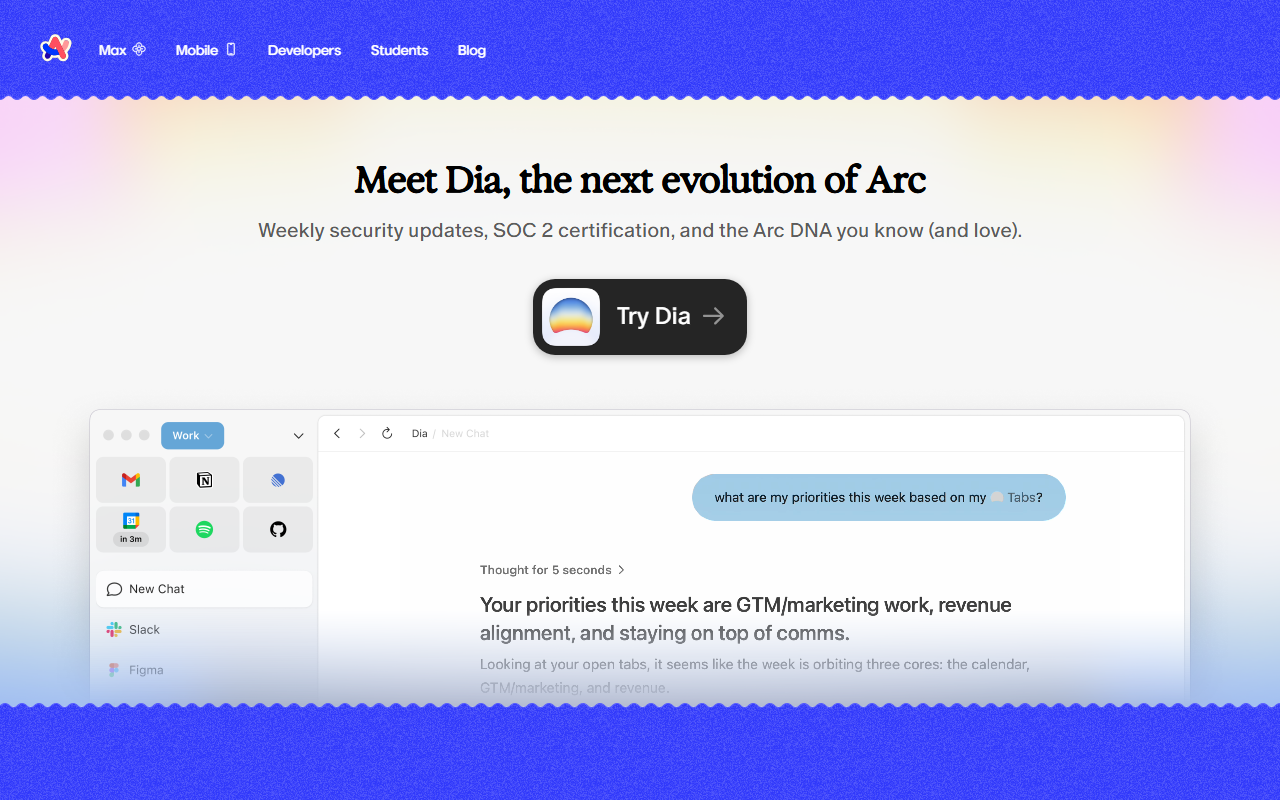
As of September 2026, [arc.net](https://arc.net) -- Arc's own homepage -- leads with "Meet Dia, the next evolution of Arc" and a "Try Dia" button; direct Mac and Windows installers are still live but are no longer the front-page pitch. Arc Max, Arc's built-in AI layer, uses OpenAI and Anthropic as third-party processors for select features, including the ChatGPT-powered Command Bar and, per that same privacy policy, features backed by Anthropic's Claude models; Arc's own privacy policy states it does not use ad-tracking technology and does not sell personal data. Unlike some newer AI-native browsers, Arc still has no native Notion or Slack workspace integration. For a longer look at what fourteen-plus months without a new feature has cost the product, see HokAI's Arc Browser feature-freeze analysis. On Windows, Arc's most direct mainstream rival remains Microsoft Edge's built-in Copilot sidebar rather than any AI-native challenger. Google Disco itself runs on Google's Gemini 3 models -- the same model family developers can prototype directly in Google AI Studio before deciding whether a sidebar-based browser or a tab-native one fits their workflow better.
Screenshots
Pricing
Arc is completely free. No premium tiers or subscription required. The Browser Company plans future monetization through premium and team features, but core Arc remains free indefinitely.
Its closest hokai-listed alternative, Google Disco, remains a closed macOS-only beta (see the full Arc vs Google Disco comparison); outside hokai, Perplexity's Comet browser and OpenAI's Atlas are the two AI-native browsers most often compared to Arc's successor, Dia.
Feature Comparison by Tier
| Feature | Arc (Free) |
|---|---|
| Sidebar navigation | Included |
| Spaces & Profiles | Included |
| Split View (up to 4 tabs) | Included |
| Boosts (custom CSS/HTML/JS per site) | Included |
| Easel whiteboard | Included |
| Arc Max AI features | Included |
| New feature development | Frozen since May 2025 (maintenance mode) |
Key Features
- Sidebar Navigation: All browser controls consolidated in a vertical left sidebar, freeing up screen space for content and enabling side-by-side viewing of multiple websites
- Spaces & Profiles: Organize tabs into distinct workspaces for different contexts (work, study, hobbies) with customizable themes and separate browser profiles for different identities
- Split View: View up to four tabs simultaneously in split-screen mode, enabling advanced multitasking without opening multiple windows
- Boosts: Customize how you see any website using CSS, HTML, and JavaScript; change colors, fonts, remove sections, and share your modifications with others
- Easel: Built-in whiteboarding tool for collecting screenshots, URLs, drawings, and text to brainstorm and organize ideas while browsing
- AI Features (Arc Max): AI-powered tools including 5-second link previews, automatic tab tidying, smart download renaming, and ChatGPT integration via Command Bar
Pros
- Distinctive vertical sidebar design that maximizes screen space and reduces tab clutter
- Organization tools built around Spaces, Profiles, and Split View support real multitasking
- Privacy-first architecture with no tracking of visited sites or search queries
- Highly customizable interface with themes, Boosts, and extensive personalization options
- Built-in creative tools like Easel for collaborative brainstorming and annotation
Cons
- Steep learning curve due to an unconventional UI paradigm different from traditional browsers
- Auto-archiving of tabs after inactivity (maximum 30 days) may frustrate users who keep tabs long-term
- Limited mainstream adoption means fewer resources and a smaller community compared to Chrome or Safari
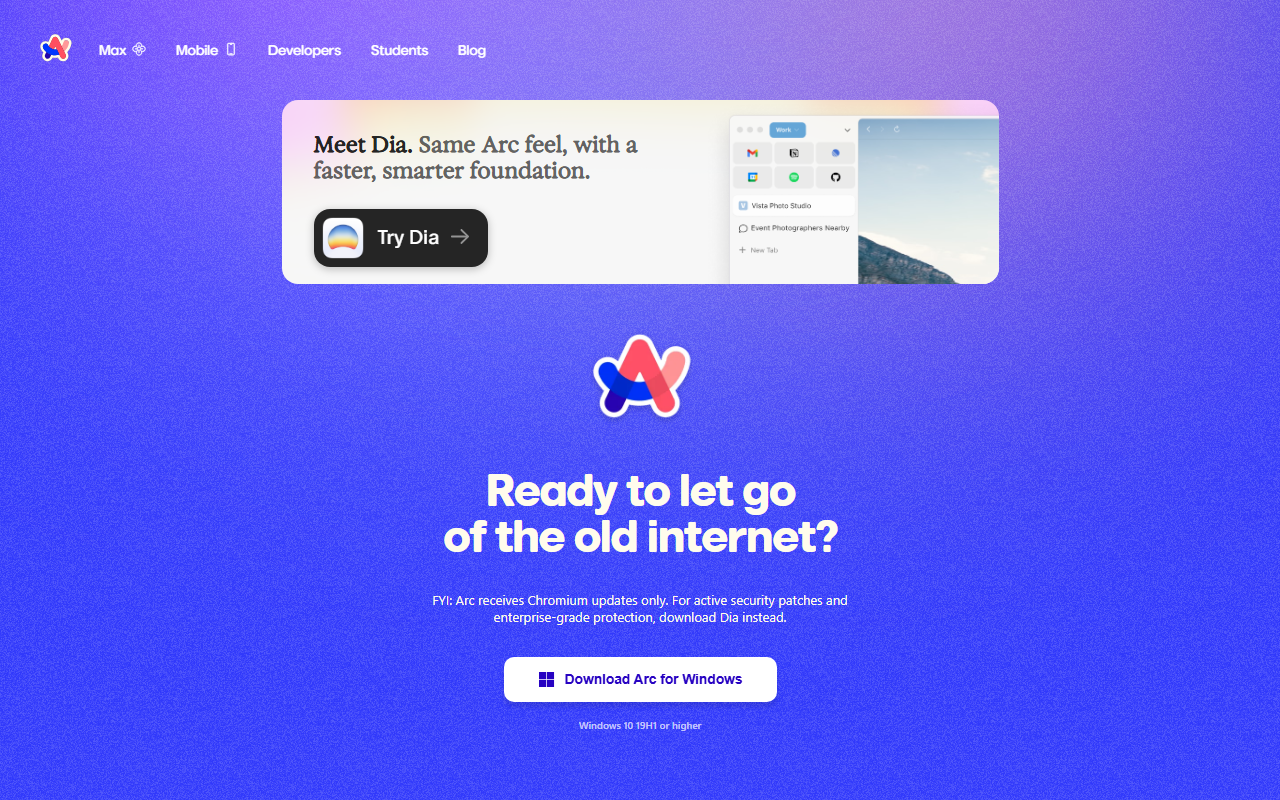
- In maintenance mode since May 2025 -- Arc's own download page now tells visitors it "receives Chromium updates only" and to "download Dia instead" for active security patches and enterprise-grade protection
Data Handling
- Training-data policy
- Arc's own privacy policy (arc.net/privacy) states Arc does not use advertising or tracking technologies on its site. Arc Max AI features send select personal data to OpenAI and/or Anthropic as third-party service providers when those features are used; Arc does not state that browsing data trains its own models. Data is retained "for as long as necessary" to provide the service (no fixed day count published).
- Compliance
- Privacy-focused; does not track sites visited or search queries
Frequently Asked Questions
What does Arc Browser actually cost?
Arc costs nothing: there is no paid tier, subscription, or usage cap. The Browser Company has said future revenue may come from team or premium features later, but ordinary use of Arc is expected to stay free.
Can you use Arc Browser without paying?
Yes: everyday use of Arc costs nothing, and no current feature sits behind a premium plan or paywall. Monetization for The Browser Company, if it comes, is expected to arrive through separate team-focused add-ons rather than a fee on the browser itself.
What are Arc Browser's closest competitors?
The main hokai-listed alternative is Google Disco, Google Labs' experimental Chromium browser that turns open tabs into no-code GenTabs mini apps using Gemini 3, though it remains a closed macOS-only beta. Outside hokai, mainstream Chromium browsers like Chrome and Edge offer a conventional tab bar instead of Arc's sidebar and Spaces model.
Is Arc Browser better than Google Disco?
Arc is a stable, free browser now in maintenance mode, while Google Disco is Google Labs' actively developed but closed macOS-only beta built around turning tabs into Gemini-generated GenTabs mini apps. Pick Arc for a cross-platform browser you can use today; pick Google Disco only if you have macOS beta access and want Gemini-driven tab automation.
What does it take to start using Arc Browser?
Download Arc from arc.net for Mac or Windows and sign in to get started; iOS and Android users can install the companion Arc Search app instead. The sidebar, Spaces, Boosts, and Easel are all available immediately after setup, with no separate onboarding steps.
Top Alternatives
- Google Disco: Arc organizes browsing around a vertical sidebar with persistent Spaces for grouping tabs and bookmarks; Google Disco instead turns individual tabs into standalone GenTabs mini-apps powered by Gemini 3.
HokAI guides covering Arc Browser
- Arc Browser Hasn't Shipped a Feature in 449 Days. Cloudflare Just Showed Why.: Arc Browser hasn't shipped a feature since May 2025. Cloudflare's new open-source AI agent workspace shows exactly what that browser bet became instead in 2026.
- How to Spot a Dying AI Tool Before You Build On It: Rows AI went from acquisition to shutdown in three months. Five public signals, checkable before you build on any AI tool, would have caught it early.