Best MCP Servers in 2026, by Job: Browsing, Search, App Actions, Sales Data and Code
An MCP server is a program that gives an AI assistant such as Claude, ChatGPT or Cursor a set of callable tools over the Model Context Protocol. The current specification, 2026-07-28, is stateless and deprecates Dynamic Client Registration. Servers run locally, at the data vendor, or at an aggregator, and each sees the arguments it receives.
The short version
Pick one MCP server per job: Kernel for signed-in browsing, Playwright MCP for local testing, Linkup for search at $0.005 a call, Composio for acting across apps, Hunter for emails, Manifold for SEO data and GitHub for code. Prefer OAuth sign-in, read-only modes and free tiers that stop at their limit.
Want this decided for your own case? Find your tools with Smart Match, starting from this guide's question.
The Model Context Protocol's TypeScript and Python SDKs have each passed 1 billion downloads, according to the maintainers' 28 July 2026 release post. The supply of servers grew just as fast, and most of them do the same few jobs.
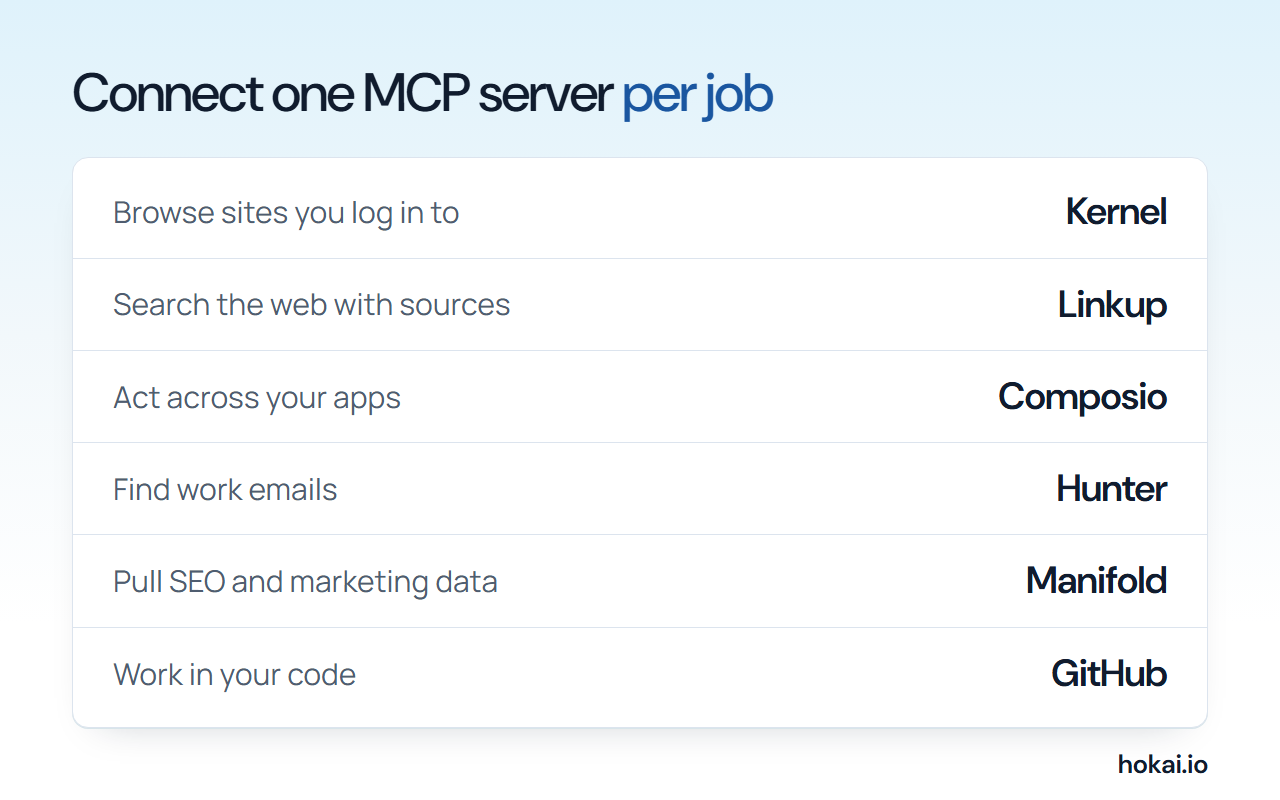 Hokai chart of one MCP server per job, from each vendor's own pricing and docs pages as checked on 4 November 2026.
That release also rewrote how servers log in and talk to clients, which changes what a safe pick looks like. So the useful question for a small team wiring Claude, ChatGPT or Cursor into real accounts is no longer "which servers are popular". It is which job you need done, who runs the server that does it, how it signs in, and what each call costs you in money, context and data.
This guide answers those four questions for every job we found worth an MCP connection, using the servers Hokai lists in its skills directory plus the official ones from GitHub and Microsoft. We re-checked every price against the vendor's pricing page on 4 November 2026. Where a vendor publishes nothing, we say so.
- Downloads of each of the TypeScript and Python SDKs
- 1B+
- MCP maintainers, 28 Jul 2026
- Free Composio tool calls a month
- 100,000
- Hobby plan
- One standard Linkup search
- $0.005
- Per call
- Months of minimum notice before a spec feature is removed
- 12
- 2026-07-28 release
How to choose an MCP server: four questions before you connect anything
An MCP server is a small program that hands your assistant a set of tools: "search the web", "create a deal", "open a browser". The assistant decides when to call them. That makes every server a standing permission, not a one-off download, and it is worth choosing like one.
Ask these four things, in this order:
- Who runs it? The vendor of the data (GitHub, Pipedrive), a specialist host (Kernel, Composio), or you on your own machine (Playwright MCP, Krolik). Vendor-run servers track their own API changes.
- How does it sign in? OAuth means you approve scopes in a browser and can revoke them. An API key is a long-lived secret in a config file.
- What does a call cost? Most hosted servers bill per call or per credit. A free tier that stops at its limit beats one that bills overage.
- What leaves your machine? A local server sends nothing unless its tools do. A hosted one sees every argument you pass.
There is a fifth, quieter cost: every server's tool list is loaded into the model's context. Connect ten servers with 20 tools each and the assistant reads 200 tool descriptions before it reads your question. We return to that below, because it is the strongest argument against this whole list.
What the July 2026 spec changed, and why it matters for your pick
The 2026-07-28 specification turned MCP from a stateful two-way connection into stateless request and response. The initialize handshake and the Mcp-Session-Id header are gone; each request now carries its own protocol version and client details. Method and tool names travel in Mcp-Method and Mcp-Name headers, so a gateway can route and meter calls without reading the body.
Three changes matter when you are choosing rather than building:
- Sign-in got stricter. Clients must validate the issuer under RFC 9207 before redeeming a code. Dynamic Client Registration is deprecated in favour of client metadata documents.
- Old features have a clock on them. Roots, Sampling and Logging are deprecated, as is the legacy HTTP+SSE transport, each with at least 12 months of runway.
- Tool lists can be cached. List responses carry
ttlMsand a cache scope, which cuts repeat fetching of large catalogs.
The maintainers also made Enterprise-Managed Authorization stable on 18 June 2026, according to the MCP blog: an organisation can provision server access through its identity provider, so staff get connected servers at first login. If you run a team of more than a handful of people, ask any vendor whether it supports that before you hand out keys.
None of this tells you which server is good. It tells you which ones are likely to keep working: prefer servers that sign in with OAuth and whose makers say they support the current spec.
The shortlist: the best MCP servers for each job
Here is the short answer by job. The sections after it explain each call and name the runner-up worth knowing.
| Job | Our pick | Runner-up | Signs in with |
|---|---|---|---|
| Browsing sites you log in to | Kernel | Notte | OAuth |
| Local browser testing | Playwright MCP | None needed | Nothing, runs locally |
| Bulk scraping and crawling | Olostep | Riveter | API key |
| Web search with sources | Linkup | Exa | API key |
| Acting across many apps | Composio | The app's own server | OAuth |
| CRM updates | Pipedrive MCP | Composio | OAuth |
| Finding work emails | Hunter | Tomba | API key |
| SEO and marketing data | Manifold | None listed | OAuth |
| Company and economic data | FactIQ | None listed | OAuth |
| Code and repositories | GitHub MCP server | Krolik | OAuth or token |
| Letting an agent pay | Link Agent Wallet | AgentCard | OAuth |
"Signs in with" is taken from each server's Hokai record and the vendor docs it links. It is the column most roundups leave out, and it is the one that decides how much you have to trust the vendor.
Browsing and scraping: Kernel for logged-in sessions, Playwright for free local runs
Browsing is the job most people want first, and it splits in two. If the assistant needs to use a site where you are signed in, it needs a real browser that keeps cookies. If it only needs to read public pages, a scraper is cheaper.
Kernel is our pick for the first case, because it bills per second and keeps login state in reusable profiles. Its pricing docs list:
- Headless browser: $0.0000166667 a second, about $0.06 an hour.
- Headful browser: about $0.48 an hour.
- Developer plan: free, with $5 of usage credit a month.
- Hobbyist plan: $30 a month with $10 of credit.
- No account at all: an agent can buy one stealth headful browser for 30 minutes for $0.50, paid through Link.
Notte is the runner-up, and it is the better fit if you want the agent to run deployable browser functions rather than drive a session step by step. Its pricing page now charges by the hour for sessions and functions (the cost table below has the rates). The free plan grants a one-time credit with 5 concurrent browsers and 15-minute sessions, and Developer raises that to 25 concurrent browsers and 120-minute sessions.
For testing your own site, skip the cloud. Microsoft's Playwright MCP runs on your machine with one npx command and drives the page through its accessibility tree rather than screenshots, so no vision model is needed. It costs nothing beyond the model you already pay for. Microsoft maintains it alongside Playwright itself.
For reading lots of public pages, Olostep is the cheapest per page we found. Its pricing starts with 500 free requests, and the per-thousand price falls from $1.80 on Starter to $0.50 on the Standard plan.
If your job is building a list of companies or contacts with a source behind each row, Riveter is the more specialised tool: its agents cite where each field came from, and a web scrape costs 0.05 credits a page. Hosted browser platforms such as Browserbase and crawlers like Firecrawl sit in the same space if you already use them.
Web search: Linkup gives cited answers for half a cent
An assistant's built-in search is fine for chat. An agent that searches hundreds of times a day needs its own search API, priced per call.
Linkup is our pick on price and on the shape of the answer. Its pricing docs list these rates per call:
| Linkup call | Price | What you get |
|---|---|---|
| Standard search | $0.005 | Search results |
| Standard, sourced answer | $0.006 | An answer with citations |
| Deep search | $0.05 | Multi-step search results |
| Research, size S | $0.25 | A short research report |
Signing up with a work email credits $20, and eligible accounts are topped back up to that amount each month, which covers 4,000 standard searches. Failed calls are not charged.
One caution, and it is a data point rather than an opinion. Linkup's documented install command for Claude puts your API key in the server URL's query string. URLs end up in logs and shell history. If you use it, keep that config file private and rotate the key if it ever lands in a shared repo.
Linkup also accepts payment per request in USDC on Base over x402, with no account and a minimum of $0.01 a request. That matters for agents that buy their own tools, and very little else yet.
The alternatives are well known. Exa is the one developers reach for when they want neural search over the open web, and Tavily is built for agent research loops. For the broader buyer's view of search APIs, our guide to company search and agent search APIs compares them on more than MCP support.
Acting inside your apps: Composio, unless the app ships its own server
The second job most teams want is "do things in my tools": file a ticket, update a sheet, send a Slack message. There are two ways to get there, and the choice is about who holds your logins.
Composio gives one MCP endpoint that reaches a large catalog of apps with managed authentication. Its pricing page sets out two self-serve plans:
- Hobby: free, with 100,000 tool calls, 50,000 triggers and 3 team members a month. It stops at its limit rather than billing you.
- Pro: $29 a month, with the same amount of usage credit included.
- Past the free amounts: a tool call costs $0.0003.
- Rate limits: 2,000 requests a minute on Hobby and 10,000 on Pro.
The trade is that Composio holds the OAuth tokens for every app you connect. For a startup that is usually the right trade, because the alternative is a dozen separate servers to keep updated. Composio's Enterprise tier adds a HIPAA business associate agreement and IP allowlists, which tells you which buyers ask.
The other route is the vendor's own server, and when one exists it is the safer pick for that one app. Pipedrive MCP is the clean example. Pipedrive's launch announcement, dated 30 June 2026, says the server is built and maintained by Pipedrive, is available on every plan, connects to ChatGPT and Claude through OAuth, and follows each user's existing CRM permissions. A connector that inherits your permission model is worth more than one that sees everything.
Smaller single-app servers fill gaps. Orthogonal's Google Sheets server and its calendar connector bill per call through the Orthogonal balance. Design teams already have Figma, whose MCP server brings generated output onto the canvas, as Figma's VP of Engineering said in the spec release post.
Sales and marketing data: Hunter for emails, Manifold for search data
Data servers are where the per-call bills add up, because an agent asked to "find ten leads" will happily make two hundred calls.
Hunter is our pick for finding and verifying work emails, because it is a long-running data vendor and its plans are public. The Hunter pricing page lists:
| Hunter plan | Monthly price | Credits a month |
|---|---|---|
| Free | $0 | 50 |
| Starter | $49 ($34 billed yearly) | 2,000 |
| Growth | $149 ($104 billed yearly) | 10,000 |
| Scale | $299 ($209 billed yearly) | 25,000 |
A bulk pack of 1,000 search credits is $50. Monthly credits reset and do not roll over.
Tomba is the runner-up and covers phone and company data too, through one credit pool. If you want one key that fans out to several providers, Orthogonal Find Leads bills per request at whatever the underlying provider charges.
For search and marketing data, Manifold MCP is the only server in Hokai's catalog that bundles keyword, SERP, ad library and AI-answer checks behind one read-only link. Its pricing page shows the cost before the agent calls: the top 10 Google results for a keyword cost 1 credit, 100 keyword ideas cost 10, and a 1,000-page technical crawl costs 50. The free plan gives 250 credits every month.
What MCP servers cost: prices read on 4 November 2026
Most of these servers have a free tier that is enough to try them. The table shows what you pay when you outgrow it.
| Server | Free tier | First paid plan | Unit price after |
|---|---|---|---|
| Composio | 100,000 tool calls a month | $29 a month | $0.0003 a call |
| Kernel | $5 credit a month | $30 a month | ~$0.06 an hour headless |
| Notte | $10 credit, once | $20 a month | $0.01 a session hour |
| Linkup | $20 credit a month | Prepaid, no plan | $0.005 a search |
| Olostep | 500 requests | $9 a month | $1.80 per 1,000 |
| Hunter | 50 credits a month | $49 a month | 1,000 credits for $50 |
| Riveter | 250 credits a month | $249 a month | $15 for 500 credits |
| Manifold | 250 credits a month | $20 a month | 2.5 cents a top-up credit |
| FactIQ | Free data tier | $250 a month | Plan only |
Rows compare the entry points vendors publish, not equal amounts of work. A Hunter credit and a Composio tool call are different things, so read across a row, not down a column.
Read from each vendor's own pricing page on 4 November 2026.
Two prices moved in three weeks, so date every figure you rely on
Hokai's records for these servers were last checked against vendor pages in October. Re-reading them for this guide on 4 November found two changes, which is a fair sample of how fast this market moves.
- Manifold now lists Pro at $20 a month for 1,000 credits, about 2.00 cents a credit, and Max at $250 for 21,000 credits. Our 12 October read had Pro at 2,500 credits for the same $20. The free plan moved the other way: 250 credits every month instead of once.
- Notte now charges $0.01 an hour for browser sessions, where our 11 October read showed sessions at no hourly charge.
Neither change is large in dollars. Both would break a cost model built from a blog post a month old, including this one. Check the vendor page on the day you sign up.
Code, finance and payments: smaller jobs with one clear pick each
Code. The GitHub MCP server from GitHub is the default, with about 34.2k stars on its repository when we checked. It runs hosted at GitHub's endpoint with OAuth or a personal access token, or locally in Docker.
Two flags make it safer: --toolsets limits which API groups load, and --read-only drops every write tool. Its README is candid that lockdown mode, which filters content from untrusted public repos, is not an authorization boundary. If you want a call graph and review memory on your own hardware, Krolik is a self-hosted, Apache 2.0 alternative with no hosted service at all.
Company and economic data. FactIQ from Defog gives an agent read-only SQL over official statistics and market data. Its pricing has a free tier covering US-listed companies above $1B in market value. The paid Research plan is in the cost table below; Institutional adds 10 or more years of history. For invoicing rather than analysis, Pocket Invoice MCP drafts, exports and emails invoices from your account.
Payments. If your agent buys things, it should never hold a card number. Link Agent Wallet from Stripe lets you approve each purchase or set a budget, and Stripe's Link agents page says the agent never sees your payment details. AgentCard is the runner-up for teams issuing cards to many end users.
Memory and the rest. Glen keeps shared memory across a team's agents; Mem0 is the better-known option if you want an SDK rather than a server. Hokai also lists niche servers worth knowing if the job is yours: Logo.dev for brand assets by domain, Mireye for cited US location data, Didit for identity checks and Tavus for video agents.
Data handling: what each kind of server can see
The question to ask of any server is simple: which of your data passes through someone else's computer when the assistant calls it?
| Kind of server | Runs where | What it can see | Main risk |
|---|---|---|---|
| Local (Playwright, Krolik) | Your machine | Only what its tools touch | A bad tool with your file access |
| Vendor-run (GitHub, Pipedrive) | The data vendor | Data it already holds | Over-broad scopes |
| Aggregator (Composio) | A third party | Tokens for every connected app | One breach reaches many apps |
| Data API (Hunter, Linkup) | The data vendor | Your queries and arguments | Keys stored in plain config |
Two practical rules follow. Connect the vendor's own server for any app that holds customer data, and keep aggregators for the long tail. And treat tool descriptions as untrusted input: the MCP maintainers' post on tool annotations frames "read-only" and "destructive" hints as a risk vocabulary, not a guarantee, so a server's label is not proof of what its code does.
Here is a minimal, safer setup for a coding assistant, using commands from the vendors' own docs:
claude mcp add playwright npx @playwright/mcp@latest
./github-mcp-server --read-only --toolsets repos,issues
The first adds browser automation that runs on your machine. The second starts GitHub's server with write tools switched off and only two API groups loaded.
Who should skip MCP servers, and the strongest case against this list
The best argument against connecting any of these comes from one of the servers on it. Microsoft's own Playwright MCP README says coding agents increasingly favour command-line tools exposed as skills over MCP, because a CLI call avoids loading large tool schemas and verbose accessibility trees into the context. It keeps MCP for long, stateful loops such as exploratory testing.
That is a real cost, and it applies well beyond browsers. Every connected server spends context on its tool list before your task starts, and every extra tool is one more option the model can pick by mistake. If you work mostly in a terminal with an agent like OpenClaw or the coding assistant inside Windsurf, a CLI plus a skill file may be the better design.
Our answer: the argument is right about quantity and wrong about kind. A CLI needs a shell, and ChatGPT and Claude on the web have none. A CLI also cannot carry an OAuth grant you can revoke from a settings page, which is the safety property the July spec spent most of its effort on. So connect MCP servers for the jobs that touch accounts, and use CLIs for local work.
Skip MCP entirely if:
- you use an assistant only for writing and chat, with no accounts to reach;
- your company forbids third parties from holding app tokens and no vendor-run server exists for the app;
- you cannot name the job. A server added "in case" is context spent and a permission granted for nothing.
How to add your first server without regretting it
Start with one job, one server, and the smallest scope that does it.
- Pick the job from the shortlist table above and open that server's Hokai record for its install command and sign-in method.
- Prefer an OAuth install, and approve only the scopes the job needs.
- Turn on read-only mode or a limited tool set where the server offers one.
- Set a spend cap or use a free tier that stops at its limit.
- Run three real tasks, then check the vendor's usage page to see what they cost.
If you are not sure which job comes first, describe your stack to Smart Match and it will suggest a starting point from the same catalog. For agents that finish whole tasks on their own, our guide to agentic AI platforms covers the hosts these servers plug into, and the personal AI agents roundup covers the consumer side.
What would change our recommendations
Any of these, all checkable, would reorder the shortlist.
- Spec support claims. Few vendors on this list say in public which spec version they implement. When they do, servers that support the 2026-07-28 sign-in rules should move up.
- Enterprise-Managed Authorization. If Composio or the data vendors add identity-provider provisioning, the trade-off for teams above ten people changes.
- Price. Manifold and Notte changed prices within three weeks. A change of that size at Linkup or Kernel would reopen the search and browsing picks.
The next one to watch is tool search. Composio already counts its meta tools, such as tool search, as free, and the July spec made tool lists cacheable. If hosts start loading tools on demand instead of all at once, the context cost behind the strongest objection here shrinks, and the right number of connected servers goes up.
Frequently asked questions
What is the best MCP server to start with?
Start with the job you need done, not a popular list. For most small teams that is either Composio, which reaches many apps through one endpoint with 100,000 free tool calls a month, or the vendor-run server for the one app you use most, such as Pipedrive MCP or the GitHub MCP server.
Are MCP servers safe to connect?
They are as safe as their sign-in model and scopes. Prefer OAuth over pasted API keys, approve only the scopes a job needs and switch on read-only modes where offered. The MCP maintainers describe tool annotations such as read-only as hints, not guarantees.
How much do MCP servers cost?
Most have a free tier. On 4 November 2026 Olostep started at $9 a month, Composio Pro at $29 and Kernel Hobbyist at $30, while Linkup charged $0.005 a standard search with $20 of monthly credit. Local servers such as Playwright MCP cost nothing beyond your model.
What changed in the 2026-07-28 MCP specification?
The protocol became stateless: the initialize handshake and session header were retired, and method and tool names now travel in HTTP headers. Sign-in got stricter with RFC 9207 issuer checks, and Dynamic Client Registration was deprecated in favour of client metadata documents.
How many MCP servers should I connect?
As few as the jobs you have. Every server loads its tool list into the model context before your task starts. Microsoft's Playwright MCP README notes that coding agents increasingly prefer command-line tools for that reason, so keep MCP for jobs that touch accounts.
Covered in this guide
- AgentCard: Agentcard gives AI agents a way to pay online without seeing a card number, through a stored-card Vault or newly issued Issuing cards. It works with MCP clients, agent browsers and iMessage front ends.
- Browserbase: Hosted headless browsers for AI agents, with a free plan of 3 concurrent sessions, session replays and the open source Stagehand SDK.
- Composio: Agents call one Composio endpoint to search, authorise and run tools across hundreds of apps; 11 meta-tools, OAuth handled for you.
- Didit: Didit's identity platform as an agent skill: a hosted MCP server with 156 read-and-write tools for KYC sessions, workflows, standalone checks, monitoring, lists and webhooks, plus a REST API.
- Exa: Search API that ranks the web by meaning for AI agents and retrieval pipelines, with six search types, an asynchronous research Agent and an official MCP server. A free Starter plan with monthly credits needs no payment method.
- FactIQ: MCP plugin for Claude, ChatGPT, Claude Code and Codex giving read-only SQL over 103M official economic and financial time series.
- Figma: Collaborative design platform used by 13M+ monthly users, now with AI-native Motion, Make, and Code Layers for turning prompts into working prototypes.
- Firecrawl: Web data API for AI agents: search, scrape, crawl and interact, returning LLM-ready Markdown. Open source core with a free plan and an MCP server.
- GitHub: Founded in 2008, GitHub is the largest code repository and collaboration platform with 140M+ developers, now integrated into Microsoft's CoreAI division after CEO Thomas Dohmke departed end of 2025.
- Glen: Glen gives AI agents shared team memory from Slack, GitHub and past sessions. Sign-up is open and free to start, and a single install command covers Claude Code, Codex, Cursor and Pi.
- calendar connector: Orthogonal's Google Calendar skill adds 4 actions to AI agents: create, list, find, and delete events. Pay-per-call pricing, works with Claude Code and Cursor.
- Orthogonal's Google Sheets server: 6 callable actions let AI agents create, read, and write Google Sheets data through Orthogonal: spreadsheets, cell ranges, rows, and keyword lookups.
- Hunter: Hunter's B2B email data as an agent skill: a hosted MCP server plus a REST API for domain search, email finding, verification, company discovery and enrichment.
- Kernel: Hosted MCP server giving AI agents 18 tools to control cloud Chromium browsers with sub-150ms cold starts, stealth proxies, and CAPTCHA solving.
- Krolik: Krolik is a free, open-source MCP server on the Vaelor engine that gives Claude Code, Cursor and Windsurf a call graph, semantic search and per-symbol review memory.
- Link Agent Wallet: Stripe's Link Agent Wallet lets an agent pay online with one-time-use credentials you approve, in three credential types, for US and Canadian customers.
- Linkup: Linkup lets AI agents pull cited, real-time results from 5 API endpoints, plus a one-line MCP install, instead of stale training data.
- Logo.dev: Logo.dev as an agent skill: a hosted MCP server with 14 tools mirroring its v2 API for brand lookup, logo and brandmark images, name search, subscriptions and webhooks.
- Manifold MCP: Hosted read-only MCP server with 81 documented tools for Google SEO, AI answers, ads, Reddit, social and lead data, paid in prepaid credits.
- Mem0: Mem0 gives AI agents persistent memory through one API, scoring 92.5 on the LoCoMo benchmark with its V3 algorithm released in 2026.
- Microsoft: Microsoft, founded 1975, is a public company (NASDAQ: MSFT) and the Redmond maker of Windows, Azure, GitHub and the Copilot assistants, with $331.8B of fiscal 2026 revenue.
- Mireye: Mireye is an API and MCP server giving AI agents cited facts for any US location, with hundreds of fields across 7 layers.
- Notte: Notte Labs' browser infrastructure for agents: sessions, page actions, scraping, autonomous browser agents and Functions, exposed as 15 API endpoints, a CLI and MCP.
- Olostep: Web data API for agents: seven endpoints (scrape, batch, crawl, map, search, answer, retrieve) returning Markdown, HTML, text, JSON, PDF or screenshots.
- OpenClaw: OpenClaw is a free, MIT-licensed agent gateway: one self-hosted process connects your chat apps to the AI model you choose, with the OpenClaw Foundation as steward.
- Orthogonal: Unified API gateway for AI agents giving access to 30+ APIs via one key and MCP server, with $10 free credits and pay-per-call billing.
- Orthogonal Find Leads: Orthogonal Find Leads is a SKILL.md agent skill that searches 30+ B2B data providers for prospects matching your target persona.
- Pipedrive MCP: Official Pipedrive MCP (launched June 30, 2026) links AI agents to deals, contacts and pipelines via OAuth, no API key needed.
- Pocket Invoice MCP: Hosted MCP server that connects Codex, Claude or Cursor to a Pocket Invoice account, with OAuth permissions chosen per company.
- Riveter: Riveter's API and MCP server give agents 27 operations to enrich spreadsheets, build datasets from a prompt, scrape, search and extract structured records.
- Tavily: Five-endpoint web access API for AI agents: search, extract, map, crawl and research, with a free plan and a keyless trial mode.
- Tavus: Tavus's Conversational Video Interface as an agent skill: a hosted MCP server with 78 tools to build, wire and test PALs, plus the REST API that starts the calls.
- Tomba: Tomba's contact-data API as an agent skill: 28 MCP tools for domain search, email finding and verification, phone lookup, enrichment and company search.
- Windsurf: Windsurf, now Devin Desktop from Cognition, is a VS Code-based editor with local and cloud agents, free with unlimited Tab and Pro at $20 a month.
Sources
Still deciding?
This guide covers a handful of options. Smart Match checks every listing in the directory against how you actually work and what you can spend, then hands you the shortlist and the reason behind each pick.
Find your toolsRelated guides
- The AI Tool Ecosystem in 2026: Buy the Meter, Not the CategoryBuyer's guideHow to pick, across a category
- Algolia and You.com Both Call Themselves AI Search Infrastructure. They Aren't Rivals.ComparisonHead-to-head, with a verdict
- Best AI Agent Builders in 2026: Automate, Build or Self-HostBuyer's guideHow to pick, across a category
- Best Autonomous AI Agents in 2026: How Much Control to Hand OverBuyer's guideHow to pick, across a category
- Best AI App Builder in 2026: Pick by What You're BuildingBuyer's guideHow to pick, across a category
- The Best Android AI Assistant in 2026, Free and Paid, Now That Google Assistant Is GoneBuyer's guideHow to pick, across a category