The Best AI for Research in 2026 Depends on the Job
The best AI for research depends on the task. Consensus indexes 220 million peer-reviewed papers, Gemini Notebook and Humata answer questions from documents you already have, Harvey and OpenEvidence are vertical research AIs built for law and medicine, and general assistants such as ChatGPT remain strongest for broad, undefined research questions.
The short version
There is no single best AI for research in 2026. Consensus wins for peer-reviewed literature, Gemini Notebook (formerly NotebookLM) and Humata for your own documents, and Harvey, OpenEvidence and Gemini for Science for legal, medical and scientific research. General chatbots like ChatGPT still win for broad, exploratory questions.
Want this decided for your own case? Find your tools with Smart Match, starting from this guide's question.
In May 2026, a federal magistrate judge in Oregon fined two lawyers $110,204.38 for filing court briefs stacked with 15 fake case citations and eight invented quotes.
The case, Couvrette v. Wisnovsky, was a family dispute over a winery, and the fabricated citations came from a general-purpose chatbot that neither lawyer checked against a real database, according to reporting from the ABA Journal and Oregon Public Broadcasting. It is now the largest AI-hallucination sanction on record in the United States.
It will not be the last one. At least 25 federal district courts have adopted standing orders requiring attorneys to certify whether AI touched a filing.
Here is the part most "best AI for research" roundups skip: a legal research AI built specifically to avoid this failure already exists, and either Oregon lawyer could have used it instead. Harvey, OpenEvidence, Consensus and a handful of others now specialize in exactly the research questions that general chatbots answer worst.
HokAI's own directory returns 95 tools that mention research in their description as of this check, and most of them are not competing for the same job as each other. Picking the right one starts with naming the research job you actually have, not the brand you already have open in a browser tab.
Four questions before you touch a tool
Ask these before the shortlist below. Each one should change your answer, and answering all four honestly usually rules out three of the seven picks in this guide before you have opened a single one.
Does the result need to trace to a citable, peer-reviewed source, or is a plausible-sounding summary good enough for what is riding on it? A Slack answer for your own curiosity and a citation inside a grant application are not the same research job, even when the question reads identically.
Is the material already sitting in files you have, or does it need to be found first? Asking an AI to search literature it has never seen is a different task from asking it to read forty PDFs already on your laptop.
Does your field already have a purpose-built research AI, and are you the kind of user it was built for? Several of the tools below are free to use, and gated behind a professional license or an enterprise contract.
How many more questions like this one will you ask this week? A specialist tool with a learning curve tends to pay for itself by the third or fourth related question. On the first one, it rarely beats the chatbot you already have open.
If the question is what the published literature says
Consensus is built for one job: turning a research question into a ranked set of peer-reviewed papers, with the relevant finding pulled out of each one rather than buried in an abstract. It searches more than 220 million papers using a hybrid of semantic embeddings and keyword matching, according to Consensus's own description of the product, and it updates that index weekly.
Consensus's pricing page lists a free tier (unlimited search, plus a monthly cap on deeper "Pro Analysis" and "Ask Paper" queries), an Individual paid tier priced in the low teens per month, and a per-seat Team plan for research groups, alongside custom Enterprise and API pricing billed per search call.
The exact current figures did not render through an automated check today. The pricing table loads client-side after the page opens, and two separate capture attempts, an 8-second and a 15-second wait, both returned an unloaded skeleton screen instead of numbers. Treat the specific dollar amounts above as approximate rather than gate-verified.
What Consensus will not do is read a PDF you already have and answer questions about it, or help you organize a literature review across dozens of saved sources over weeks. That is a different job, covered next.
If the research already lives in your documents
Google quietly renamed NotebookLM to Gemini Notebook this year: the old notebooklm.google address now 301-redirects straight to notebook.google, confirmed by fetching that address directly today. Under the new name, the free tier holds 100 notebooks and 50 sources each, capped at 50 chat questions a day.
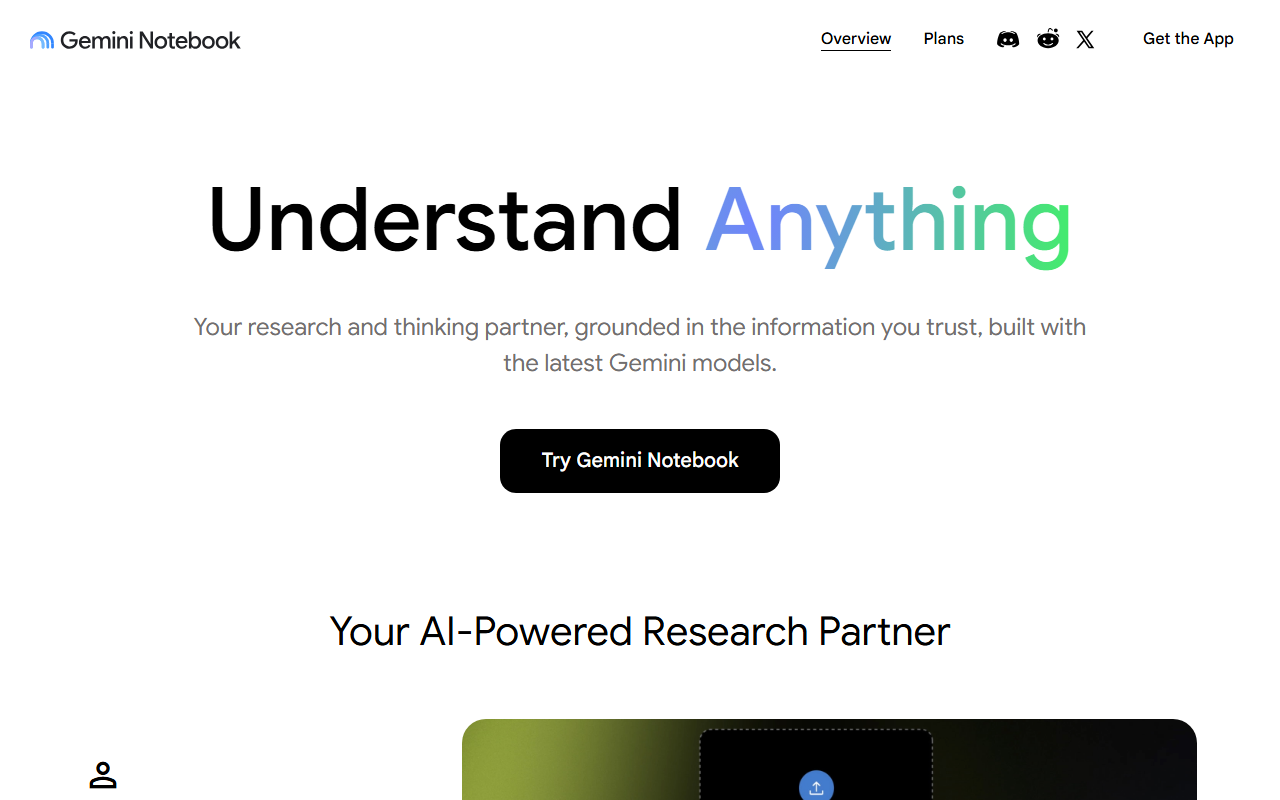 notebook.google, captured 3 Sept 2026. The notebooklm.google address now redirects here.
Every tier runs on the same 500,000-word or 200MB per-source ceiling. A Plus tier adds more notebooks and sources for a few dollars a month, and Google now bundles Plus-level access into Google Workspace Business Standard and above at no extra line item, so a team already paying for Workspace may already have it.
Humata solves a narrower version of the same problem for less money. Its free plan covers 60 pages a month; the $9.99 Expert plan raises that to 500 pages across up to three users, with GPT-5 support, and its Team plan runs $49 per user a month for up to ten people, according to Humata's own pricing page.
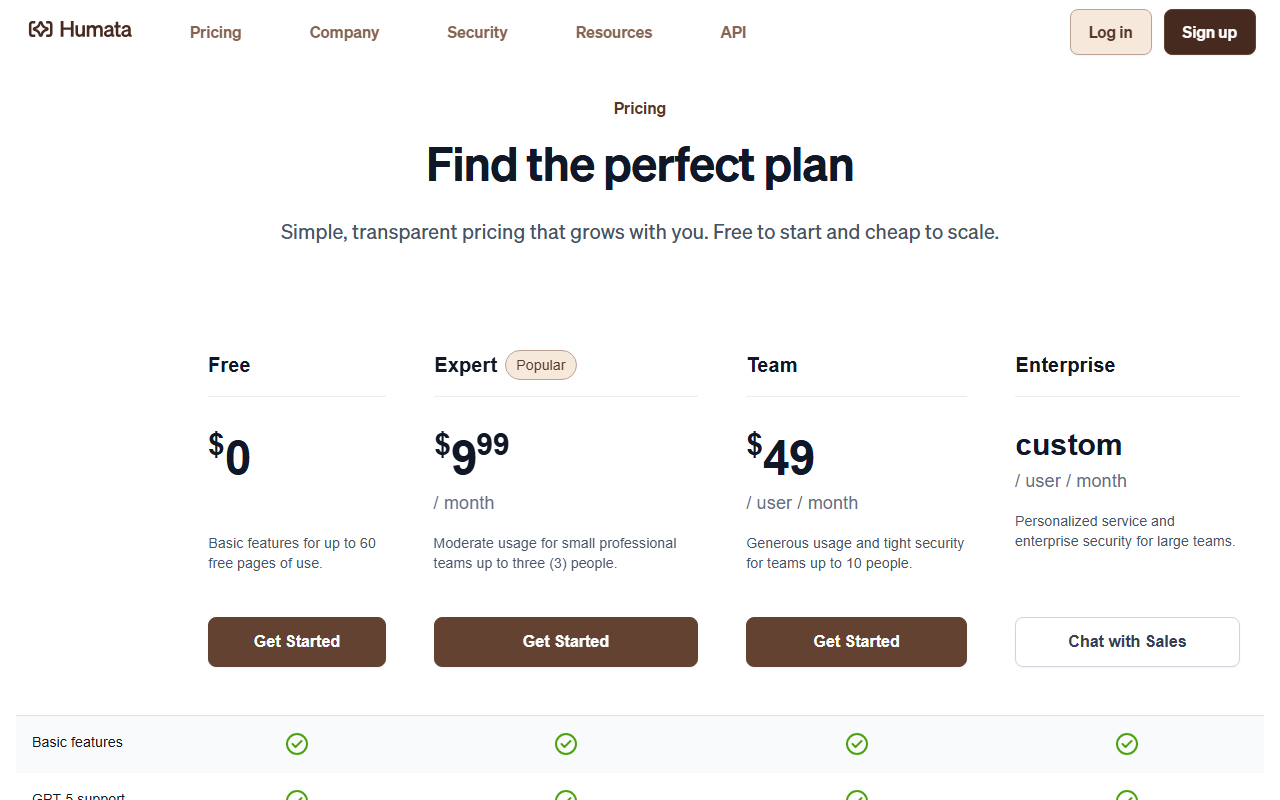 humata.ai/pricing, captured 3 Sept 2026.
Gemini Notebook is the better pick once a project spans dozens of long documents and a real notebook structure helps. Humata is the faster pick for a one-off "does this contract say what I think it says" question, and it is cheaper if page volume stays low.
If your field already has its own AI
Three fields now have research AIs purpose-built for them, and none of them show up in the generic "best AI research tools" lists.
Harvey is the one that would have stopped the Oregon sanctions case. It now serves more than 2,400 legal organizations and 75 of the AmLaw 100 firms across 70-plus countries, per Harvey's own site, and it verifies case law against real legal databases rather than generating plausible-sounding citations.
It carries no public pricing page: access is contact-sales only, and third-party buyer reports put per-seat costs in the low thousands of dollars a month for firm-wide contracts. This is not a tool for an individual researcher's side project.
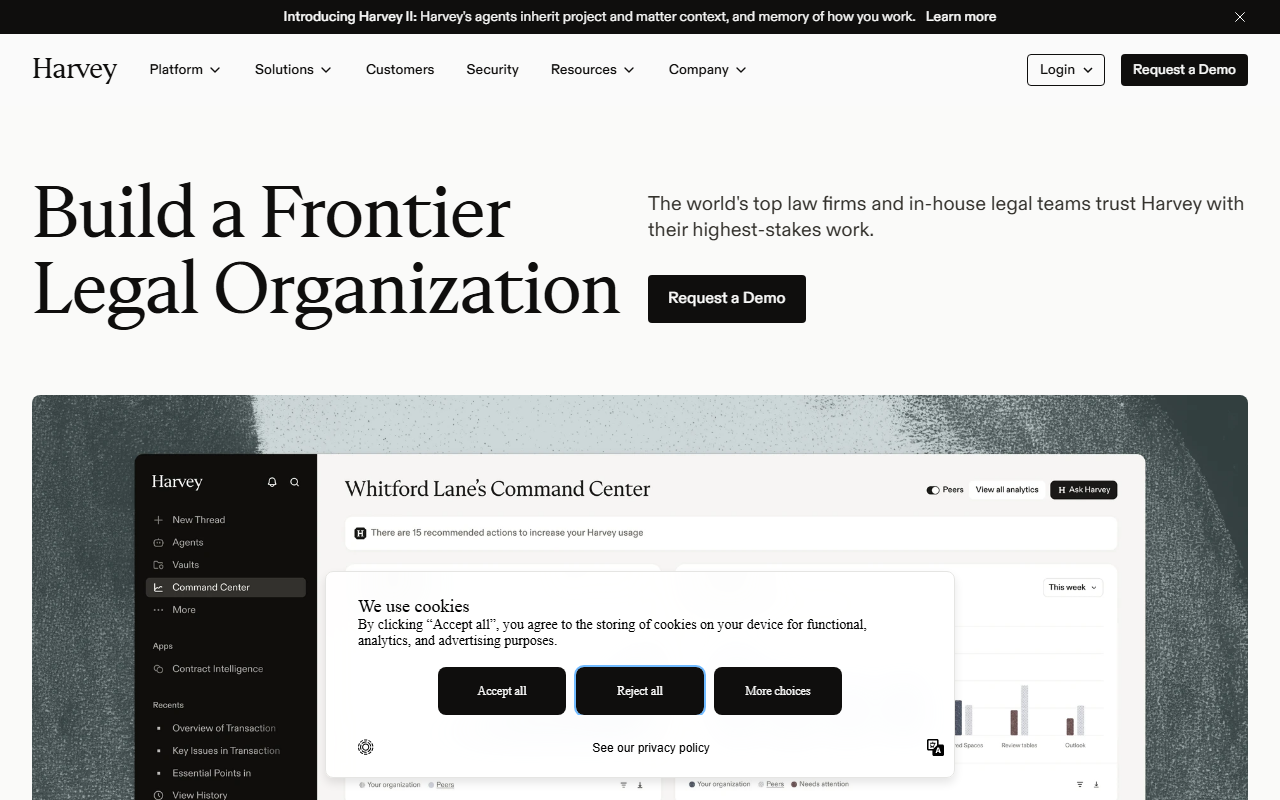 harvey.ai, captured 3 Sept 2026. Every path from this page leads to a sales conversation, not a checkout.
OpenEvidence is the medical equivalent, and it is free. It pulls answers from sources including the New England Journal of Medicine, JAMA, Cochrane and NCCN guidelines, and fields more than a million clinical questions a day from roughly 860,000 licensed clinicians, according to reporting from PYMNTS and NBC News.
The catch is the gate: signup requires a verified medical license, an NPI number. It is not an option for a patient researching their own diagnosis or a journalist covering a health story.
Gemini for Science, Google's newest entry, bundles three separate systems: a literature-search tool built on Gemini Notebook, a hypothesis-generation agent called Co-Scientist that proposes testable research plans, and a computational-discovery tool built on AlphaEvolve that tests thousands of code or model variants to find one that works. Google backed the launch with two papers in Nature at I/O 2026, according to the product's own summary of itself.
None of that is self-serve, though. Google Labs' page for it shows an "Express interest" button rather than a signup form, so most researchers who want in are on a waitlist rather than using it today.
Where a general chatbot is still the right call
None of the above beats a general-purpose chatbot for the research job most people actually start with: a broad, exploratory question where you do not yet know the right keyword, the right database, or even the right field. Genspark and general assistants like ChatGPT, Perplexity and Claude will get you from a vague question to a workable set of leads faster than any specialist tool, because they do not require you to already know which specialist you need.
Perplexity's version of this is a live web search paired with inline citations on every claim, which is a meaningfully different product from a chatbot answering from memory. It is still a generalist tool in the sense that matters here: it searches the open web broadly rather than a curated, vetted index the way Consensus or Harvey do, so a confident-sounding source is not the same guarantee as a peer-reviewed one or a case that actually exists in a legal database.
The tradeoff is the one Couvrette v. Wisnovsky illustrates. A general chatbot's citations are only as reliable as your own habit of checking them, and none of these tools flag a fabricated case the way Harvey's underlying legal database would.
ChatGPT alone passed 900 million weekly users when OpenAI last confirmed a figure, in February 2026, across every kind of query. That breadth is exactly why it is good at the average research question and unremarkable at any specific one: it was never built to specialize.
The pick, by research job
| Research job | Pick | Price | The catch |
|---|---|---|---|
| Peer-reviewed literature search | Consensus | Free, then roughly low-teens per month | Exact current pricing not independently reloadable today |
| Questions across many of your own documents | Gemini Notebook | Free, or bundled into Workspace Business Standard+ | 500,000-word ceiling per source, even on paid tiers |
| A quick answer from one or two PDFs | Humata | Free (60 pages), then $9.99/month | Pay-per-page beyond the cap; Team tier jumps to $49/seat |
| Legal research inside a firm | Harvey | Contact sales only | Enterprise-only; no self-serve tier at any price |
| Point-of-care medical questions | OpenEvidence | Free | Gated to clinicians with a verified NPI number |
| Hypothesis generation, experiment design | Gemini for Science | Free, if accepted | Invite-only via a waitlist, not open signup |
| Broad or exploratory research | Genspark, ChatGPT, Perplexity | Free to roughly $20+/month | Weakest sourcing rigor for domain-specific claims |
The honest case against all of this
The strongest argument against everything above is that most people asking "what's the best AI for research" do not yet know which of these seven jobs they have. They have a question, not a taxonomy.
Opening a chatbot costs nothing and takes ten seconds, and learning a specialist's interface only pays off once you already know you will be back with three or four more questions in the same lane this week. That is a real cost, and this guide is not arguing that every researcher needs six subscriptions.
What it is arguing is narrower: the moment a question repeats, or the stakes rise past "good enough for me," the ten seconds saved by staying on a generalist chatbot stops being the relevant number. The relevant number, in the Oregon case, was $110,204.38.
There is also a real cost on the other side. Committing to the wrong specialist wastes more time than staying generalist would have: a researcher who signs up for Gemini Notebook to search published literature will spend an afternoon uploading PDFs by hand before realizing Consensus already indexes them.
Matching the tool to the job, not just picking any specialist over a chatbot, is the actual skill here.
Who should skip specializing entirely
If your research questions are genuinely one-off, spread across unrelated fields, and low-stakes if wrong, a general chatbot with web browsing is the correct tool and switching would be busywork. The line where that stops being true is usually visible in hindsight.
It is the point where you have asked a version of the same question three times this month, or where getting it wrong would cost more than the time saved by staying generalist. A single wrong answer that a doctor or a lawyer would catch immediately can look entirely plausible to someone outside that field, which is the specific failure mode every vertical tool in this guide exists to close.
For anyone unsure which side of that line they are on, running the question past a broader tool comparison, such as HokAI's own Smart Match, is faster than guessing.
The Oregon sanction will not be the last of its kind. Every specialist listed here exists because a generalist chatbot answered a question it was never built to verify, and by the time the next case reaches a judge's desk, whichever one of these tools the losing side did not use will be a little harder to excuse.
Frequently asked questions
What is the best AI for research in 2026?
There is no single winner. Consensus is the strongest pick for peer-reviewed literature search, Gemini Notebook (formerly NotebookLM) and Humata work best when the research already lives in documents you have, and Harvey, OpenEvidence and Gemini for Science are purpose-built for legal, medical and scientific research. The right choice depends on which of those jobs matches your question.
Is ChatGPT good enough for research?
ChatGPT and similar general chatbots work well for broad, exploratory questions where you do not yet know the right database or keyword. They are the weakest choice once a question needs a citable, verifiable source, which is part of what led to a $110,204.38 sanction against two lawyers in Oregon in May 2026 for AI-fabricated case citations.
What is the best free AI research tool?
OpenEvidence is free for verified clinicians, and Gemini Notebook and Humata both offer usable free tiers for document-based research: 100 notebooks and 50 chat questions a day on Gemini Notebook, and 60 pages a month on Humata. Consensus also offers unlimited free search, with its deeper analysis features capped on the free tier.
Can AI replace a literature review?
Tools like Consensus can speed up a literature review by surfacing and summarizing peer-reviewed papers from a 220-million-paper index. They search a fixed index rather than reasoning about completeness the way a human reviewer does, so treat the output as a strong starting shortlist that still needs verification against primary sources.
What AI tools do lawyers and doctors use for research?
Lawyers increasingly use Harvey, which serves more than 2,400 legal organizations and 75 of the AmLaw 100 firms and verifies citations against real legal databases. Doctors use OpenEvidence, a free tool used by roughly 860,000 licensed clinicians that answers questions sourced from journals including the New England Journal of Medicine and JAMA.
Covered in this guide
- Consensus: AI-powered search engine for peer-reviewed research literature
- NotebookLM: AI-powered research assistant that grounds insights in your sources
- Gemini for Science: Gemini for Science pairs a hypothesis-tournament agent, an AlphaEvolve experiment runner, and NotebookLM review, backed by two Nature papers at I/O 2026.
- Genspark: Genspark is an AI super agent that runs 8+ LLMs and 80+ tools to build slides, research reports, and apps, with a free daily-credit tier and paid Plus/Pro plans.
- Harvey: Legal AI platform serving 60 of AmLaw 100 firms. Document review 80x faster with citations, contracts, due diligence, and workflow agents. Enterprise-only.
- Humata: Upload PDFs and documents, ask questions, get cited answers. Built for researchers and teams with lots of files.
- OpenEvidence: AI medical reference used by 65% of US physicians; free for verified clinicians, powered by 300+ peer-reviewed journals including NEJM and JAMA.
Sources
Still deciding?
This guide covers a handful of options. Smart Match checks every listing in the directory against how you actually work and what you can spend, then hands you the shortlist and the reason behind each pick.
Find your toolsRelated guides
- Arc Browser Hasn't Shipped a Feature in 449 Days. Cloudflare Just Showed Why.AnalysisWhat changed and who it affects
- Best Agentic AI in 2026: Pick the Job, Not the GeneralistBuyer's guideHow to pick, across a category
- Best AI for Deep Research in 2026: What Each One Can Actually SeeBuyer's guideHow to pick, across a category
- Best AI for University Assignments in 2026Buyer's guideHow to pick, across a category
- Best AI Note-Taking Tools in 2026: Brain2, Glasp, Mem, and Gemini Notebook ComparedBuyer's guideHow to pick, across a category
- Best AI Search Engines in 2026: 6 Free Alternatives to GoogleBuyer's guideHow to pick, across a category