
Last updated: 2026-09-04
v0 is Vercel's AI app builder, sold through four branded model tiers (Mini, Pro, Max, Max Fast) that Vercel swaps to newer frontier models over time — its changelog shows v0 Max moving from Claude Opus 4.5 through Opus 5 during 2026. It turns a text prompt, a Figma file, or a screenshot into production-ready React and Next.js code, not just a static mockup.
About v0
v0 launched as v0.dev in October 2023 and was rebranded to v0.app in January 2026. Vercel built it as an AI assistant that converts natural language descriptions into working React, Next.js, and TypeScript code, and it has since grown from a simple component generator into an agent that plans its own steps and corrects its own errors.
The tool is aimed at developers, product managers, and non-technical founders who want to go from an idea to a deployed application without setting up a separate frontend project first. Vercel positions it as the fastest route from a prompt to a live URL on its own hosting infrastructure.
Screenshots
Pricing
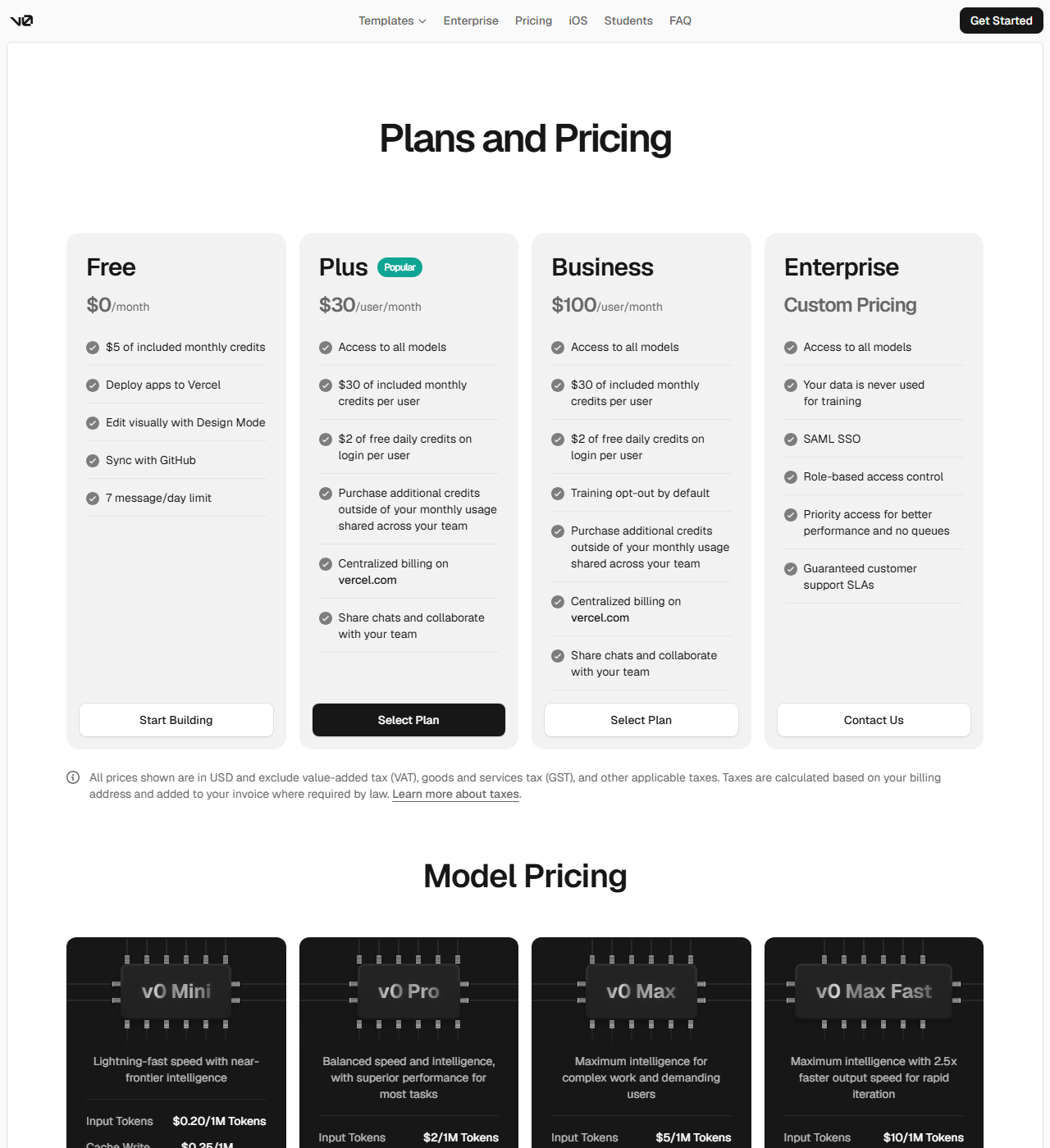
v0's plan structure changed since this record was last checked: the separate $20 Premium and $30 Team tiers no longer exist, replaced by a single Plus tier. app/pricing, Sept 2026): Free ($0/month, $5 in included credits, 7 messages/day, no stated access to all models), Plus ($30/user/month, $30 included credits + $2 free daily login credits, access to all models, shared team billing), Business ($100/user/month — the same $30 included credits and $2 daily bonus as Plus; the extra cost buys training opt-out by default, not more usage), and Enterprise (custom quote, SAML SSO, role-based access control, priority queue access, guaranteed support SLAs, and data never used for training). 20 per 1M input/output tokens), v0 Pro ($2/$10), v0 Max ($5/$25), and v0 Max Fast ($10/$50) — each with separate cache-write and cache-read rates.
6 Sol via OpenAI was added as a new model option Aug 28, 2026. A one-week Gemini 3 Pro preview ran in Nov 2025, and no Grok integration appears anywhere in the changelog.
| Tier | Monthly price | What it includes |
|---|---|---|
| Free | Free | $5/month in included credits; 7 messages/day; public generations only |
| Enterprise | Free | Custom pricing; data never used for training; priority access with no queues; guaranteed support SLAs |
| Plus | $30/mo | $30/user/month included credits + $2/day free login credits; additional credits purchasable, shared across team; centralized billing on vercel.com |
| Business | $100/mo | Same $30/user included credits and $2/day bonus as Plus — the extra $70/user buys training opt-out by default, not more usage |
Feature Comparison by Tier
| Feature | Free | Plus | Business | Enterprise |
|---|---|---|---|---|
| Price | $0 | $30/user/mo | $100/user/mo | Custom |
| Included monthly credits | $5 | $30/user + $2/day | $30/user + $2/day | Custom |
| Access to all model tiers | No (limited) | Yes | Yes | Yes |
| Message limit | 7/day | None stated | None stated | None stated |
| Team billing & shared credits | No | Yes | Yes | Yes |
| Training opt-out | No | No | Yes (default) | Data never used for training |
| SSO & role-based access | No | No | No | Yes (SAML SSO, RBAC) |
| Support SLA | No | No | No | Guaranteed |
Key Features
- Agentic Generation: Plans multi-step builds on its own, then checks its output against the goal and fixes errors before showing you the result, cutting the back-and-forth prompting earlier versions needed.
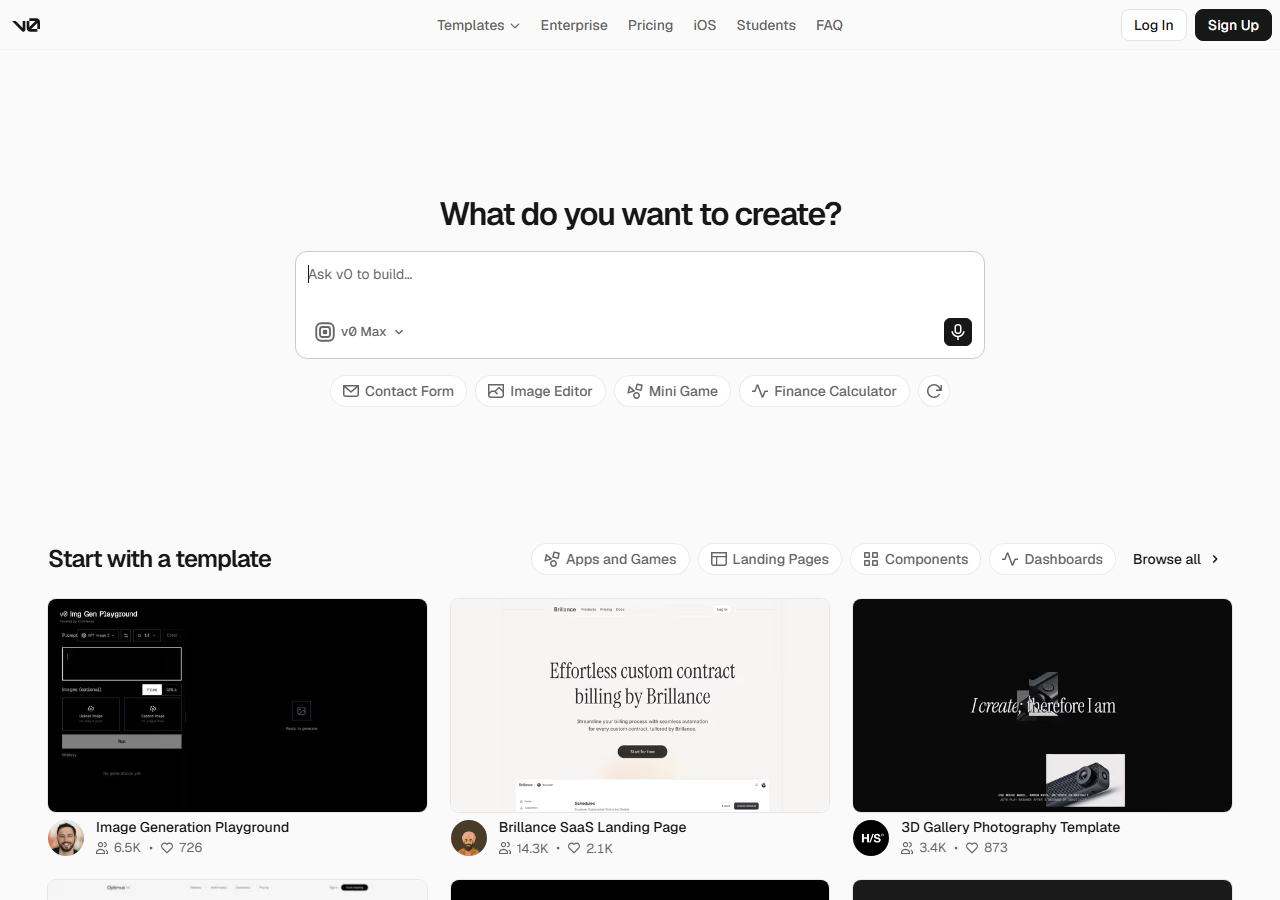
- Multi-Modal Input: Accepts written instructions, an uploaded Figma design, or a plain screenshot, and converts whichever one you provide into styled, production-ready components.
- GitHub-Native Workflow: Imports an existing GitHub repository, opens a real git panel inside the app, and lets any teammate create a branch or open a pull request without leaving v0.
- Built-In Code Editor: Embeds a full VS Code instance so you can edit generated code directly, with no separate editor or local setup required.
- One-Click Deploy: Pushes the finished app straight to Vercel's hosting with a custom domain and environment variables already wired up, live within seconds of clicking deploy.
- Visual Design Mode: Lets you adjust colors, typography, and spacing with on-screen controls while watching the preview update live, then saves the choices as reusable design tokens.
Pros
- Generated code is clean and close to production-ready out of the box, so teams spend less time rewriting it.
- Not locked into a single AI vendor: it can fall back to a different model if one underperforms or goes down, which matters for anyone shipping in production.
- A native iOS app lets you review and adjust generations away from your desktop.
- Built-in GitHub and Vercel integration means a generated app can go from prompt to a live URL with a custom domain in one flow.
- Supports shared team workspaces with permission controls and enterprise security options like SSO and audit logging for larger teams.
Cons
- Locked into React and Next.js; Vue, Angular, and Svelte support is still experimental and not production-ready.
- Token-based billing makes cost harder to predict than a flat subscription: a complex generation can burn through a month's credits in a handful of prompts.
- Long conversations and very large projects can hit the model's context limits, forcing you to start a fresh session partway through a build.
- Full-stack features still need a developer to wire up business logic; it is not a true no-code tool for anything beyond a simple app.
- Faces real competition from tools like Lovable, which bundles a database by default, and Bolt, which supports more frameworks out of the box.
Product Information
- Cloud
- Yes
- Self-Hosted
- No
- On-Premise
- No
- Languages
- English
- Training
- Official documentation, API documentation, SDK examples, Community examples
Data Handling
- Training-data policy
- Per v0.app/pricing (Sept 2026): Free and Plus plans carry no public training-use statement, Business gets 'training opt-out by default,' and Enterprise states 'your data is never used for training.' No separate v0-specific privacy or DPA page beyond Vercel's general privacy policy was found.
- Compliance
- SOC 2 compliance mentioned for Enterprise; data not used to train models for Vercel platform service customers; Enterprise customers opt-out from training
Frequently Asked Questions
What does v0 actually cost?
v0's paid tiers changed in 2026: the old $20 Premium and $30 Team plans are gone. Plus now costs $30 per user per month with $30 of included credits, a $2 daily login bonus, and access to every model tier. Business is $100 per user monthly with the same credit allowance as Plus — the extra cost buys training opt-out by default rather than more usage. Enterprise is a custom quote. Usage bills through four branded model tiers (v0 Mini, Pro, Max, Max Fast) rather than by named third-party model.
Can you use v0 without paying?
Yes, v0's free tier gives you $5 a month in generation credits with no credit card required, and you can top up with extra credits on demand if you run out. It excludes API access, private generations, and team features, and every generation you make on the free tier is public by default.
What should you use instead of v0?
Consider Lovable if you want a database wired in from the first prompt, since it ships Supabase support by default where v0 treats database integration as an add-on. Consider Bolt if your project isn't React or Next.js, since it supports a wider range of frameworks. Consider Cursor if you already have a codebase and want inline AI editing inside your own IDE rather than a chat-first builder.
Is v0 better than Lovable?
v0 and Lovable both generate full-stack apps from a prompt, but Lovable bundles a Supabase database into every project by default, while v0 treats Supabase, Neon, and Upstash as optional integrations you wire up yourself. v0's edge is its branded model-tier system (Mini/Pro/Max/Max Fast, swapped to new frontier models over time per its changelog) plus its one-click deploy straight to Vercel's own infrastructure. Choose Lovable if you want the database decided for you; choose v0 if you are already building on Vercel.
How do you set up v0?
Sign up and describe the app you want in a single prompt; v0 generates a working preview in under a minute with no local setup required. From there you can refine it with follow-up prompts, edit code directly in the built-in VS Code, or import an existing GitHub repo to keep building on top of it. Most users have something deployable to preview within their first session.
Top Alternatives
- Cursor: Pick Cursor for IDE-native inline suggestions; pick v0 for full-stack app generation from natural language.
- Lovable: Pick Lovable for database-first with Supabase included; pick v0 for Vercel-native deployment with multi-model selection.
- Windsurf: Pick Windsurf for IDE-based agent loop; pick v0 for chat-driven full-stack generation with built-in GitHub/Vercel workflows.
HokAI guides covering v0
- Best AI App Builder in 2026: Pick by What You're Building: HokAI tracks 28 AI app builders priced $0 to $36,300 a year under one label. Here is how to pick by native mobile, web, or enterprise output, not by ranking.
- Netlify Stopped Charging by Seat Because Agents Don't Have One: Netlify killed per-seat pricing on April 14, 2026, folding unlimited AI agents into one flat $20 Pro plan, while Vercel and Replit still bill per seat.
- Best AI Website Design Tools in 2026: Framer, Durable, 10Web and the Line Between Them: Framer, Durable and 10Web build AI-native websites; Wix and Squarespace bolt AI onto templates. Compare pricing, credits and when an app builder fits better.
- The Best AI for Designing UI in 2026, and When Figma Still Wins: AI UI/UX design tools split into two camps in 2026: Figma AI speeds up an existing workflow, while Stitch, v0 and Bolt.new skip design software entirely.
- Blink vs Chattee: Which Should You Use in 2026?: Blink's free plan never expires but locks code export behind its $25/mo Starter tier. Chattee charges from day one, with code export on every tier it sells.
- How to Build an AI-Powered App Without Being a Developer: Lovable hit $500M ARR in ten months. Real prices across six no-code and prompt-to-app builders, plus the security check most founders skip before launch.