Last updated: 2026-09-17
Google AI Studio is Google's free browser IDE for prototyping with Gemini models, offering a 1 million token context window and native multimodal input across text, image, audio, and video. Its Build tab, powered by Gemini 2.5 Pro, generates and deploys complete web apps from a single prompt, with 2026 support added for Google Workspace and native Android development.
About Google AI Studio
Google launched AI Studio in 2024 as the free entry point to its Gemini API, giving developers a browser-based way to test a model before writing any code or installing an SDK. Google owns and operates the platform directly, and it now covers the full current Gemini lineup, from the free tier up through the most capable preview model. AI Studio sits inside the same Google Cloud and Firebase stack, so a prototype built here connects directly to Vertex AI or Firebase for production deployment without switching platforms, and the workspace supports up to a 1 million token context window across current Gemini models.
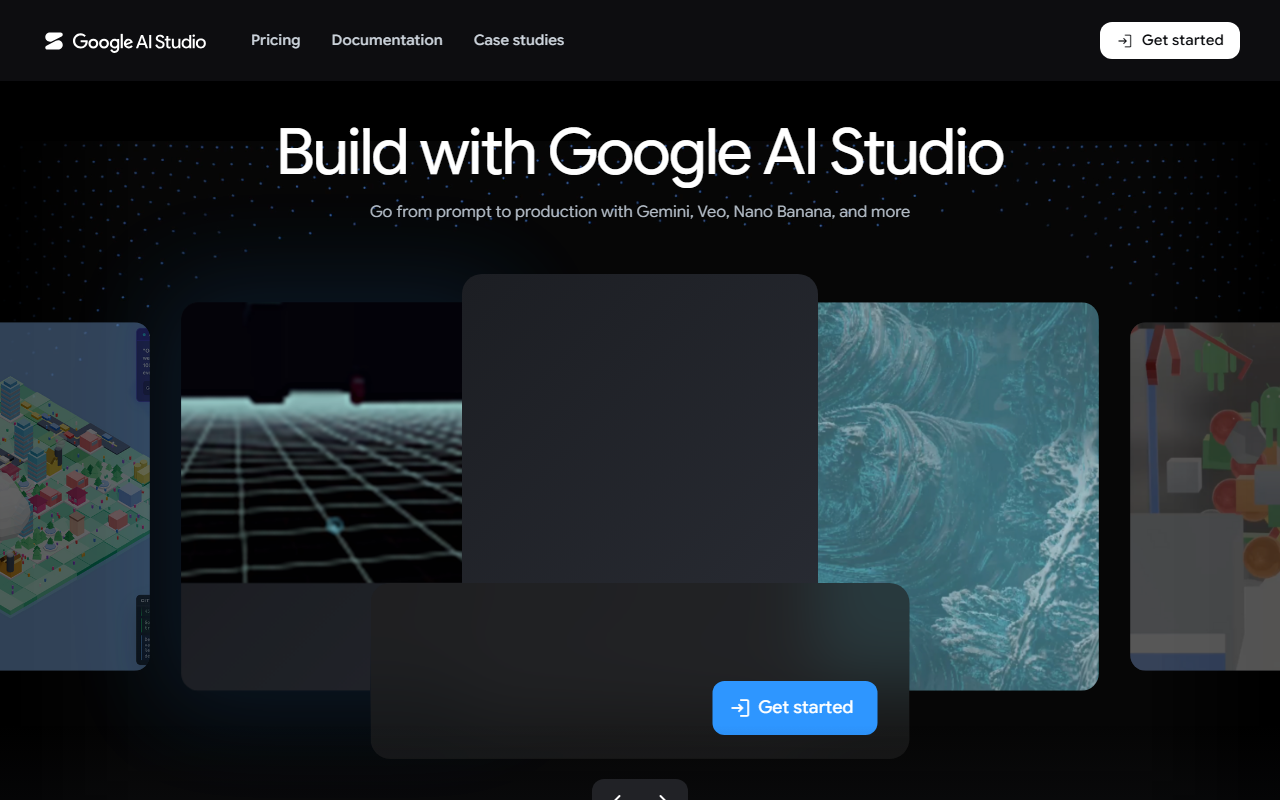
The core mechanism beyond prompt testing is the Build tab: a natural-language-to-app generator, tightly optimized around Google's flagship reasoning model, that turns a written brief plus an optional image or video reference into a working web app the reader can iterate on by chatting, inspecting the code diff, and shipping it to Cloud Run in a single click. Model Context Protocol definitions integrate natively into the Gen AI SDK, letting a generated app call external tools such as Google Maps through an MCP server rather than hand-wired API calls. As of the May 2026 I/O update, AI Studio also connects directly to Google Workspace so a generated app can read and write Sheets or Drive data, exports projects to Google Antigravity for larger builds, and supports native Android development with Kotlin, Jetpack Compose, and an in-browser emulator. Worth separating from the developer tool: the interactive 3D model and simulation rendering Google demoed in April 2026 shipped inside the consumer Gemini app at gemini.google.com, not inside AI Studio itself.
This makes AI Studio strongest for developers, data scientists, and small teams who want to go from an idea to a working prototype without setting up local tooling, and for hobbyists exploring what the free tier's rate limits allow. Teams already committed to OpenRouter for multi-provider routing, to a coding-first assistant like Claude Code, Cursor, or Windsurf for editing an existing codebase, or to another prompt-to-app builder such as Replit or Lovable, get less out of AI Studio's browser-first, Gemini-only workflow: it is built for prototyping, not for large-scale codebase work.
AI Studio runs free for development-scale use, with a hard requirement not to submit sensitive or personal information on the free tier, because Google uses free-tier content to improve its models; see the pricing section below for exact paid-tier rates. Google now lets new users deploy their first two apps to Cloud Run at no cost with no credit card required. The platform is web-only: no native desktop client, and the new AI Studio mobile app was still open for pre-registration as of the 2026 update.
Google has shipped AI Studio updates roughly every few weeks alongside new Gemini releases; the current Flash generation alone has gone through several point releases since mid-2026. Builders who want a single API key across many vendors instead of Gemini alone are better served by OpenRouter or a chat-first, multi-vendor app like Poe; those who want to host, fine-tune, or share open-source models rather than call a hosted one should look at Hugging Face instead, and anyone generating and deploying full apps from a prompt outside Google's stack can compare AI Studio's Build tab against v0. For plain chat rather than an API workspace, ChatGPT is the closest cross-vendor equivalent.
Screenshots
Pricing
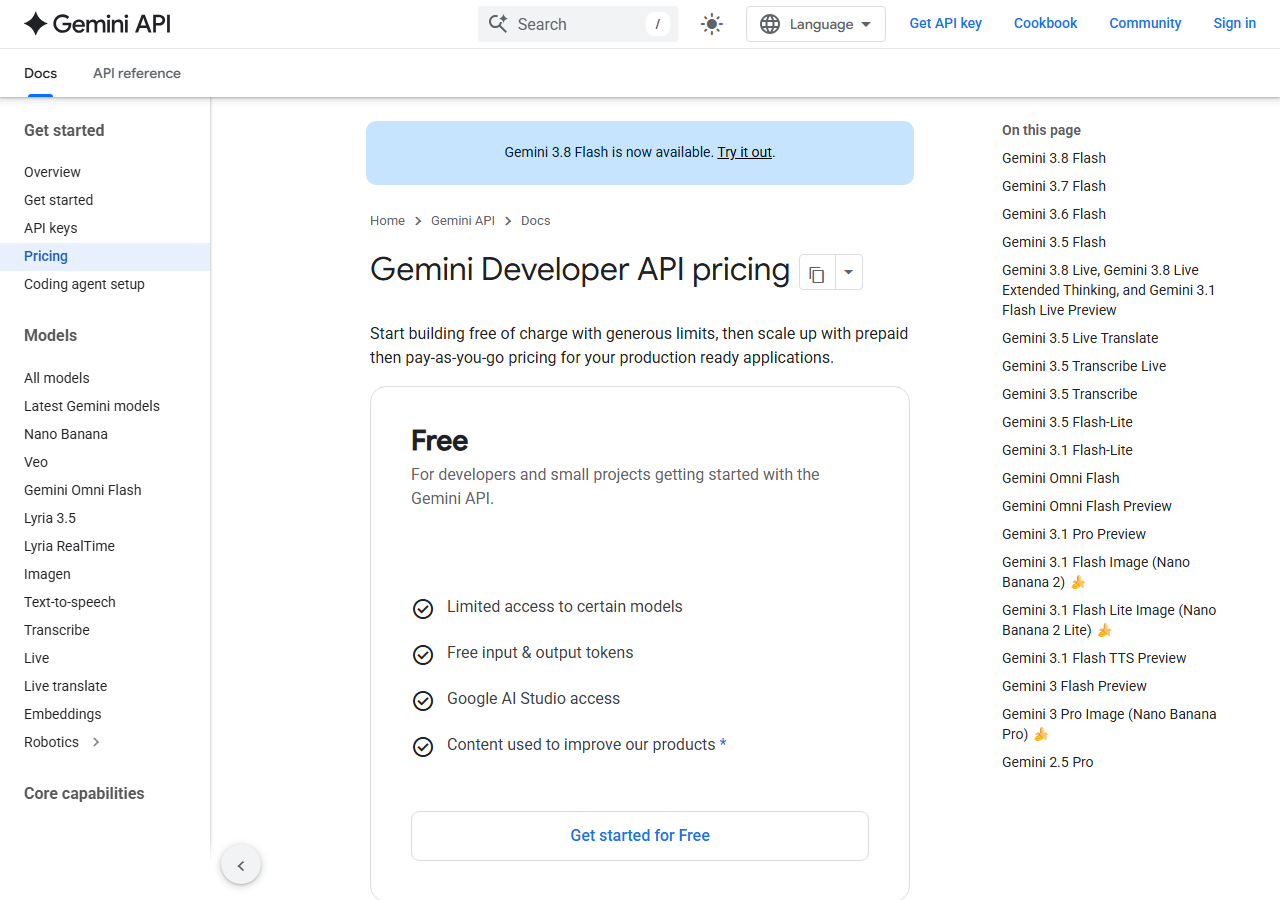
AI Studio itself is free to use in the browser, with rate-limited access to Gemini models for development. 00 output per million tokens (all current as of September 2026). Context caching cuts the input-token cost by roughly 90% on every paid model.
Free-tier content is used by Google to improve its products; paid-tier prompts and responses are explicitly excluded from that use, per Google's Gemini API Additional Terms of Service.
| Tier | Monthly price | What it includes |
|---|---|---|
| Free Tier | Free | No charge, rate-limited for development use; see the data-handling note below before sending anything sensitive |
| Gemini 2.5 Flash-Lite | Free | Pay-as-you-go, cheapest current model |
| Gemini 2.5 Flash | Free | Pay-as-you-go |
| Gemini 3.8 Flash | Free | Pay-as-you-go; released September 2026 |
| Gemini 2.5 Pro | Free | Pay-as-you-go; powers the Build tab's app generation |
| Gemini 3.1 Pro Preview | Free | Pay-as-you-go premium preview tier; pricing may change |
Feature Comparison by Tier
| Feature | Free Tier | Gemini 2.5 Flash | Gemini 3.8 Flash | Gemini 2.5 Pro |
|---|---|---|---|---|
| Input price (per 1M tokens) | $0 | $0.30 | $0.75 | $1.25 |
| Output price (per 1M tokens) | $0 | $2.50 | $3.75 | $10.00 |
| Context caching discount | — | ~90% off input | ~90% off input | ~90% off input |
| Content used to train Google's models | Yes | No | No | No |
| Best suited for | Prototyping and testing | Everyday production traffic | Latest-generation production traffic | Complex reasoning and the Build tab |
Key Features
- Free Web-Based Development Environment: Access Google's current Gemini models directly from a browser with no installation. AI Studio itself stays free unless a paid API key is attached for production use.
- Multimodal AI Capabilities: Process and generate text, images, audio, and video natively. Gemini models are built from the ground up for multimodal understanding, combining different types of information simultaneously.
- Multiple Model Options: Choose from a full lineup of current Gemini models, spanning a lightweight low-cost tier up through the most capable reasoning preview, each selectable from the same model picker.
- 1 Million Token Context Window: Process up to 1 million tokens in a single request across current Gemini models, enabling analysis of entire codebases and lengthy documents without summarization.
- API Key Management: Create and manage API keys directly within AI Studio. Usage progresses through paid tiers automatically as spending and rate-limit needs grow.
- Production-Ready Integration: Deploy applications through REST APIs, Firebase integrations, Google Cloud integrations, and native SDKs for Android, iOS, JavaScript, Python, and other frameworks, with context caching to cut costs on repeated requests.
- Native App Generation (Build Tab): Generates a complete, deployed web app straight from a chat prompt, with iteration, code-diff review, and one-click deploy to Cloud Run, expanded with Google Workspace and native Android support at I/O 2026.
Pros
- Free to start, with a rate-limited development tier and no credit card required for a user's first two Cloud Run app deployments
- Broadest multimodal input and output of any major hosted API: text, image, audio, and video in one workspace
- 1 million token context window across every current Gemini model
- The Build tab turns a prompt into a deployed web app in one workflow, with no separate IDE needed
- Scales cleanly from a free prototype to pay-as-you-go production billing, with the cheapest current model among the lowest per-token rates of any major hosted API
Cons
- Free-tier prompts and responses are used to improve Google's products and may be reviewed by humans; only the paid tier is explicitly excluded from this
- Pricing rises steeply at the high end, where the most capable preview model costs roughly 20 times the cheapest current model per token
- Web-only: no native desktop client, and the AI Studio mobile app was still in pre-registration as of the May 2026 update
- Free-tier rate limits can be restrictive for anything beyond development and testing
Data Handling
- Training-data policy
- Free-tier ('Unpaid Services') prompts and responses are used by Google to improve and develop its products and machine learning technologies, and human reviewers may read and annotate them; Google's own terms warn against submitting sensitive, confidential, or personal information on the free tier. Paid-tier ('Paid Services') usage is explicitly excluded: Google's terms state it does not use paid prompts or responses to improve its products. Paid-tier logs are kept for a limited, unpublished period solely to detect and prevent Prohibited Use Policy violations and to maintain security and regulatory compliance. Grounding features (Google Search, Google Maps) separately retain data for 30 days for debugging and system testing, or up to 90 days for Google Maps grounding evaluation. Source: Gemini API Additional Terms of Service, ai.google.dev/gemini-api/terms, accessed 2026-09-17.
- Compliance
- SOC 2 Type II (Google Cloud) · HIPAA eligible with a BAA (Vertex AI and Gemini API) · GDPR compliant · ISO 27001 certified · FedRAMP Moderate (Google Cloud infrastructure; generative AI services carry more limited FedRAMP scope)
Frequently Asked Questions
Is Google AI Studio free to use?
Yes. The browser workspace at aistudio.google.com carries no charge, and development-scale use runs on a rate-limited free tier. Paid usage only starts once you attach billing to an API key, from $0.10 per million input tokens on the cheapest current model up to $2.00 on Gemini 3.1 Pro Preview.
What happens to prompts submitted on Google AI Studio's free tier?
Under the Gemini API Additional Terms of Service, free-tier content feeds Google's own product and model development, with a possible human review step along the way. Attaching a billed API key removes your prompts from that pool entirely, which is the main reason to move off the free tier for anything beyond prototyping.
What are the closest alternatives to Google AI Studio?
OpenRouter suits teams that need many providers behind one API rather than Gemini alone. Poe fits people who want a chat app spanning several AI vendors without writing code. Hugging Face is where you go to host, fine-tune, or share your own open-source models instead of calling a hosted one.
Google AI Studio or OpenRouter: which one should you use?
Google AI Studio is free to prototype in but limited to Google's own Gemini models, while OpenRouter charges pass-through, zero-markup pricing for access to hundreds of models across dozens of providers through one API and bill. AI Studio's browser IDE is built for testing prompts before you write code; OpenRouter is built for production routing once you already know which model you want.
How fast can you start building in Google AI Studio?
Under a minute if you already have a Google account: sign in, pick a Gemini model, and test a prompt straight in the browser, no install and no card. Using the Build tab to generate and deploy a full web app from a prompt, including a free Cloud Run deployment, takes only a few minutes more.
Top Alternatives
- OpenRouter: Free native Gemini prototyping in a browser IDE is Google AI Studio's lane; OpenRouter's is pass-through pricing across dozens of vendors on a single API.
- Poe: Building and testing API-driven Gemini apps calls for Google AI Studio. Poe is the answer when you want one login that reaches several vendors' chat models without code.
- Hugging Face: Google AI Studio hosts a Gemini-only prototyping IDE, while Hugging Face is the place for open-source model hosting, fine-tuning, and dataset sharing.
HokAI guides covering Google AI Studio
- Cast.ai vs Together AI: One Rents You GPUs, the Other Makes Yours Cheaper: Cast.ai and Together AI both sit under AI infrastructure, but one rents GPU inference by the token and the other cuts costs on GPUs a team already owns.
- Fireworks AI vs Together AI: Which Should You Use in 2026?: Fireworks and Together AI now charge the identical per-token rate on DeepSeek V4 Pro, so price no longer separates these two open-model inference platforms.
- Best Generative AI Infrastructure in 2026: 7 Platforms, Three Separate Decisions: Fireworks AI, Together AI, Groq, Modal, Replicate, Archil and Cast.ai compared on price and speed, plus the storage and cost layers most 2026 roundups skip.