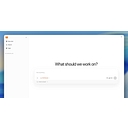
Choose nanobot if you want a free, self-hosted assistant you can run from a browser or terminal and reach from the chat apps you already use. It replaces a hosted chatbot for personal files and routine tasks, but it needs Python 3.11 or newer, a model account you pay for yourself, and a machine that stays on.
What changed
nanobot is an open-source, self-hosted personal AI agent framework written in Python and released under the MIT licence. It runs in a browser WebUI, a terminal or chat apps such as Telegram and Slack, and uses a model you supply. Its GitHub repository, started in February 2026, has passed 49,000 stars.
Maker: HKUDS (Data Intelligence Lab, University of Hong Kong) · Autonomy: semi autonomous · Maturity: GA
Underlying models: Bring your own (OpenAI-compatible APIs, hosted providers, local models)
About nanobot
nanobot is an open-source personal AI agent framework that you install on your own computer or server and reach from a browser, a terminal or a chat app. It comes from the Data Intelligence Lab at the University of Hong Kong, published under the GitHub organisation HKUDS, and the README lists Xubin Ren and Yongru Chen as maintainers. The repository was created in February 2026 and by October it had passed 49,000 stars and 8,700 forks. Its GitHub topics include openclaw, which places it in the same self-hosted family as OpenClaw.
A Python gateway owns agent execution, sessions, tools, memory and security policy, and the WebUI, the terminal client and the chat apps all talk to that one gateway. The core loop builds context, calls the model you configured, runs the tools the model asks for and returns the result. Built-in tools read PDF, Word, Excel and PowerPoint files, run shell commands, search and fetch the web, schedule jobs, generate images and hand work to other agents, and you can add MCP servers. nanobot supplies no model: you connect a hosted provider, an OpenAI-compatible API or a local server such as Ollama or vLLM, and the docs describe fallback models. Acting on files and schedules, not only answering, is what makes it an agent rather than a chatbot.
Typical work is a task on a folder of documents, such as summarising a report into a new file, a recurring job like a morning digest, or a long-running goal started with a slash command that continues across model turns while the gateway runs. Memory is handled by a feature called Dream, which consolidates saved preferences into files you can open and correct, and a temporary chat stays out of saved history and memory. Next to NanoClaw, which starts a Docker container for each session, nanobot is a Python framework with a fuller browser workbench, where each task takes a project folder and an access mode. If you would rather not run anything yourself, hosted options on HokAI include Manus, Gemini Spark and ChatGPT Work.
The software costs nothing and carries an MIT licence. You pay your model provider by usage, or only for hardware if you run a local model. The recommended installer works on macOS, Linux and Windows PowerShell, you can also use uv tool install nanobot-ai or pip, and Python 3.11 or newer is required. The README also offers a one-click Render blueprint, noting that persistent disks there need a paid Render service.
Version 0.3.5 shipped on 15 September 2026 with a shared terminal workbench and up to four side-by-side browser conversations, and searchable provider setup followed on 19 September. Commits were still landing on 22 October, covering MCP presets, file attachments and in-app updates. Treat it as fast-moving software: the documentation tells users to back up configuration, workspaces and sessions before upgrading, and the project has no benchmark scores in the sources read.
Pricing
The software is free under the MIT licence and has no paid plan. Your model provider bills you by usage, a local model server costs only your own hardware, and a hosted deployment such as Render adds that platform's fees. Self-hosted relatives with the same cost shape include [OpenClaw](/hub/agents/openclaw), [NanoClaw](/hub/agents/nanoclaw) and [Hermes Agent](/hub/agents/hermes-agent).
Key Features
- Browser workbench: The WebUI keeps separate topics, shows reasoning, tool calls and file diffs, and lets you group up to four conversations side by side.
- Native terminal client: A terminal UI shares saved conversations and the local gateway with the WebUI, with slash commands, a diff view and session branching.
- Chat-app channels: Connects to Telegram, Discord, Slack, WeChat, Feishu, Email, Mattermost, Linear, Teams and WhatsApp, with allowlist and pairing settings you review per platform.
- Bring your own model: Works with OpenAI-compatible APIs, hosted providers and local servers such as Ollama and vLLM, with fallback models when one fails.
- Dream memory: Consolidates saved preferences into readable files, USER.md and memory/MEMORY.md, that you can inspect and correct.
- Goals and automations: A /goal command keeps work going across model turns, and scheduled automations start turns at set times, though missed times are not replayed after a restart.
- Documents and tools: Reads PDF, Word, Excel and PowerPoint files, runs shell commands, searches the web, generates images and connects to MCP servers.
- Python SDK and API: Embeds the agent runtime in your own application or exposes an OpenAI-compatible /v1/chat/completions endpoint.
Strengths
- Free under an MIT licence, with about 8,700 forks, so you can read, change and redistribute the code.
- One gateway serves a browser WebUI, a native terminal client and chat apps, so a task started in one can continue in another.
- The model choice stays yours, from a cloud account to a model running on your own laptop, and you can switch without changing agents.
- Active development: version 0.3.5 shipped on 15 September 2026 and commits were still landing on 22 October.
Weaknesses
- No model is included, so you need a provider account or local hardware, and the running cost depends on the service you pick.
- WebUI access grants administration of the whole instance, so every operator you share it with reaches the same files, memory and skills.
- Needs Python 3.11 or newer and a machine that stays on, and missed scheduled times are not replayed after a gateway restart.
- Moves fast: the documentation advises backing up configuration, workspaces and sessions before each upgrade, and no benchmark scores were found.
Frequently Asked Questions
How much does running nanobot cost?
The software is free under the MIT licence and has no paid plan. Your real cost is the model: a hosted provider bills you by usage, while a local server such as Ollama costs only your hardware and electricity. Hosting adds more if you leave it on a server, and the README notes that persistent disks on its one-click Render deployment need a paid Render service.
Does nanobot act on its own or ask first?
It acts through the tools you enable, and you set the boundary. Each task takes a project folder and an access mode, and the README's first file task uses Restricted access. A /goal command lets it keep working across model turns, and scheduled automations start turns at set times. After a restart it does not blindly replay uncertain tool actions, so interrupted work needs your review.
Which self-hosted agents compete with nanobot?
OpenClaw is the closest relative, since nanobot's own GitHub topics include its name, so pick it if you want that project's ecosystem. NanoClaw suits people who value a Docker container around every session. Hermes Agent suits those who want an agent that learns from their routines, and hosted choices such as Manus remove the server but move your data to the vendor.
How is nanobot different from NanoClaw?
nanobot is a Python framework with a browser workbench, a native terminal client and up to four side-by-side conversations. NanoClaw is a Node program that starts a Docker container for each session. The nanobot README describes project folders and access modes for file work and does not describe a container per session, so choose nanobot for a richer interface and NanoClaw for stricter separation.
What does the first hour with nanobot look like?
Run the one-line installer for your system, or use uv tool install nanobot-ai if you manage Python yourself; Python 3.11 or newer is required. On a fresh desktop the WebUI opens for model setup, so save a provider and model under Settings and send Hello! to confirm the connection. The README's next step is a file task in a practice folder with Restricted access, and Telegram or another channel comes after that.
Top Alternatives
- OpenClaw: nanobot offers a Python base with a browser workbench and terminal client, while OpenClaw is the closest named relative with its own ecosystem.
- NanoClaw: nanobot gives a fuller visual workbench in Python, whereas NanoClaw starts a Docker container for each session.
- Hermes Agent: Pick nanobot for a configurable multi-channel gateway you control, and Hermes Agent if learning from your routines matters more.
- Ako: Running and updating your own gateway points to nanobot; a managed teammate in team chat apps points to Ako.