
Last updated: 2026-09-04
Dokie AI (rebranded from Doki AI; the old doki.ai domain is now dead) generates business slide decks from a topic, notes or an uploaded PDF, letting the content drive the layout rather than filling a fixed template. It is metered in credits rather than seats - roughly 100 credits per generated deck and 20 per slide edit - across Free, Go $9, Plus $19, Pro $59, Ultra $199 and custom Enterprise plans, with yearly billing 15% cheaper. Decks export as editable PPTX, PDF or PNG, and Dokie can be connected to an agent to build decks straight from a conversation.
About Dokie AI
Dokie AI (dokie.ai) is an AI presentation generator that turns a topic, rough notes or an uploaded file into a business-ready slide deck. It was previously called Doki AI at doki.ai; that domain no longer resolves, so any older link to it is dead.
The product is built around letting the content decide the layout rather than pouring text into a fixed template. Dokie ingests PDFs, documents and data, structures them into slides, generates or sources the images, and turns figures into charts and logic diagrams. Refinement is conversational: you describe the change you want and Dokie reworks the layout, visuals and structure rather than making you reformat by hand. Decks export as editable PPTX, PDF or PNG, and an Interactive Story mode produces animated, click-through presentations instead of static slides.
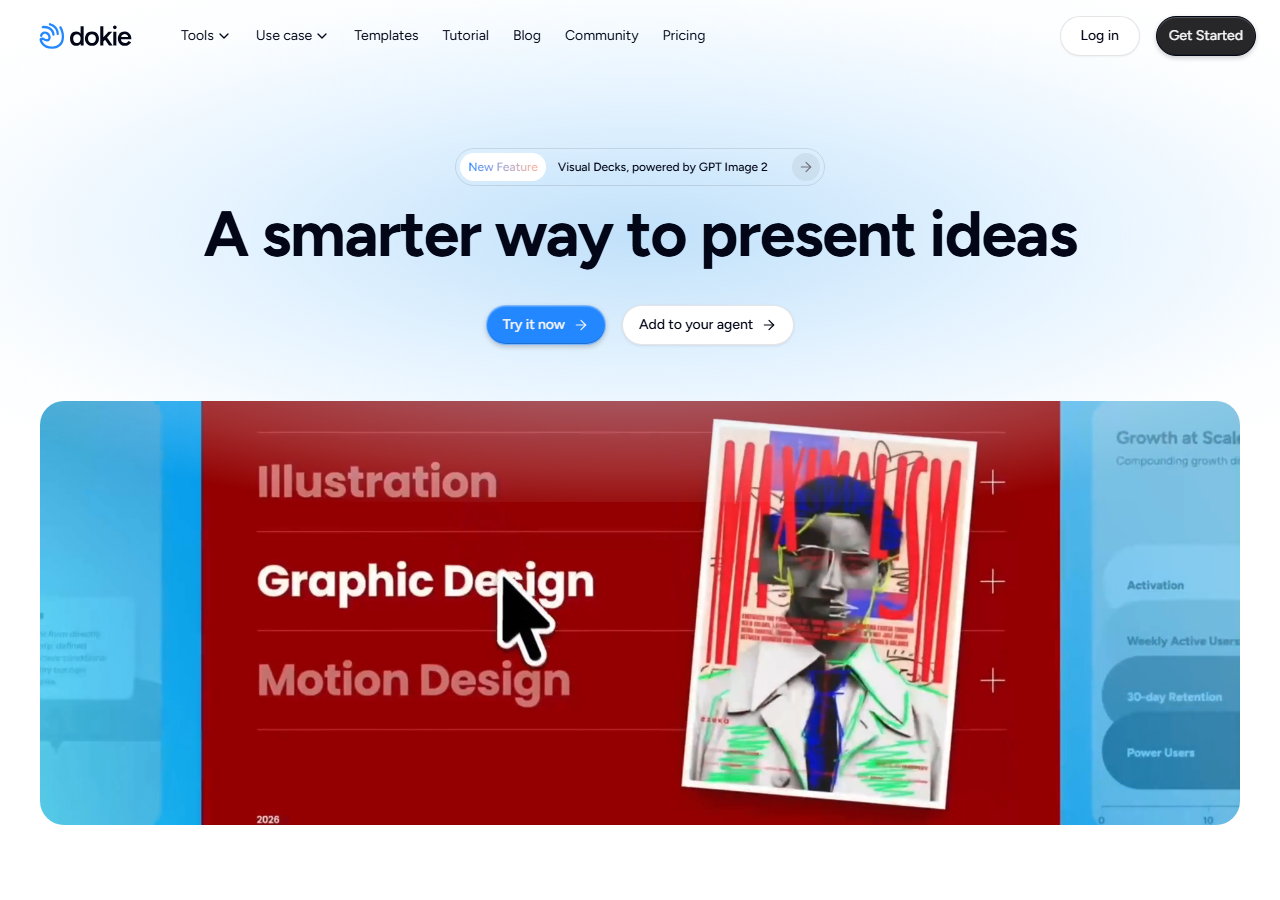
Two features aim at buyers rather than casual users. Brand-Ready template upload makes generated decks follow a company's own design, and Dokie for Agents connects the generator to an agent so a deck can be produced straight out of a conversation with no copy-paste between tools. A Visual Decks mode built on GPT Image 2 handles image-led slides.
Everything is metered in credits rather than seats: roughly 100 credits to generate a presentation and about 20 to modify a single slide. The free plan runs on a 300-credit welcome bonus valid for a year plus 200 bonus credits on each day you visit, which makes it genuinely usable for occasional decks but caps sustained work. Paid tiers buy larger monthly credit pools; exact figures are in the cost FAQ below.
Screenshots
Pricing
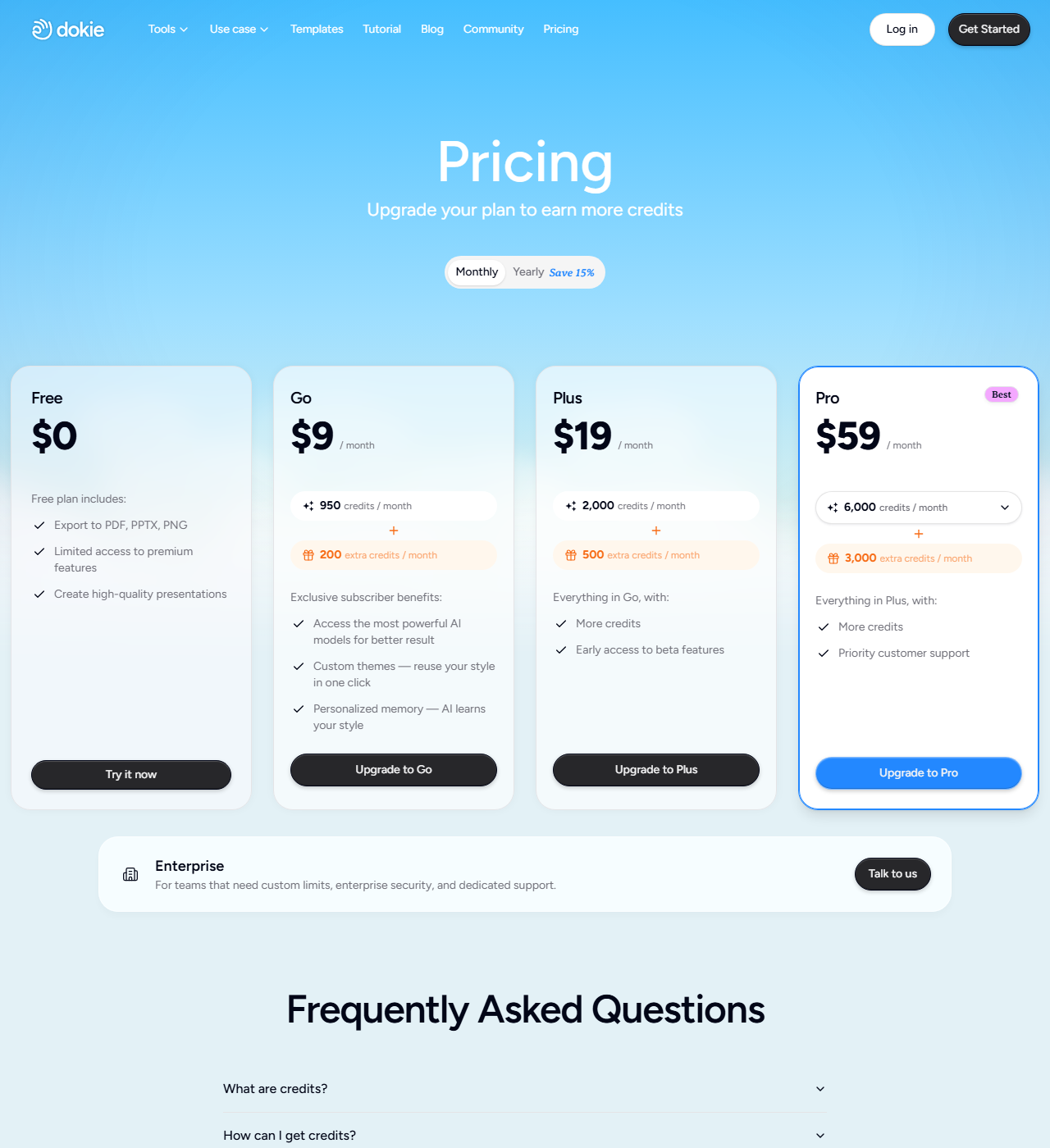
Yearly billing saves 15%. Free: $0, no card required, with export to PDF, PPTX and PNG and limited access to premium features; Dokie's own pricing FAQ states the free allowance as 300 welcome credits valid for one year plus a 200-credit daily bonus valid for that day. Go $9/mo: 950 credits/month plus 200 extra credits/month, access to Dokie's most capable AI models, custom themes and personalised style memory.
Plus $19/mo: 2,000 credits/month plus 500 extra credits/month, and early access to beta features. Pro $59/mo (Dokie's featured plan): 6,000 credits/month plus 3,000 extra credits/month and priority support. Ultra $199/mo: 20,000 credits/month with priority support and early access to trial features - listed in Dokie's pricing FAQ rather than on the plan cards.
Enterprise: custom credit limits, security and dedicated support. One credit builds roughly one slide: generating a presentation costs about 100 credits and modifying a single slide about 20.
| Tier | Monthly price | What it includes |
|---|---|---|
| Free | Free | No card required. PDF/PPTX/PNG export, limited access to premium features. Third-party reviews cite 200 credits/day + a 300-credit one-time welcome bonus. |
| Go | $9/mo | $9/month. 950 credits/month + 200 bonus credits/month. Access to Dokie's most capable AI models, custom themes, personalized style memory. |
| Plus | $19/mo | $19/month. 2,000 credits/month + 500 bonus credits/month. Everything in Go, plus early access to beta features. |
| Pro | $59/mo | $59/month (Dokie's featured plan). 6,000 credits/month + 3,000 bonus credits/month, selectable up to a higher allotment (third-party reviews cite ~20,000 credits/month near $199/month). Everything in Plus, plus priority customer support. |
| Ultra | $199/mo | $199/month for 20,000 credits/month, with priority support, deeper product collaboration and early access to trial features. Stated in Dokie's pricing FAQ rather than on the plan cards. |
| Enterprise | Custom | Custom pricing. Custom credit limits, enterprise security, and dedicated support. |
Feature Comparison by Tier
| Feature | Free | Go | Plus | Pro | Enterprise |
|---|---|---|---|---|---|
| Price | $0 | $9/mo | $19/mo | $59/mo | Custom, quote only |
| Credits per month | 200/day + 300 welcome (per reviews) | 950 + 200 bonus | 2,000 + 500 bonus | 6,000 + 3,000 bonus (selectable higher) | Custom |
| AI model tier | Standard | Most capable models | Most capable models | Most capable models | Custom |
| Custom themes / brand kit | — | ✓ | ✓ | ✓ | ✓ |
| Personalized style memory | — | ✓ | ✓ | ✓ | ✓ |
| Beta feature access | — | — | ✓ Early access | ✓ | ✓ |
| Support | Standard | Standard | Standard | Priority | Dedicated |
| MCP / agent support | — | — | — | ✓ | ✓ |
| Export formats | PDF, PPTX, PNG | PDF, PPTX, PNG | PDF, PPTX, PNG | PDF, PPTX, PNG | PDF, PPTX, PNG |
Key Features
- Outline-First Generation: Start with a topic or notes; Dokie builds a logical outline first, then expands each section into full slides so structure drives content instead of a template.
- Natural Language Editing: Iterate by chat instruction, like asking for a more concise slide or a different tone, instead of manually reformatting text and layout.
- True PPTX Export: Exports fully editable .pptx files that open cleanly in PowerPoint or Google Slides, not a locked proprietary format.
- Custom Templates and Style Memory: Paid tiers accept uploaded company templates and remember a user's style choices, applying them automatically to keep decks on-brand.
- MCP and Agent Integration: Dokie added MCP support in 2026 so agent tools like Claude Code and Codex can generate presentation drafts directly from working context, without a manual handoff into a separate slide tool.
- Visual Decks with GPT Image 2: A newer feature generates slide imagery with GPT Image 2 directly inside the deck-building flow instead of requiring a separate image tool.
Pros
- Structure-first generation produces logically coherent decks instead of pretty-but-empty slides.
- Natural language editing by chat is genuinely faster than click-and-drag formatting for text tweaks.
- True PPTX export means zero lock-in: everything opens and edits cleanly in PowerPoint or Google Slides afterward.
- MCP support lets the deck-building step happen from inside an existing agent workflow (Claude Code, Codex) instead of a manual copy-paste handoff.
- iOS and Android apps now exist alongside the web app, unlike many browser-only competitors in this category.
Cons
- This isn't a design-first tool; if you need pixel-perfect creative control, look elsewhere.
- The whole plan ladder is credit-metered rather than a flat seat price, so heavy daily use pushes toward a higher tier faster than the sticker price suggests.
- Custom templates, style memory, and priority support all sit behind paid tiers; the free plan does not show a fixed credit number on its own pricing card.
- No desktop app; the mobile apps and web app are both cloud-dependent, so there is no offline mode.
- Dokie can't export native video or animation; PPTX supports animations but Dokie doesn't generate them.
Data Handling
- Training-data policy
- Dokie's privacy policy (dokie.ai/privacy.html) does not state that uploaded content or prompts are used to train AI models; it discloses that prompts and uploaded content are shared with third-party AI service providers to deliver the presentation-generation feature itself. Retention is described only as "as long as reasonably necessary," with account-deletion requests removing profile info, presentation drafts, generation history, and remaining credits per an unspecified backup retention schedule.
Frequently Asked Questions
What does Dokie AI actually cost?
Dokie runs a credit-metered ladder: Free needs no card, Go is $9/month for 950 credits plus 200 bonus, Plus is $19/month for 2,000 credits plus 500 bonus, and Pro is $59/month for 6,000 credits plus 3,000 bonus with priority support and a selectable higher credit allotment. Enterprise is custom-priced with dedicated support, and yearly billing saves 15% across the board. The product previously ran the same pricing model under the name Doki AI at doki.ai, a domain that is no longer live.
What do you get on Dokie AI's free tier?
The free plan needs no payment method and exports to PDF, PPTX, or PNG with limited access to premium features like custom themes. Third-party reviews consistently describe 200 credits refreshing daily plus a 300-credit one-time welcome bonus, enough to cover close to a full deck a day, though the pricing page itself does not print that number on the Free card.
Which tools compete with Dokie AI in 2026?
Gamma and Canva are template-first: better for polished visual decks and web publishing, weaker on logical outline structure. Beautiful.ai automates design decisions with smart templates and per-user pricing instead of a credit model. Pitch adds real-time team collaboration Dokie doesn't have yet.
Dokie AI or Gamma: which should you pick?
Gamma starts from a template and focuses on visual polish and web publishing. Dokie starts from an outline and focuses on logical structure with true PPTX export and MCP agent support. A fast, good-looking deck to share as a link points toward Gamma; an editable PowerPoint file built from a coherent argument, or generated from inside an agent workflow, points toward Dokie.
How long does it take to get going with Dokie AI?
A first outline appears within moments of typing a topic or pasting rough notes, with no payment method required to start. Dokie structures that input before expanding it into full slides, which can be edited along the way, and the finished deck exports to PPTX, PDF, or PNG. Developers can also generate a first draft directly from Claude Code or Codex via Dokie's MCP support.
Top Alternatives
- Gamma: Outline-first structure, credit-based pricing, and PPTX export are Dokie's case; template-first decks with web publishing and analytics are Gamma's.
- Beautiful.ai: Outline-first structure, MCP agent support, and PPTX export are Dokie's case; smart templates and design automation on a per-user price set Beautiful.ai apart.
- Canva: Structure-first business decks with PPTX export stay with Doki; design-first creative freedom with a huge template library stay with Canva.
- Pitch: Outline-first PPTX export is Doki's angle; real-time collaboration and smart templates are Pitch's.
HokAI guides covering Dokie AI
- Best AI for Writing a Business Plan in 2026: Tested Picks and a Verdict: ChatGPT, Claude, Notion and Denovo compared for drafting a 2026 business plan, plus Gamma and Pitch for the deck, with verified pricing and data terms.
- Best AI Presentation Tools in 2026, and Two That Are Not: Gamma and Beautiful.ai lead 2026 AI presentation tools, Pitch has the best free tier, and Tome, Guideflow, and Relayto do not belong on this shortlist at all.