
Last updated: 2026-08-19
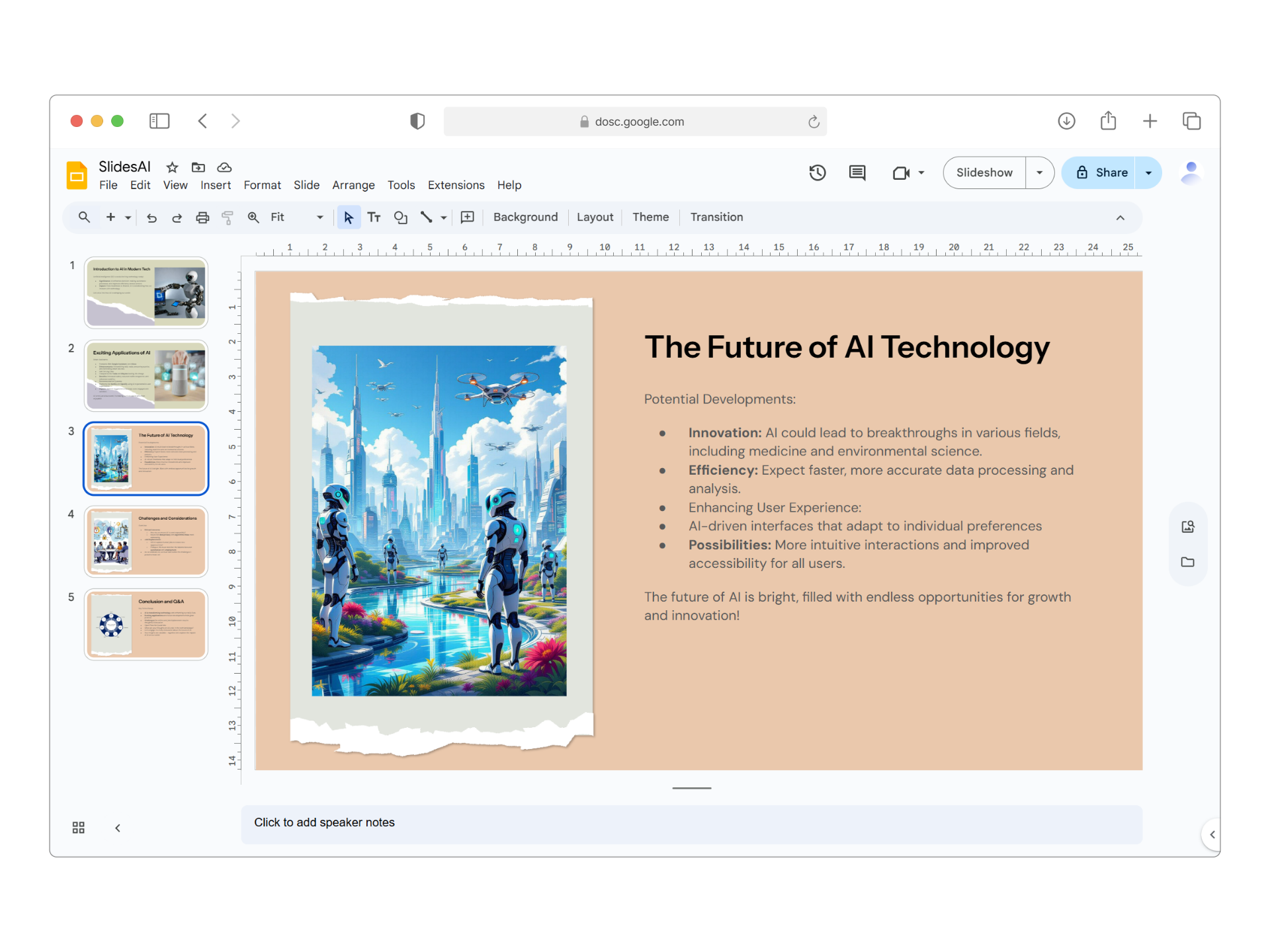
SlidesAI is an AI presentations generator for Google Slides and PowerPoint, launched in 2023. It reads what you paste in and produces a formatted slide deck automatically, replacing manual, slide-by-slide layout work, and it never leaves either editor to do so.
About SlidesAI
SlidesAI launched in 2023 as a browser extension for Google Slides and an add-in for Microsoft PowerPoint, and has not raised outside funding. It converts a block of pasted writing, or a single topic prompt, into a slide deck without leaving either editor.
Layouts, images, and copy are generated automatically from the AI model rather than picked from static templates, which speeds up the first draft but means output consistency varies by topic, a tradeoff reflected in mixed third-party reviews (see Cons).
Screenshots
Pricing
Free tier with 3 presentations/month, 2500 character input, 120 AI credits/year. 33/month billed annually ($100/year) includes 120 presentations/year, 6000 character input, 600 AI credits. 67/month billed annually ($200/year) offers unlimited presentations, 12000 character input, 1200 AI credits/year.
| Tier | Monthly price | What it includes |
|---|---|---|
| Basic (Free) | Free | Credit-based (120 credits/year) |
| Pro | $8.33/mo | Credit-based (600 credits/year, billed annually) |
| Premium | $16.67/mo | Credit-based (1200 credits/year, billed annually) |
Feature Comparison by Tier
| Feature | Pro | Free | Basic |
|---|---|---|---|
| AI presentations/month | 30 | 3 | 10 |
| Slides per presentation | 60 max | 10 max | 20 max |
| Google Slides export | ✓ | ✓ | ✓ |
| PowerPoint export | ✓ | — | ✓ |
| Theme customization | ✓ | Basic | ✓ |
Key Features
- Text-to-Presentation Conversion: Paste text or notes and instantly generate a structured presentation with AI-organized content and professional slide layouts
- Topic-to-Presentation: Enter a topic and SlidesAI crafts a complete presentation from scratch, handling research, organization, and content generation
- Native Google Slides & PowerPoint Integration: Works directly within Google Slides and PowerPoint, with no need to switch platforms or download new tools
- AI Image Generation & Stock Library: Access 1.5M+ premium stock images or generate AI-powered visuals without leaving the editor
- Magic Write & Content Refinement: Shorten, lengthen, rephrase, or translate slide content with one click using AI-powered editing tools
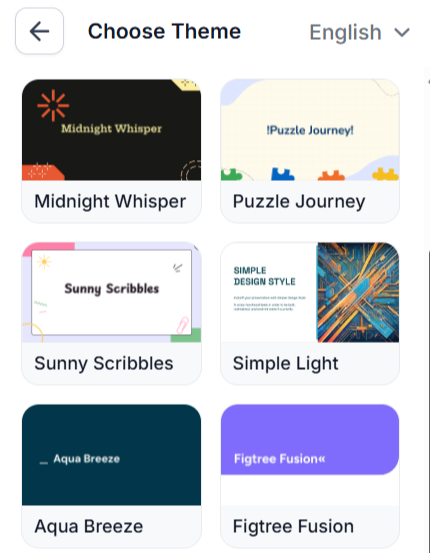
- 150+ Professional Templates & Themes: Choose from diverse design templates and customize layouts to match your brand and message style
Pros
- Extremely fast presentation creation: generates complete decks in seconds
- No design skills required, with an interface accessible to beginners
- Deep integration with Google Slides and PowerPoint, keeping the workflow inside tools you already use
- Multilingual support: 100+ languages supported
- Excellent customer support, with the founder actively responding to users and troubleshooting issues
- Free tier available with decent credits for light use
Cons
- Limited free plan: only 3 presentations a month on the Basic tier
- Unreliable output quality, with some users reporting poorly designed or inconsistent slides
- Incomplete features: document upload, video export, and YouTube integration are marked 'Coming Soon'
- Subscription cancellation issues, with users reporting difficulty canceling through the Paddle payment processor
- Design limitations: templates may feel generic and color preferences are sometimes ignored
- Small input limit on the free tier: character restrictions limit content refinement
Product Information
- Cloud
- Yes
- Self-Hosted
- No
- On-Premise
- No
- Languages
- English, Spanish, French, German, Italian, Portuguese, Japanese, Korean, Chinese, 20+ total
- Training
- Documentation, Video tutorials, In-addon help
Frequently Asked Questions
What does SlidesAI actually cost?
SlidesAI's Basic tier is free. Pro costs $8.33 a month billed annually and includes 120 presentations a year, while Premium costs $16.67 a month billed annually for unlimited presentations. Paid tiers also raise the character-input limit and AI credit allowance above the free plan.
Can you use SlidesAI without paying?
Yes, on the free Basic plan: 3 presentations a month, each built from up to 2,500 characters of input, plus 120 AI credits a year. Higher character limits and larger credit allowances are what the paid Pro and Premium tiers add.
Which tools compete with SlidesAI in 2026?
Gamma covers more ground, generating websites and documents from the same engine rather than slides alone. Pitch fits teams that need live multi-person editing and built-in engagement analytics, neither of which SlidesAI has. Beautiful.ai brings its Smart Slides layout engine, though there is no free tier to start on.
What separates SlidesAI from Gamma?
SlidesAI works as an add-on inside Google Slides or PowerPoint, so what you get back is a native deck in the app you already use. Gamma is a separate editor that also builds websites and documents from the same AI engine, and its free tier is credit-based, roughly 10 presentations before the limit. The deciding question is whether you want to stay inside your current slide software or move to one tool that also handles web pages.
What does it take to start using SlidesAI?
Install the add-on for Google Slides from the Google Workspace Marketplace, or the add-in for PowerPoint from the Microsoft Add-ins Store, using an existing Google or Microsoft account. Paste a block of text or type a topic, and SlidesAI generates a full slide deck in the editor within seconds. From there you can edit fonts, colors, and layouts, or regenerate individual slides before exporting.
Top Alternatives
- Gamma: SlidesAI builds inside Google Slides or PowerPoint; Gamma is a separate editor that also makes websites and offers a paid API.
- Pitch: Solo drafts from text you already have go faster in SlidesAI, while Pitch adds live multi-person editing and engagement analytics.
- Beautiful.ai: SlidesAI has a real free tier; Beautiful.ai starts on a paid trial in exchange for its Smart Slides layout engine.
HokAI guides covering SlidesAI
- The AI Tools That Do One Microsoft Copilot Job, Cheaper: Microsoft 365 Copilot bundles five jobs into one $30 seat. See which single-purpose AI tools beat that price per job, and when stacking them costs more.
- Best AI Presentation Tools in 2026, and Two That Are Not: Gamma and Beautiful.ai lead 2026 AI presentation tools, Pitch has the best free tier, and Tome, Guideflow, and Relayto do not belong on this shortlist at all.