Best AI Tools for Writing Excel Formulas and Data Analysis in 2026
AI for Excel formulas splits into two tiers. Bundled tools, Microsoft Copilot and Google Gemini, are included in Business Standard-plus subscriptions and write most formulas for free. Dedicated tools, Better Analyst, Rows AI, and Aleph, cost $8 to $80 a month and are worth it only for high-volume formula work or financial modeling requiring live data sync.
The short version
Microsoft Copilot and Google Gemini already handle most Excel and Sheets formula work once your subscription tier includes them. Dedicated tools like Better Analyst (formerly Formula Bot), Rows AI, and Aleph only earn a separate subscription past two specific walls: high-volume formula work and live-synced financial modeling that bundled AI cannot do.
Want this decided for your own case? Find your tools with Smart Match, starting from this guide's question.
Microsoft 365 Copilot costs $18 a user a month on its current annual plan. That price, discounted from $21 through December 31, 2026, already includes formula writing inside Excel.
That number is why most "best AI for Excel" round-ups miss the real decision. The AI already built into your spreadsheet subscription, Copilot for Microsoft 365 and Gemini for Google Workspace, handles most formula and cleanup work at no extra cost once a plan tier you may already be paying for unlocks it. The question worth answering in 2026 is narrower: when does that bundled help stop being enough, and which paid extra earns its keep on top of it.
Six tools answer that, split across three jobs: what you likely already have, the dedicated specialists worth paying more for, and the point where a spreadsheet is the wrong tool entirely.
What "AI in Excel" means now that a rival built part of it
Here is the part most comparisons skip. Word, Excel and PowerPoint Agents, a premium Copilot feature that creates entire files rather than single formulas, run on Anthropic's models rather than Microsoft's own, according to Microsoft's own admin documentation. Anthropic became a subprocessor for that capability on January 7, 2026, under a Microsoft data-protection addendum, with full rollout expected by the end of February. An administrator can switch the underlying model provider off entirely in the tenant console; doing so removes the agents for every licensed user, no exceptions.
The ribbon-level formula assistant most people mean by "Copilot in Excel" is a separate, older capability and is not affected by that switch. The distinction matters for procurement more than for a single analyst at a keyboard, but it is worth knowing your Excel subscription may quietly route some requests through a different vendor's model.
For a regulated finance team, that is not a footnote. An admin who assumed every Copilot request stayed inside Microsoft's own infrastructure now has a third-party subprocessor to disclose in a vendor risk review, and a toggle to check before signing off on the next audit.
The AI you already pay for handles most of this
Check your admin console before buying anything else. For individuals, Microsoft 365 Personal runs $9.99 a month, Family $12.99, and Premium $19.99, each with a monthly AI credit cap rather than unlimited use, per Microsoft's own pricing page. For a business, Copilot in Word, Excel, PowerPoint and Outlook is an add-on discounted to $18 a user a month on annual billing through the end of 2026, or it comes bundled into Business Premium at $32.
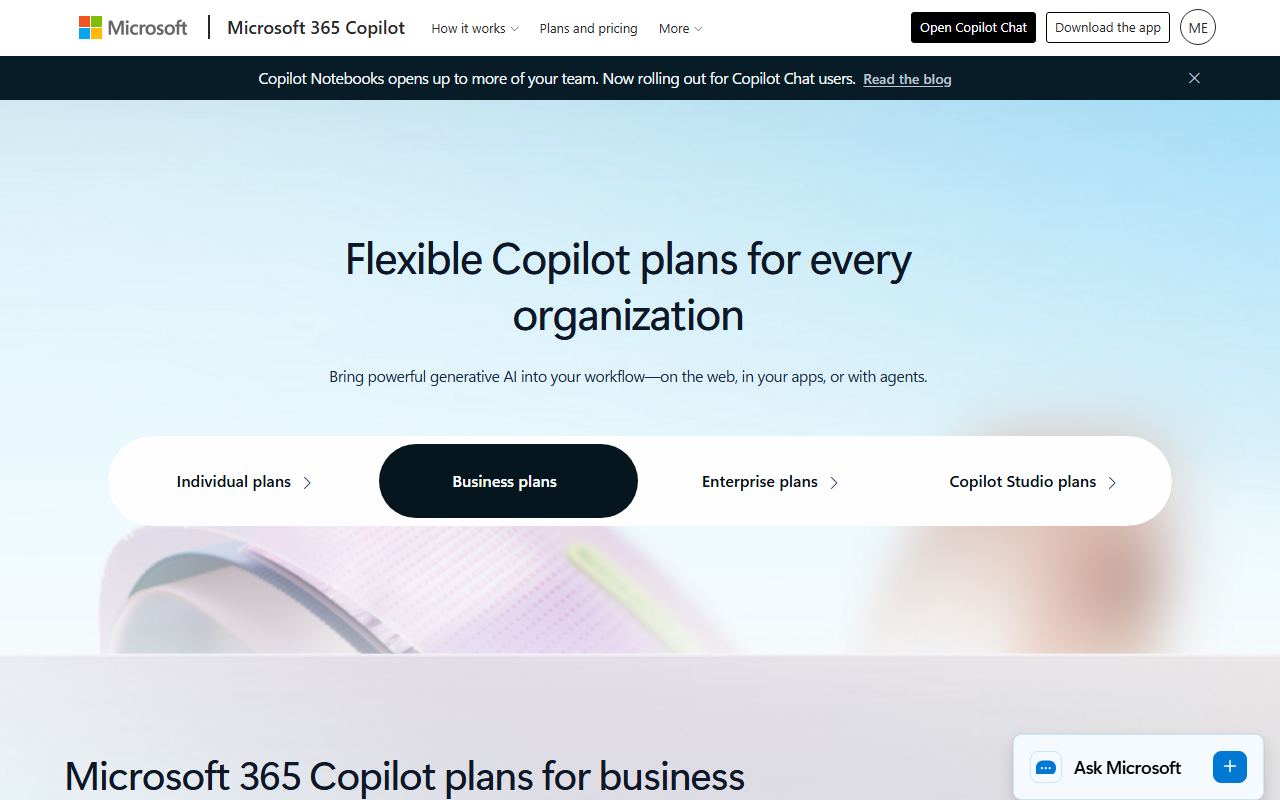 Microsoft's Copilot plans page, captured 2 September 2026. The Business tab is what the $18-to-$32 range above is quoting.
Microsoft Copilot's Agent Mode goes past single formulas. Highlight a range, describe the outcome in plain English, and it builds pivot tables, charts and multi-step cleanup on the actual cells, per Microsoft's own product documentation.
The Google side is cheaper to reach and less separable. Gemini used to be a standalone $20 to $30 add-on for Workspace. Google folded it into every Business tier in 2025, raising the base price instead of charging separately, so Business Standard at $14 a user a month, billed annually, is now the practical floor for Gemini inside Sheets, according to Google's own Workspace pricing page. Business Starter, at $7, skips it.
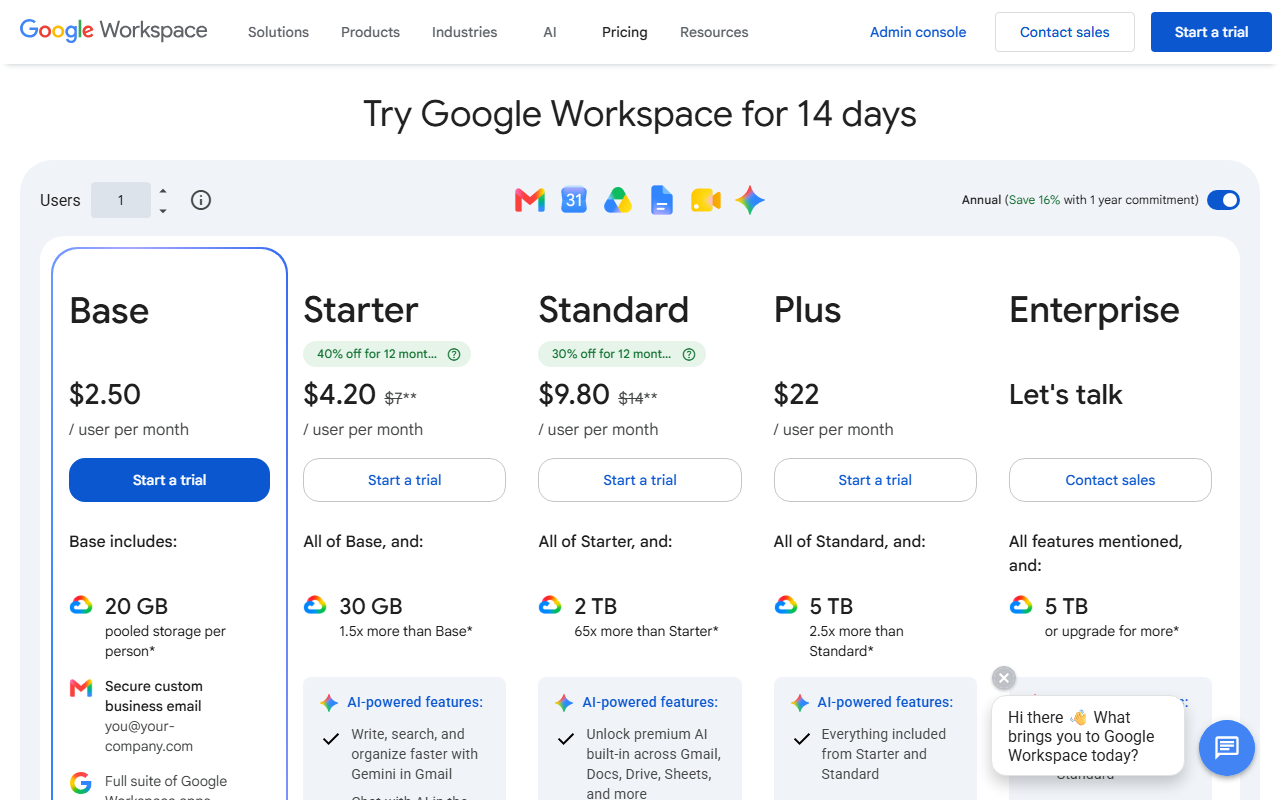 Google Workspace pricing, captured 2 September 2026. Starter's checked AI feature is Gemini in Gmail only; Sheets-wide Gemini only unlocks from Standard up, at a promotional $9.80 a user a month against a $14 list price.
Copilot and Gemini stop mattering at two specific points
Neither vendor publishes a hard number for its monthly credit cap. That omission is itself worth noting before a team builds a daily workflow on top of either tool. In practice the ceiling shows up in two places: high-volume repeated formula work across many files, which burns the monthly allowance fast, and financial modeling that needs a live connection to a data warehouse or ERP, a job neither product was built to hold. Nothing bundled reaches that far. That gap is where the next two categories start.
How to choose among the dedicated tools
Four questions narrow six options fast.
Where does the AI run: inside the spreadsheet you already have, or as a separate app you import data into and export results from. The first keeps one file as the source of truth. The second means learning a new interface for the upside of more power.
What is the job, specifically: one-off formula and cleanup work, or a model that has to stay synced to live source systems. A tool built for the first job will not do the second well, and the reverse is worse.
Does the vendor publish a price, or ask for a sales call. A published dollar figure means the product is sold to individuals and small teams. A demo request means enterprise procurement, and the real price depends on headcount and how hard you push back in the negotiation.
Which cap will actually bind first, a monthly message count, a dashboard limit, or a connected-data-source ceiling. Every tool here limits something, and the cheap tier's limit is usually reached inside the first real working week.
| If your bottleneck is | Pick | Starting price | The one caveat |
|---|---|---|---|
| Casual formulas inside a Microsoft 365 plan you already pay for | Copilot's Agent Mode | $0 extra on a qualifying plan | Credit cap is undisclosed |
| Casual formulas inside Google Workspace | Gemini | $0 extra on Business Standard+ | Not included below Business Standard |
| High-volume formulas, code and dashboards across many files | Better Analyst | $20/month | Free-tier messages run out fast |
| A spreadsheet with zero Microsoft or Google subscription | Rows AI | $8/user/month | Free tier caps at 5 AI tasks/month |
| Financial modeling wired to live source systems | Aleph | Quote-only | No published price at all |
| Billions of rows, no single workbook can hold it | Tellius | Quote-only | No published price at all |
Formula Bot rebranded to Better Analyst, and most guides haven't noticed
The tool most 2026 listicles still call Formula Bot is now Better Analyst. The vendor's own site says it plainly: the same account and workflows now cover dashboards and automation, not just formulas.
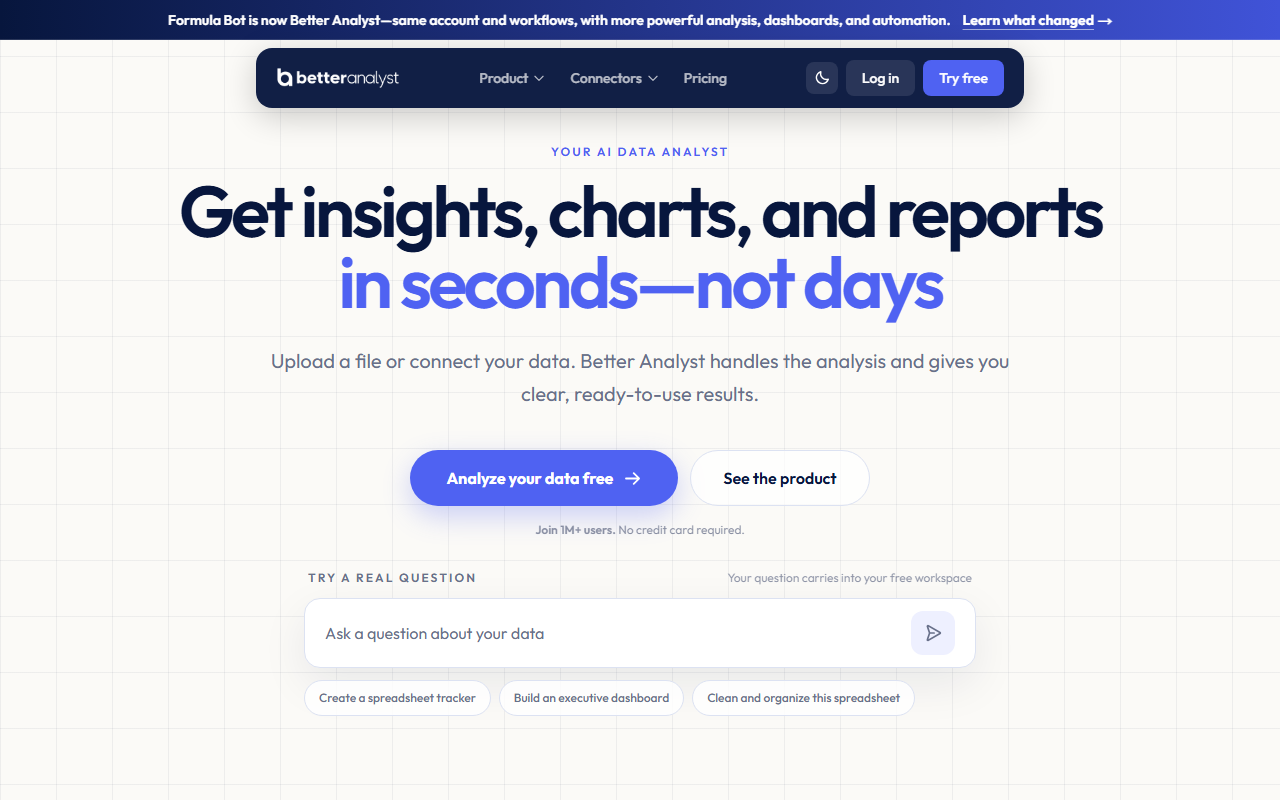 Better Analyst's own homepage, captured 2 September 2026. The rebrand banner runs across the top of the page, not buried in a changelog. Under the new name, the product generates Python, SQL, R and VBA code alongside spreadsheet formulas, builds dashboards, and schedules recurring reports pulled from more than 20 connected platforms.
Pricing runs $20 a month for Starter (250 messages, two dashboards, two data sources), $40 for Max (unlimited messages, ten dashboards), and $80 for Business (unlimited messages, 50 data sources), each discounted for a first month, according to the vendor's own pricing page.
Rows AI solves a narrower problem for less money. It is an AI-native spreadsheet you can start using with no Microsoft or Google subscription at all. The Plus plan runs $8 a user a month for 200 AI tasks; a chat request or a PDF import each counts as one task. Free caps at five tasks a month. That's a trial, not a workflow.
Aleph is for when a formula stops being enough
Aleph is not a formula tool. It is a data layer that sits between source systems and a spreadsheet: more than 150 connectors sync ERP, CRM and HRIS data into a central database, and Excel or Sheets stays bidirectionally synced to it, with AI handling variance detection and forecast narration on top, per the company's own product pages. Think of it as the FP&A-grade version of what Copilot's Agent Mode does inside a single workbook.
Aleph does not publish pricing anywhere on its site. Every plan runs through a demo call, a gap this guide will not paper over with an invented figure. Take that as a signal on its own: tools with a published dollar amount are built for individuals and small teams, and tools that require a sales conversation are priced per negotiated deal, every time.
Copilot versus Better Analyst is the decision most readers are actually making
For a reader already on a plan that includes Copilot, the honest comparison is not Copilot against everything in this guide. It is Copilot against paying $20 to $80 a month more for a dedicated tool on top of it.
Copilot's Agent Mode wins on friction. It already lives inside the file, needs no export, and its multi-step workflows now match what used to require a separate app entirely.
Better Analyst's dashboard builder wins on breadth once a task leaves Excel for good: generating code against an external dataset, building a shareable dashboard, or scheduling a recurring report are not things Copilot does today, and there is no roadmap commitment that it will. A three-person team doing occasional VLOOKUP and pivot table work has little reason to add a second subscription for any of that. A team running weekly cross-platform reporting pulled from 20 different sources probably does, and will likely feel the difference inside the first billing cycle.
Put a number on it. A five-person finance team paying $18 a head for Copilot already spends $90 a month on AI it may barely use for formulas. Adding Better Analyst's $80 Business tier on top, to cover 50 data sources and unlimited dashboards, only pays for itself once that team is actually running recurring cross-platform reports every week, not once a quarter.
Skip a spreadsheet tool entirely if the problem already left the spreadsheet
Tellius does not belong on the same shortlist as the other five tools here, and that is deliberate. It answers a different question, natural-language querying across billions of rows in a warehouse, not formula generation inside one workbook. It shares one trait with Aleph: no public price. Its own pricing page lists Premium and Enterprise tiers as "customized," with a sales-call button and no dollar figure anywhere on it.
If the actual complaint on your team is that a workbook is too slow to open, or that nobody can agree which copy is current, a better AI formula tool will not fix that. The fix is moving the analysis into a platform sized for the data, and a guide about Excel formulas is the wrong place to sell that shift, however tempting the AI-in-a-spreadsheet pitch sounds.
That threshold is usually a row count, not a feeling. A workbook stitching together a few thousand rows from two or three sources still belongs in Excel or Sheets, AI-assisted or not, and none of the six tools above change that math. Once a report pulls from billions of rows across a dozen systems, no formula, however cleverly generated, is the actual bottleneck anymore, and no amount of AI bolted onto a single workbook will make it one again.
The bundled AI looks free until you hit its cap
Here is the strongest pushback against everything above: Copilot and Gemini are already paid for, so adding a second tool is pure extra cost. That holds for casual formula help. It holds for most individual users too.
It stops holding at a specific moment. Both vendors publish plan tiers, not usage numbers, so a heavy user hits the credit ceiling with no warning built into the product. It also stops holding the instant a workflow needs a live link to a system neither Copilot nor Gemini was built to touch. Those two failure points, not general dissatisfaction with formula quality, are what justify paying twice.
If you are not sure which side of that line your team sits on, Smart Match works through the specifics faster than reading five more comparison guides.
Better Analyst's rebrand is a small story about a larger one. Spreadsheet AI is drifting from writing a single formula toward general analysis, the same direction Copilot's Agent Mode and Aleph's data layer are already headed, on different vendors' infrastructure than most readers assume. Watch whether Microsoft or Google closes that gap from the other side before your next renewal is due.
Frequently asked questions
Is Microsoft Copilot free for Excel formulas?
Not on its own. Copilot in Excel requires either a Microsoft 365 Personal ($9.99/month), Family ($12.99/month), or Premium ($19.99/month) subscription for individuals, or a Microsoft 365 Copilot business add-on starting at $18 a user a month on annual billing through December 31, 2026. Once you are on a qualifying plan, formula generation itself costs nothing extra, subject to a monthly AI credit cap.
What happened to Formula Bot?
Formula Bot rebranded to Better Analyst in 2026. The vendor's own site confirms it is the same account and workflows, expanded to include dashboards, scheduled reporting, and code generation in Python, SQL, R, and VBA alongside spreadsheet formulas.
Does Gemini in Google Sheets cost extra on top of Workspace?
No longer as a separate add-on. Google folded Gemini into Workspace Business Standard and above during a 2025 pricing restructure, so Business Standard at $14 a user a month (annual) is the entry point. Business Starter at $7 does not include it.
How much does Aleph cost?
Aleph does not publish pricing on its website. Every plan is quote-based through a demo call. That typically means enterprise-scale negotiation rather than a fixed self-serve rate.
What's the cheapest way to get AI spreadsheet help without Microsoft or Google?
Rows AI's Plus plan costs $8 a user a month for 200 AI tasks. Its free tier includes 5 tasks a month with no subscription at all. That makes it the lowest-cost entry point in this category.
Covered in this guide
- Better Analyst: Formulabot is an AI spreadsheet assistant that generates Excel and Google Sheets formulas, creates charts, and analyzes data 10x faster using natural language queries.
- Microsoft Copilot: Your everyday AI companion powered by GPT-5.6 (preferred model July 2026), GPT-4o, and GPT-5 for productivity, creativity, and intelligent assistance
- Gemini: Google's multimodal AI assistant and model family, sold as a free app, tiered subscriptions and a pay-per-token API
- Aleph: AI-native FP&A platform that syncs 150+ ERP/CRM systems into live Excel and Sheets models, founded 2020, backed by $46M from Khosla Ventures.
- Rows AI: AI spreadsheet scoring 89% first-try accuracy vs Excel's 53%, with GPT formula functions and 50+ live integrations. Acquired by Superhuman; sunset May 31, 2026.
- Tellius: The Agentic Analytics Platform for Enterprise Data Intelligence
Sources
Still deciding?
This guide covers a handful of options. Smart Match checks every listing in the directory against how you actually work and what you can spend, then hands you the shortlist and the reason behind each pick.
Find your toolsRelated guides
- The AI 80s Photo Trend: How to Make Yours (and Turn It Into a Video) in 2026AnalysisWhat changed and who it affects
- The AI Tools That Do One Microsoft Copilot Job, CheaperBuyer's guideHow to pick, across a category
- AI2sql vs BlazeSQL: Which Should You Use in 2026?ComparisonHead-to-head, with a verdict
- Best AI Assistant Apps for Android in 2026, Now That Google Assistant Is DeadBuyer's guideHow to pick, across a category
- Best AI Assistant for Small Business in 2026Buyer's guideHow to pick, across a category
- Best AI Chatbots in 2026: Pick by the Job, Not the LeaderboardUpdatedRechecked against current sources